Why Users Are Looking for a VirtualBox Alternative
VirtualBox has had an impressive run. It is free, cross-platform, and genuinely easy to set up, which is exactly why so many students, developers, and IT teams reach for it first. But “easy to start” does not always mean “easy to scale”, and the same qualities that make VirtualBox approachable also define its ceiling.
But there are also pain points collected on G2 and PeerSpot:
Restricted graphics performance: weak 2D/3D acceleration hinders graphic-heavy workloads
Unstable performance under load: multiple concurrent VMs often crash or slow drastically
Lack of enterprise functionality: no native live migration, high-availability clustering, distributed storage, or granular team access controls
Flawed backup functionality: snapshots cannot reliably back up running VMs, full VM shutdown is required for safe backups, which is impractical for 24/7 production services
All these drawbacks explain why VirtualBox only suits beginner testing environments, and teams migrate away as workloads scale.
Quick Comparison: Best VirtualBox Alternatives
Platform | Hypervisor Type | Best For | Host OS | Cost |
VMware Workstation Pro | Type 2 | Professional desktop virtualization | Windows, Linux | Free for personal use |
Microsoft Hyper-V | Type 1 | Windows environments | Windows | Included with Windows |
Proxmox VE | Type 1 | Enterprise and homelab servers | Linux | Open-source |
KVM | Type 1 | Linux power users | Linux | Open-source |
XCP-ng | Type 1 | Enterprise virtualization | Linux | Open-source |
QEMU | Type 2/Emulator | Emulator and advanced virtualization | Windows, Linux, macOS | Open-source |
Parallels Desktop | Type 2 | Mac users | macOS | Commercial |
Nutanix AHV | Type 1 | Large enterprise | HCI Platforms | Commercial |
Detailed about the VirtualBox Alternative
In this section will introduce the 8 alternatives in clear and detailed.
1. VMware Workstation Pro
Best for: Developers and professional users
VMware Workstation remains one of the strongest competitors to VirtualBox
Advantages
Excellent guest OS compatibility
Strong 3D acceleration
Advanced snapshot management
Enterprise ecosystem integration
Mature virtualization platform
Drawbacks
Ideal Users
Developers
QA teams
Security researches
IT professionals
2. Microsoft Hyper-V
Best for: Windows-Centric organizations
Hyper-V is built directly into Windows Server and many Windows desktop editions.
Advantages
Drawbacks
Ideal Users
3. Proxmox VE
Best for: Cost-conscious enterprises and homelabs
Proxmox VE has rapidly become one of the most popular virtualization platforms worldwide.
Built on KVM and LXC containers, Proxmox combines virtualization, clustering, storage management, and high availability into a single web-based platform.
Advantages
Open-source
High availability
Live migration
Ceph integration
Built-in clustering
Active community
Drawbacks
Ideal Users
4. KVM (Kernel-Based Virtual Machine)
Best for: Linux experts
KVM transforms the Linux kernel into a powerful hypervisor.
Advantages
Drawbacks
Ideal Users
Linux administrators
Cloud providers
DevOps teams
5. XCP-ng
Best for: Organizations migrating from VMware
XCP-ng is an open-source virtualization platform derived from Citrix Hypervisor.
Advantages
Drawbacks
Ideal Users
6. QEMU
Best for: Developers, emulation, and advanced virtualization users
QEMU (Quick Emulator) is one of the most versatile virtualization and machine emulation platforms available today.
Advantages
Completely open-source
Supports multiple CPU architectures (x86, ARM, PowerPC, RISC-V, and more)
Highly flexible and customizable
Near-native performance when combined with KVM
Widely used in cloud and enterprise environments
Strong integration with OpenStack and other cloud platforms
Drawbacks
Steeper learning curve than VirtualBox
Primarily command-line driven
Less beginner-friendly for desktop users
Ideal Users
7. Parallels Desktop
Best for: Mac Users
Parallels Desktop remains one of the most polished virtualization solutions for Apple users.
Advantages
Drawbacks
Ideal Users
8. Nutanix AHV
Best for: Large enterprise deployments
Nutanix AHV integrates virtualization directly into hyperconverged infrastructure.
Advantages
Simplified management
Enterprise scalability
Strong automation
Drawbacks
Ideal Users
Enterprise datacenters
Multi-site deployments
HCI environments
Beyond Virtualization - Data Protection with Vinchin Backup & Recovery
Choosing a VirtualBox alternative is only one part of building a reliable virtualization environment. Whether you migrate VirtualBox to Proxmox VE, Hyper-V, KVM, XCP-ng, VMware, or Nutanix AHV, your virtual machines will eventually host critical business applications, databases, and user data.
Vinchin Backup & Recovery not only helps to migrate between different platforms but also simplify virtual machine protection by providing centralized backup and recovery capabilities. Instead of deploying separate backup tools for different hypervisors, administrators can manage backup tasks through a unified platform.
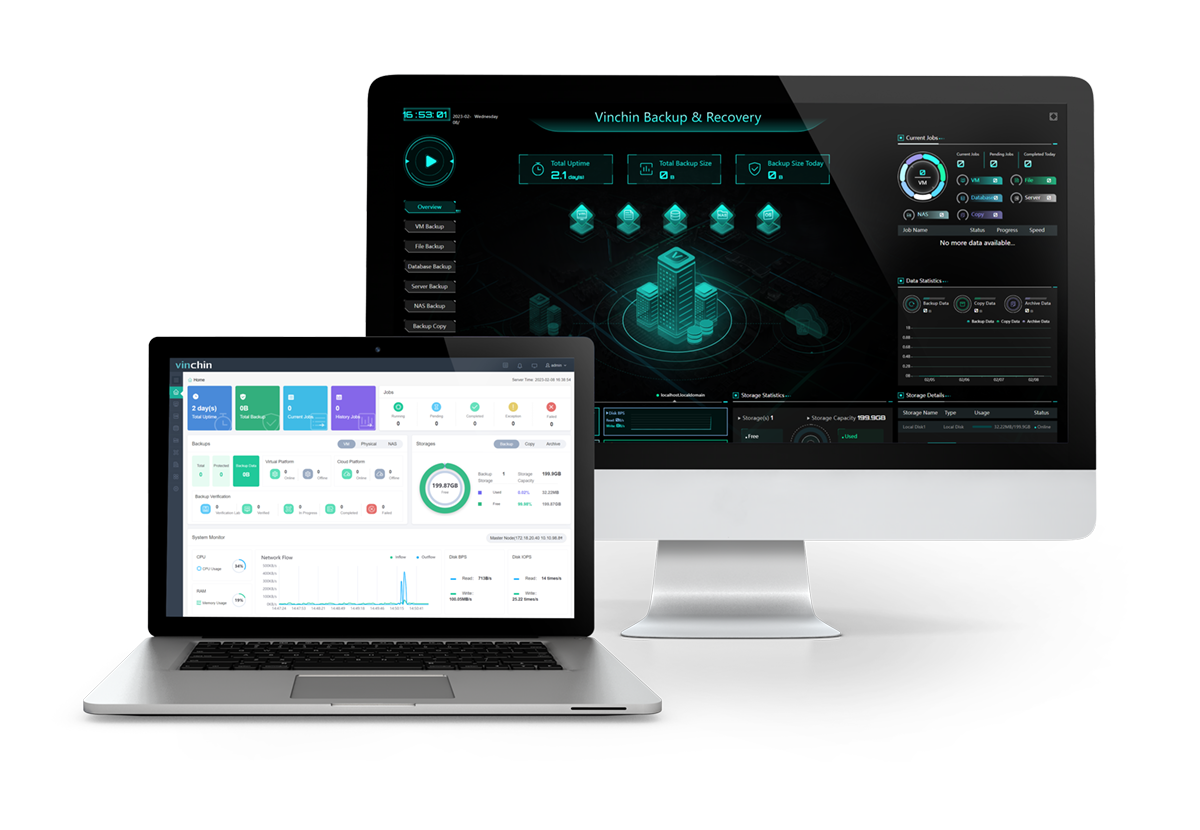
Reduce Migration Complexity: Avoid manually converting VDI, VMDK, VHDX, or QCOW2 files using multiple third-party utilities.
Comprehensive VM Protection: Vinchin provides agentless backup and recovery for major virtualization platforms.
Fast Recovery: Restore entire VMs or individual files quickly after failures.
Start your 60-day full-feature free trial for Vinchin Backup & Recovery today and experience reliable backup, VM migration, and fast recovery, all with no feature limitations. Also, contact us to leave your needs, and we will provide solutions for your IT environment.
FAQs about VirtualBox Alternative
Q1: Can VirtualBox alternatives run the same virtual machines?
In many case, yes. Most virtualization platforms support importing or converting virtual disk formats, although some configuration adjustments may be required after migration.
Q2: What should I consider before switching from VirtualBox to another hypervisor?
Before migrating, evaluate:
Virtual disk compatibility
Guest operating system support
Hardware requirements
Backup and recovery strategy
Migration complexity
Licensing costs
Future scalability requirements
Planning these factors in advance can significantly reduce migration risks and downtime.
Conclusion
The best VirtualBox alternative depends on your specific needs, whether it's desktop virtualization, enterprise management, open-source flexibility, or large-scale infrastructure. As organizations migrate to more advanced platforms, a reliable migration and data protection strategy becomes essential. Vinchin Backup & Recovery helps simplify cross-platform VM migration while ensuring your virtual machines remain protected throughout the transition.