





Video
How to backup Windows/Linux servers with Vinchin Backup & Recovery
WATCH NOW


Windows Server infrastructures power the core operations of countless modern enterprises, hosting everything from mission-critical databases to essential domain services.
Implementing a resilient data protection strategy is critical to defend against escalating ransomware threats, mitigate unpredictable hardware failures, and ensure uninterrupted business continuity.

Implementing immutable storage and isolated backup environments ensures that even if a Windows server is compromised, critical business data remains fully protected and instantly recoverable from malicious encryption.

A comprehensive protection strategy must include bare-metal recovery capabilities. This allows organizations to bypass tedious OS reinstallations and swiftly restore entire Windows instances to dissimilar hardware seamlessly.

Guaranteeing application consistency via VSS integration prevents database corruption during backups. This strict data integrity ensures critical Windows workloads can resume operations immediately after any unexpected disaster strikes.

Defending against advanced ransomware requires immutable storage architectures. This WORM-based approach ensures that once backup data is written, it cannot be modified, encrypted, or deleted by malicious actors.

Utilizing native VSS integration ensures database transactions are safely paused during backups. This guarantees absolute application consistency for critical Windows workloads like SQL Server and Exchange.

To enhance disaster recovery agility, modern solutions support physical-to-virtual (P2V) restorations. This capability allows failing physical Windows servers to be rapidly spun up as virtual machines within hypervisor environments.

Modern protection requires granular recovery capabilities. IT teams must be able to instantly restore individual Active Directory objects, specific emails, or single files without rolling back the entire server.

In the event of catastrophic hardware failure, bare-metal recovery enables administrators to restore the entire Windows operating system, configurations, and data directly to dissimilar hardware seamlessly.

Relying on unchecked backups is a significant risk. Automated verification temporarily boots backup images within isolated sandbox environments to continuously confirm data integrity and guarantee true recoverability.


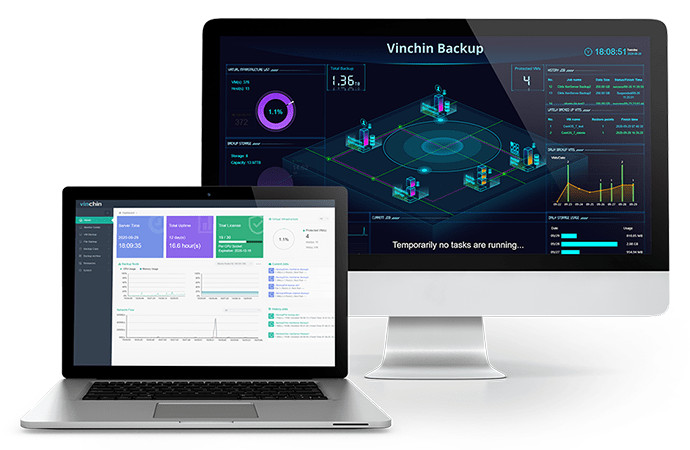
Provides a user-friendly web management interface with intuitive capacity expansion, client deployment, and centralized monitoring capabilities, enabling enterprises to efficiently manage large-scale Windows Server environments.


From easy software deployment to effortless software operation for fast and reliable backup and recovery, Vinchin provides you with an unparalleled user experience.
By optimizing data recovery process and leveraging core instant recovery capabilities, Vinchin minimizes your RTO, thereby reducing the impact of business downtime.

Ensure uninterrupted business operations with application-consistent backups and seamless recovery. Start your free trial today!