


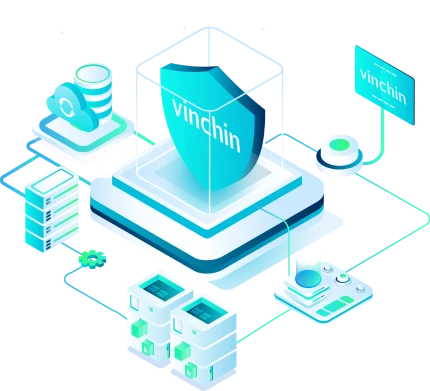

Once enabled, Vinchin locks down all backup storage at the system level - granting write and modify permissions exclusively to authorized Vinchin applications. Any I/O request from unauthorized programs is automatically denied, preventing ransomware from reaching your backup data even if it infiltrates your production environment.
Why You Need Ransomware Protection
Over 72%
of organizations experienced ransomware attempts in 2025
$5.08 million
average total cost of a ransomware incident in 2025
109+
ransomware groups were active worldwide in 2025
Coexisting with modern virtualization technology, the ever-changing cybersecurity threats have become more and more difficult to catch. In this never-ending hide-and-seek play, the first and most important thing we can do to be the winner is to race against time--establish a complete and cutting-edge protection plan, before ransomware comes to our invaluable digital assets.
What Ransomware Protection Solution Must Deliver

Immutable Backup
Ransomware-proof recovery points that cannot be modified, encrypted, or deleted - even if admin credentials are compromised.

Offsite Copies
Multiple backup copies stored across local, remote, and cloud locations ensure at least one clean copy survives any single attack vector.

End-to-End Encryption
Backup data encrypted in transit and at rest - ensuring stolen backup files cannot be read or leveraged by attackers.

Malware Scan
Automatically scan backup data for malware before restoring, ensuring you never recover an already-infected system.

Backup Integrity Verification
Automated verification confirms every backup is recoverable before you need it - not after an attack has already occurred.

Rapid Recovery
Restore critical systems within 15 seconds of a ransomware attack, minimizing business downtime and financial impact.
How Vinchin Protects You Against Ransomware
Storage Protection

WORM Protection
Vinchin's WORM (Write Once, Read Many) protection makes backup data immutably read-only for a preset retention period. Backup recovery points cannot be modified, encrypted, or deleted - even by administrators with compromised credentials. Your clean recovery points stay intact no matter what.
Pre-Recovery Malware Scan
Vinchin automatically scans backup data for malware during the backup process, supported by third-party virus libraries with both online and offline update capabilities. Before any recovery operation, backup data is verified clean - ensuring you never restore an already-infected system.


Backup Verification in Isolated Environment
Automated recovery verification runs in an isolated environment, confirming every backup is recoverable and free from reinfection risk before you actually need it. Regular verification tests eliminate the uncertainty of "will my backup actually work?"
End-to-End Encryption
Backup data is encrypted using AES-256 encryption both at rest and in transit. Encrypted Transmission protects backup copies and archives from interception during transfer. A unique password is required for every recovery operation, adding an additional layer of identity verification.

3-2-1 Backup Architecture
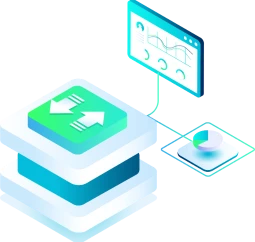
Vinchin makes it simple to follow the 3-2-1 rule - 3 copies of data, on 2 different storage types, with 1 offsite in the cloud (AWS S3, Azure, and more). At least one copy always remains out of reach of any single ransomware attack.
Why IT Teams Trust Vinchin When Ransomware Strikes

15-Second Recovery
Instant Recovery brings critical systems back online in 15 seconds using offsite backup copies - keeping your business running while the primary environment is still under attack.

Multiple Layers, One Platform
Storage lockdown, immutable backups, malware scanning, end-to-end encryption, and automated verification - all built into a single platform, no additional tools required.

Compliance-Ready
Immutable storage, audit logs, and automated verification reports satisfy GDPR requirements out of the box.

Built for Any Team Size
Every protection layer is enabled through simple clicks in a single web console - no scripting, no complexity, no specialist required.

Global Customer Success
True Stories of Disaster Recovery
“The software is like medicine for all our needs. Effortless setup and job configurations, fast oVirt and MySQL backup, lots of recovery options, and best of all, backup protection against ransomware.”
Explore More CasesGet Ransomware Protection Solution Now
See how ransomware-proof backup actually works - start protecting your data today
Free Trial
* 60-day free trial
Talk to an Expert
* Free solution assessment
Frequently Asked Questions
Q1: What is the difference between ransomware and other malware?
A: Unlike viruses or spyware that operate silently, ransomware is designed to be immediately visible - its goal is extortion, not stealth. Modern ransomware often combines data encryption with data exfiltration, threatening to publish stolen data publicly if the ransom is not paid, a tactic known as double extortion.
Q2: How long does a typical ransomware attack take to detect?
A: According to industry research, the average ransomware dwell time - the period between initial infiltration and detection - ranges from days to weeks. Attackers use this time to map the network, escalate privileges, and disable defenses before triggering encryption, making early detection extremely difficult.
Q3: How do you identify a clean recovery point after a ransomware attack?
A: Work backwards from the confirmed infection date to identify backup recovery points that predate the attack. Cross-reference backup timestamps with any anomalous system activity logs. Verify the integrity of candidate recovery points before restoring - a backup created during the attack window may already contain encrypted or corrupted data.
Q4: How often should backups be tested for ransomware recovery readiness?
A: Best practice recommends automated backup verification after every backup job, combined with quarterly full recovery drills in an isolated environment. Many organizations discover their backups are unrecoverable only during an actual incident - by which point it is too late. Regular testing eliminates this risk.
Q5: What is the difference between ransomware recovery and disaster recovery?
A: Disaster recovery typically addresses infrastructure failures - hardware faults, natural disasters, power outages. Ransomware recovery adds a layer of complexity: not only must systems be restored, but the infection vector must be identified and closed, all restored systems must be verified clean before reconnecting to the network, and the recovery environment itself must be isolated to prevent reinfection during the restoration process.