









Restore workloads directly to the target platform through an intuitive GUI, reducing configuration complexity, technical requirements, and operational errors.
Common Enterprise Migration Scenarios
Platform Replacement
Move workloads from an existing virtualization platform to a new platform.
Infrastructure Modernization
Transition workloads from physical or legacy environments to modern infrastructure.

Cloud Adoption
Migrate on-premises workloads to supported cloud environments.
Workload Relocation
Move workloads between environments to meet changing business or infrastructure requirements.
What to Consider Before Workload Migration

Source & Target
Identify the source workload and target environment before selecting the appropriate migration path.

Migration Method
Choose the right migration approach based on the workload and source-to-target environment.

Downtime Requirements
Determine how much service disruption is acceptable and whether workloads need to remain online during migration.

Post-Migration Readiness
Consider OS, applications, data, drivers, and system configurations that need to be ready in the target environment.
Key Migration Capabilities of Vinchin
Direct Cross-Platform Migration
Real-Time Data Synchronization
Multi-Threaded & Multi-Node Transfer
Automatic System Configuration Repair
Direct Cross-Platform Migration
Support direct heterogeneous migration across physical servers, virtual machines, and cloud platforms.
Real-Time Data Synchronization
Keep production workloads online while synchronizing physical server data in real time before service switching.
Multi-Threaded & Multi-Node Transfer
Accelerate workload data movement and shorten transfer and cutover windows.
Automatic System Configuration Repair
Automatically repair boot and network configurations and replace necessary drivers during X2X cross-platform migration
Supported Scenarios for Any-to-Any Migration

V2V
Just add both hypervisors to Vinchin Backup & Recovery and then restore the backup of target VM on the other hypervisor.

P2V
Server in physical environment can be converted to virtual machines by directly restoring its backup on any host in Vinchin.

P2C
Turn physical backups into VM by restoring its backup to a virtual host, and Vinchin automatically converts it to a VM.

C2C
Cloud instances like AWS EC2 and Huawei ECS can be converted between each other by restoring the backup on the other platform.

P2P
You can perform a bare metal restore with recovery media and a lightweight agent to migrate the full system to an empty server.

C2V
Migration of cloud instances to on-premises VM is supported by restoring backup directly to a local host registered in Vinchin.
Why Choose Vinchin for Workload Migration
Simplify Migration Operations

Minimize Business Disruption
Keep production workloads online during migration and switch business services after synchronization is complete.
Reduce Post-Migration Work
Migrate the OS, applications, and data together while automatically repairing required boot, network, and driver configurations.
Protect Existing Access & Credentials
Migration does not require business-system credentials, while existing user credentials remain available for application access and management after migration.
Global Customer Success
True Stories of Disaster Recovery
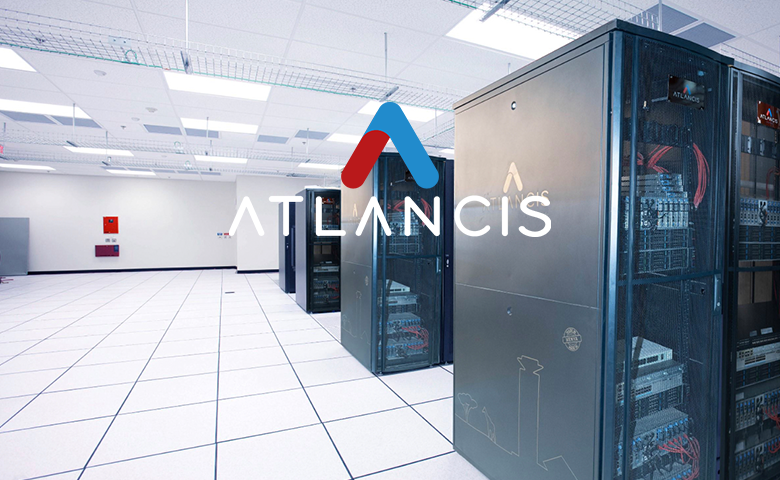
“Vinchin's solution not only successfully solved Atlancis' pain points for V2V migration, but also excelled in offsite disaster recovery and instant recovery. With its flexibility and reliability, Atlancis has no doubts about business continuity. It can be said that Vinchin is a perfect fit for Atlancis' needs, providing us with a smoother and more efficient data protection experience.”
Explore More CasesGet Workload Migration Solutions Now
Simplify cross-platform workload migration with Vinchin Backup & Recovery.
Free Trial
* 60-day free trial
Talk to an Expert
* Free solution assessment
Frequently Asked Questions
Q1: Can workloads be migrated while they are still running?
A: Some migration methods allow production workloads to remain online during data synchronization, followed by a planned service switch.
Q2: How can I minimize downtime during workload migration?
A: Keep the source workload running during data synchronization when supported, then perform the final cutover after the required data has been transferred.
Q3: What should be checked after workload migration?
A: Verify that the migrated workload boots correctly, applications and data are available, network configurations work as expected, and business services operate normally.
Q4: Can workloads be migrated back from the cloud to on-premises infrastructure?
A: This depends on the source and target platforms supported by the migration solution and the specific migration path.
Q5: What happens if a workload migration fails?
A: The migration should be assessed based on the point of failure, source workload status, transferred data, and target environment before retrying or taking corrective action.
Q6: Should workloads be backed up before migration?
A: Yes. Maintaining a recoverable copy before migration provides an additional recovery option if unexpected issues occur during or after the migration.