Argentina / RHEV to VMware
Blog
How to Perform Proxmox P2V Conversion with Vinchin?
READ MORE

Migrating physical servers to virtual environments is a critical step for IT modernization. However, organizations frequently encounter hypervisor compatibility issues, data consistency risks, and extended business disruptions during the transition.
Traditional P2V processes often rely on outdated tools, requiring extensive manual intervention. These complex, time-consuming operations drain valuable IT resources and increase the risk of post-migration system failures.

Physical operating systems lack necessary virtual drivers. Moving them directly to a hypervisor often causes critical boot failures, blue screens, and hidden network configuration errors.

Transferring massive physical workloads to virtual machines demands lengthy offline maintenance windows. Without real-time synchronization, businesses suffer from extended service outages and reduced productivity.

IT teams must manually uninstall physical hardware tools, inject virtual drivers, and reconfigure IP addresses post-migration. This labor-intensive process is highly error-prone and delays operational readiness.

Assess physical server CPU and memory utilization to accurately provision virtual machine resources. Avoid blind overallocation and optimize your target hypervisor efficiency from day one.

Map physical network interface cards (NICs) to the correct virtual switches in advance. This ensures migrated workloads instantly connect to designated virtual LANs upon booting.

Pre-load necessary virtual environment drivers-such as VirtIO or VMware Tools-before the final boot. This prevents post-migration blue screens and guarantees immediate VM hardware recognition.

Systematically strip away OEM-specific physical hardware drivers and management utilities during the conversion. This cleans up the guest OS and prevents system conflicts on the new hypervisor.

Utilize reliable backup-driven mechanisms to capture the live physical workload. This ensures complete OS, application, and data conversion without disrupting active source services during preparation.

Power on the newly converted virtual machine in an isolated sandbox network. Verify application functionality and virtual hardware stability prior to the final production cutover.
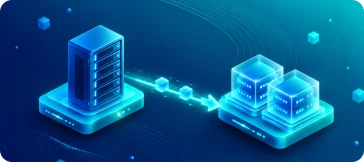
Vinchin's P2V migration helps businesses easily transition from physical servers to modern virtual environments. By directly restoring physical backups onto hypervisors, it saves time and eliminates complex configurations. This smooth, reliable process ensures continuous business operations and securely accelerates your overall digital transformation.
Vinchin dynamically translates physical server block data into compatible virtual disk formats (like VMDK, QCOW2, or VHDX) on the fly. This eliminates third-party conversion tools and directly writes data to your hypervisor.
Drastically minimize P2V downtime by booting a new virtual machine directly from the physical server backup repository in minutes. This brings critical services online immediately before fully migrating data to production datastores.
Vinchin interacts directly with target hypervisor APIs during the restore. It automatically creates the virtual machine, configures CPU and memory, and attaches virtual networks without requiring any manual agent installation on the destination.
Effortlessly restore physical server backups to over 15 mainstream virtual platforms, including VMware, Hyper-V, Proxmox, and XCP-ng. This cross-platform flexibility lets you confidently adopt the best virtualization infrastructure for your business.
During the conversion process, Vinchin automatically strips away physical OEM drivers and injects the appropriate virtual machine drivers. This smart adaptation prevents blue screens and ensures flawless guest OS booting in the new environment.
Vinchin performs application-consistent backups without interrupting physical services. By tracking physical changed blocks, it only syncs the incremental delta data to the target VM, keeping your final P2V cutover window extremely short.

Vinchin enables seamless live migration with the least service interruption. Your systems stay fully operational throughout the process, ensuring business remains unaffected. All changes sync automatically to the new server and you just take a few minutes to switch business system.

Vinchin automatically handles boot repair during recovery, including critical configurations like network settings-with no manual intervention required. The system is fully operational immediately after restoration, delivering true recovery-ready usability.

Vinchin integrates a professional driver repository into its backup system, covering most required driver versions for recovery. During restoration, drivers are automatically replaced to ensure hardware compatibility and complete an intelligent, hassle-free recovery process.
Seamlessly convert physical servers to ready-to-use virtual machines across 15+ hypervisors while ensuring continuous uptime. Start your free trial today!