Disaster recovery is a critical part of any IT strategy. When systems fail or cyberattacks hit, businesses need fast ways to restore operations. For companies running VMware environments, backup software plays a vital role in disaster recovery. The most reliable solutions offer automated restores, granular recovery options, and strong ransomware protection. These capabilities help organizations recover quickly with minimal data loss.
Reliable disaster recovery is more than just meeting compliance requirements. It keeps your business running when unexpected events occur. Customers expect services to be available at all times. Downtime can damage reputation and cause financial losses. That’s why choosing dependable VMware backup software is essential for every enterprise.
Why Disaster Recovery Matters in Enterprise Environments?
Disaster recovery (DR) ensures business continuity when technology fails or threats emerge. In today’s digital world, outages are inevitable—hardware breaks down, natural disasters strike, and cyberattacks grow more sophisticated every year. Enterprises must prepare for these risks with robust DR plans.
● Downtime costs are high
Even short periods offline can lead to lost revenue and productivity. According to Gartner research, average downtime costs $5,600 per minute for large enterprises.
● Regulatory penalties threaten non-compliance
Many industries require strict data protection standards. Failing to recover data promptly may result in fines or legal action under regulations like GDPR or HIPAA.
● Reputation suffers from service interruptions
Customers expect seamless access to services around the clock. Extended outages erode trust and may drive clients toward competitors.
● Incomplete recoveries create long-term problems
If backups are unreliable or outdated, restoring systems becomes difficult—or impossible—after an incident. Data loss can disrupt operations for weeks or months.
A reliable VMware backup solution helps avoid these pitfalls by ensuring rapid restoration of critical systems after any disaster.
How To Choose The Best VMware Backup Solution for Disaster Recovery
Selecting effective backup software requires careful evaluation beyond basic features. Enterprises should focus on solutions that deliver proven reliability during real-world incidents while supporting evolving infrastructure needs.
A comprehensive disaster recovery plan includes regular backups, tested restores, secure storage practices like the 3-2-1 rule (three copies of data on two media types with one offsite), and integration with virtualization platforms. Here are key factors:
● Restore Reliability
Backup software must consistently restore both files and entire virtual machines without errors when needed most. Automated verification processes check backup integrity regularly so you know your data is safe before disaster strikes.
For example, some solutions perform scheduled test restores automatically—helping IT teams catch issues early rather than during emergencies.
● Automation
Automated failover/failback reduces manual intervention during crises—a time when stress levels run high and mistakes happen easily. Look for tools that automate scheduling backups as well as orchestrating full-site failovers if primary systems go down.
This automation also supports faster Recovery Time Objectives (RTO), minimizing how long systems stay offline after an incident occurs.
● Scalability
As your business grows—adding more VMs or moving workloads across hybrid/multi-cloud environments—the backup solution should scale seamlessly without slowing performance or increasing complexity.
Modern enterprise environments often span multiple sites or clouds; scalable tools adapt quickly without requiring major reconfiguration efforts each time you expand capacity.
● Compliance
Meeting regulatory demands means having audit-ready reporting features plus retention controls that enforce how long backups are kept—and how they’re deleted securely afterward—to satisfy laws like SOX or PCI DSS requirements.
Compliant solutions generate detailed logs showing who accessed what data when—a must-have during audits following security incidents.
● Integration Flexibility
Today’s IT landscapes mix on-premises servers with public/private cloud resources; flexible backup tools integrate smoothly across all platforms using native APIs such as VMware vStorage APIs for Data Protection (VADP).
This flexibility lets you protect workloads wherever they reside now—and wherever they might move tomorrow—as part of a future-proof DR strategy.
Choosing a solution that excels in these areas helps minimize risk while enabling fast recovery from any disruption—planned or unplanned—in your VMware environment.
Vinchin Backup & Recovery: Enterprise-Grade Protection for VMware
For organizations seeking robust protection across their virtualized infrastructure, Vinchin Backup & Recovery delivers professional-grade VM backup tailored for enterprise needs—including comprehensive support for VMware environments alongside over 15 mainstream virtualization platforms such as Hyper-V, Proxmox, oVirt, OLVM, RHV, XCP-ng, XenServer, OpenStack, ZStack and more. With agentless architecture and deep integration into these ecosystems—including advanced features like quiesced snapshot creation on VMware VMs—Vinchin Backup & Recovery streamlines complex tasks while maximizing reliability.
Key capabilities include instant VM recovery to minimize downtime; CBT-based incremental backups for efficient storage use; LAN-free backup options; automated verification routines; plus flexible scheduling—all designed to ensure rapid restoration and operational resilience even at scale.
Using the intuitive web console makes protecting your environment straightforward:
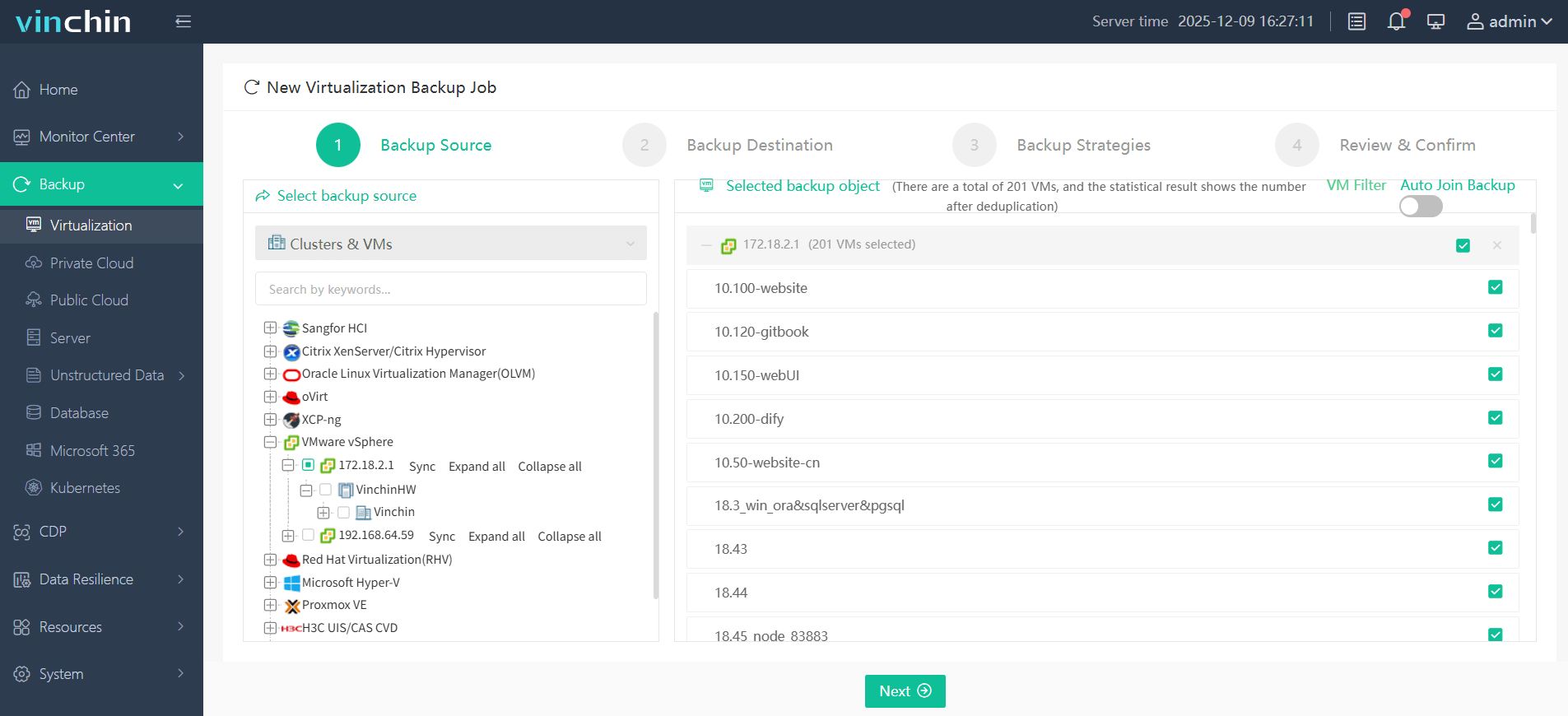
Step 1: Select the VMware VM to back up.
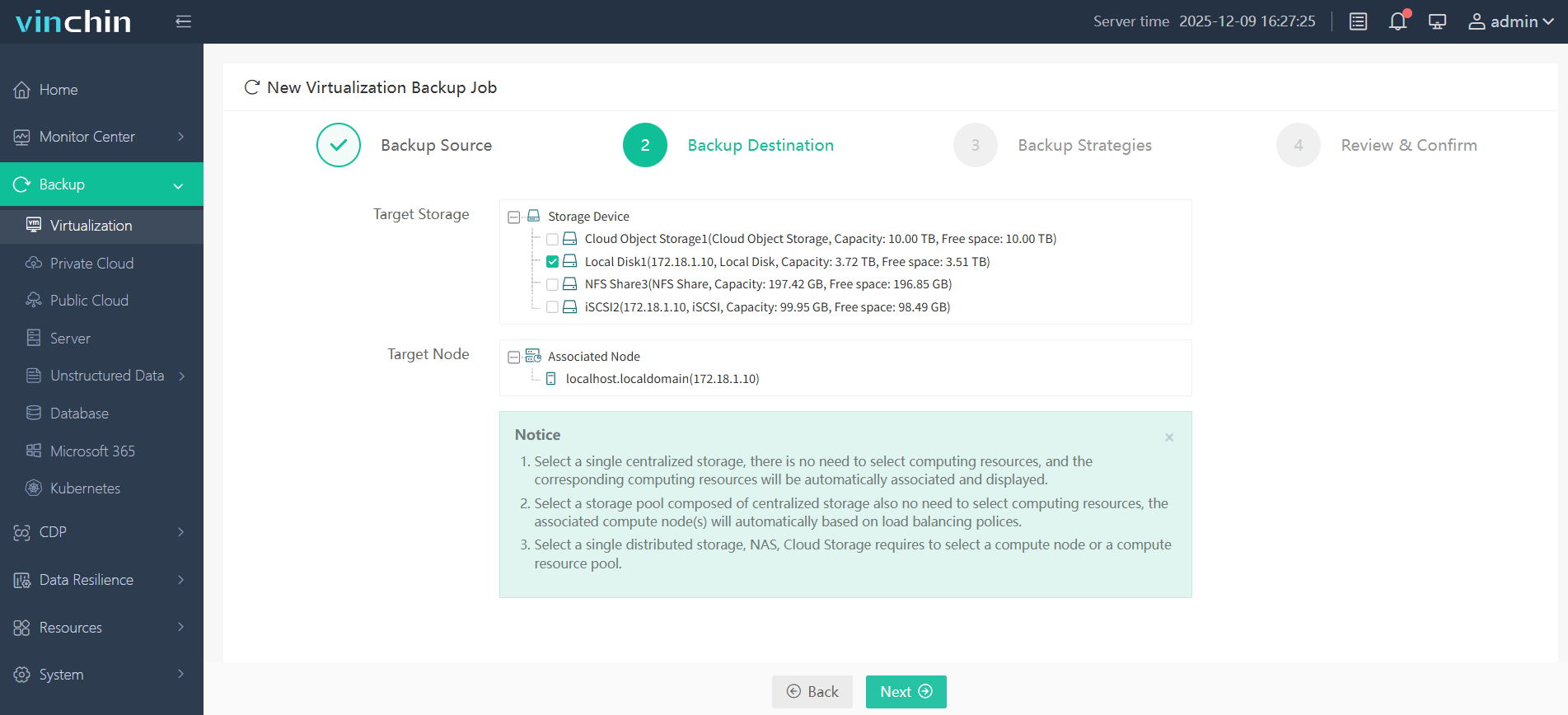
Step 2: Choose the backup storage.
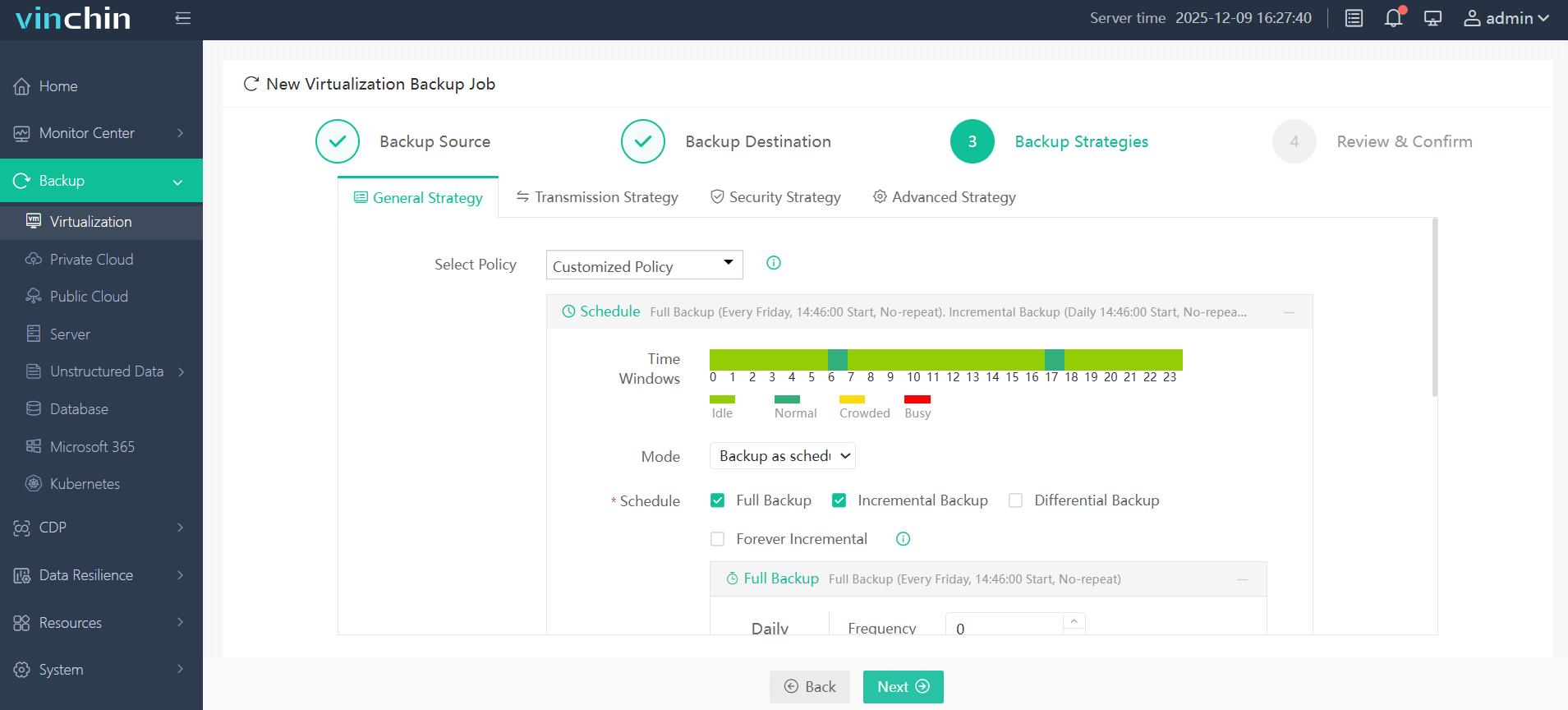
Step 3: Configure the backup strategy.
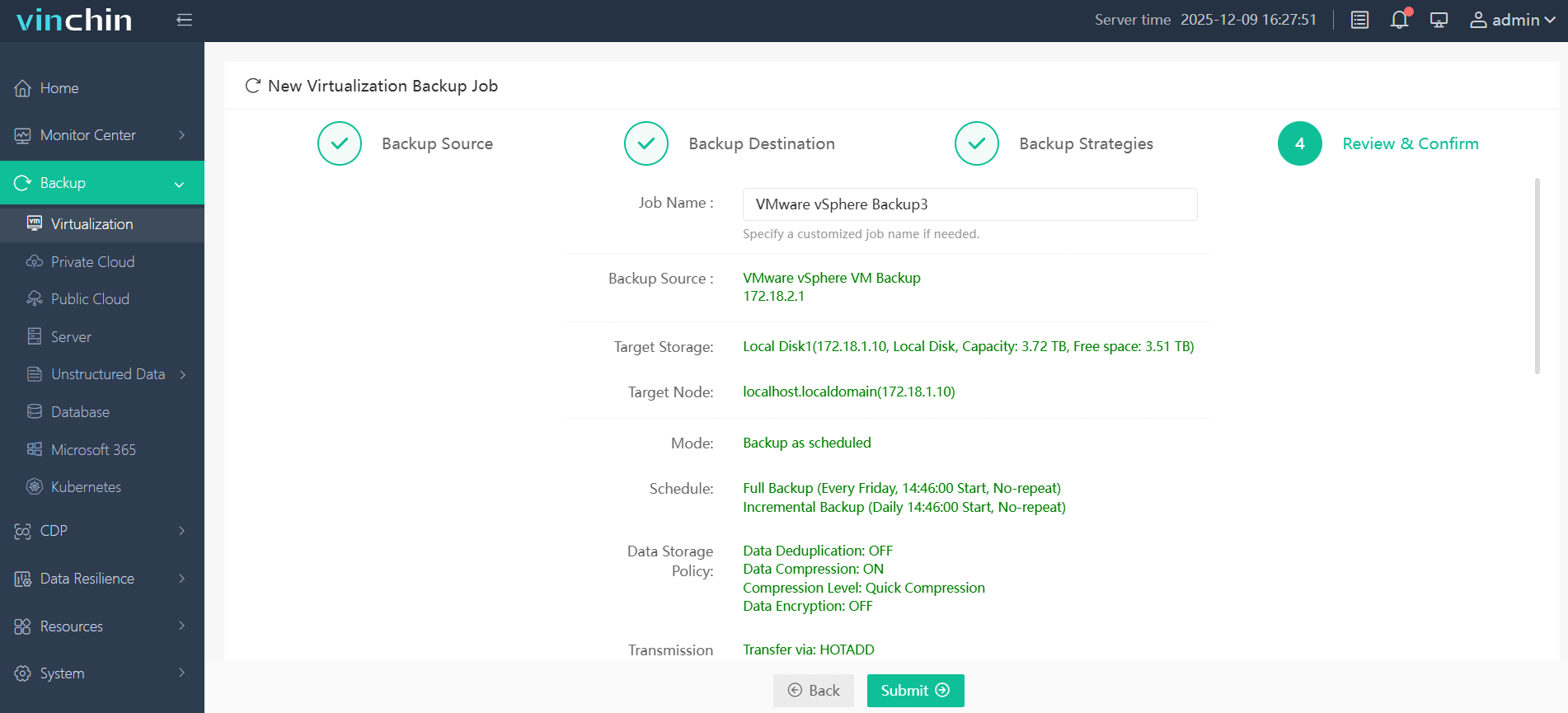
Step 4: Submit the job.
Trusted worldwide by thousands of enterprises—with top ratings from industry analysts—Vinchin Backup & Recovery offers a fully featured 60-day free trial so you can experience its power firsthand.
Best VMware Backup Software FAQs
Q1: What makes a VMware backup solution reliable for disaster recovery?
A1: Automated verification of backups ensures integrity before disasters happen; consistent restore testing confirms everything works under pressure; following best practices like the 3-2-1 rule further increases reliability by spreading risk across different storage types and locations.
Q2: How does scalability impact disaster recovery readiness?
A2: Scalable solutions handle growing numbers of virtual machines without slowing down operations; this allows organizations to maintain frequent backups even as their environment expands—ensuring quick restores remain possible regardless of size.
Q3: Is ransomware protection necessary in DR planning?
A3: Yes; ransomware-proof storage prevents attackers from encrypting both production data and its backups—so clean copies always exist outside their reach—even if malware spreads through primary systems.
Q4: Can I meet compliance requirements with these solutions?
A4: Leading solutions provide audit trails showing who accessed which files plus retention policies enforcing how long records persist; this simplifies passing regulatory reviews while keeping sensitive information protected according to industry standards.
Conclusion
The right VMware backup software enables fast restoration after disasters while reducing risk exposure across complex IT environments—delivering true operational resilience where it matters most.









