Proxmox Virtual Environment (PVE) is a powerful open-source hypervisor that manages KVM virtual machines and LXC containers via a browser-based web interface, accessible by default at 'https://<your-server-ip>:8006'. When that connection breaks, your entire management plane goes dark.
The good news? In the vast majority of cases, the root cause falls into one of five clear categories. Understanding which bucket your problem belongs to is half the battle.
Before Starting Everything - Verify the Basics
A surprising number of Proxmox connectivity calls on the official forums turn out to be simple oversights. Before running a single diagnostic command, confirm:
Are you using HTTPS, not HTTP? Proxmox’s web interface does not respond to plain HTTP. You must use 'https://192.168.x.x:8006'. As noted in the Proxmox Support Forum, forgetting the 'https://' prefix is one of the common "connection refused" reports from newer users.
Are you including the port? The URL must end in ':8006'. Browsing to just the IP address won’t work.
Are the client and server on the same subnet? Proxmox, being an enterprise-oriented hypervisor, does not support Wi-Fi bridging. The server must be connected via Ethernet, and your client machine must be reachable from the same Layer 2 network or routed correctly.
Is the server actually powered on, and is the NIC showing link? A 'NO-CARRIER' state on the network interface means the cable is broken or the port can’t negotiate, regardless of what Proxmox’s configuration looks like.
Category 1: Nothing is Listening on Port 8006
This is the most decisive diagnostic you can run. SSH into your Proxmox host (or use the physical console) and execute:
ss -tlnp | grep 8006
If this returns nothing, 'pveproxy', the daemon responsible for serving the web interface, is not running. This is a "fix pveproxy" problem, not a firewall problem. Don’t adjust firewall rules until you confirm the service is actually up.
Why does pveproxy Stop Running
1. The service crashed or failed to start
systemctl status pveproxy
journalctl -u pveproxy -n 50 --no-pager
Common failure messages include TLS certificate errors, port binding conflicts, and dependency failures (pveproxy depends on 'pevdaemon' and 'pve-cluster '). Check those services too:
systemctl status pvedaemon
systemctl status pve-cluster
2. Disk space exhaustion
One underappreciated cause: when the root filesystem fills up, the Proxmox daemon silently fails to start or crashes mid-operation. Check with:
df -h
If / or /var are at or near 100%, free up space first (old logs, unused VM images, leftover update caches), then restart the service. As noted in the Proxmox Support Forum's long-running thread on GUI inaccessibility, disk space is "the cause of a lot of headaches" that gets overlooked in favor of more exotic explanations.
3. Corrupt or missing SSL certificate
'pveproxy' requires a valid TLS certificate stored under '/etc/pve/local/'. If those files are missing or malformed, the daemon won’t start. Regenerate them with:
pvecm updatecerts --force
systemctl restart pveproxy
This is especially common after storage failures, failed migrations, or on fresh installs where the cluster certificate store didn’t initialize cleanly.
Restart pveproxy once you know why it failed:
systemctl restart pveproxy
Blindly restarting without reading logs first is fine for a quick test, but if the service is crash-looping, it’s a red flag, the root cause needs to be addressed.
Category 2: Port 8006 is Listening, but You Still Can’t Connect
If 'ss -tlnp | grep 8006' shows pveproxy listening, the problem is between your client and the server. This is a network or firewall issue.
Confirm port reachability from the client machine:
nc -zv 192.168.x.x 8006
or
curl -k https://192.168.x.x:8006
If 'nc' times out instead of immediately refusing, the connection is being blocked or dropped somewhere in the path, not refused by the application.
Common Network-Level Blockers
Proxmox’s built-in firewall
The Proxmox firewall can be enabled at both the datacenter and node levels. If it’s on and there’s no explicit rule allowing TCP/8006 from your management subnet, you’ll be locked out. Temporarily disable it (from console or SSH) to test:
pve-firewall stop
If that immediately restores access, you need to add a proper ingress rule for port 8006 on your management interface.
Host-level iptables or nftables
Even with the Proxmox firewall off, kernel-level rules can block traffic, especially after package upgrades or if 'fail2ban' is installed. Check:
iptables -L -n | grep 8006
nft list ruleset | grep 8006
IP address conflict
If two devices on your network share the same IP address, your client may reach the wrong machine or get no response at all. Ensure your Proxmox node has a static IP that doesn’t overlap with any DHCP-assigned addresses.
Wrong binding interface
'pveproxy' binds to '\*:8006' by default, meaning all interfaces. But in certain misconfigured setups, it may only be reachable from localhost. Confirm with:
lsof -nP -iTCP:8006 -sTCP:LISTEN
You want to see '\*:8006' or your server's LAN IP, not '127.0.0.1:8006' only.
Category 3: TLS/SSL Certificate Problems
Browser behavior changes when the problem is TLS rather than TCP. You'll typically see the connection begin (no "connection refused") but then error out with certificate warnings, an abrupt disconnect, or a WebSocket error (code 1006).
The most common TLS scenario in established Proxmox installs is certificate expiry or corruption following a long uptime period. Proxmox's default self-signed certificates are valid for 10 years, but custom certs, or certs applied via Let's Encrypt, expire much sooner.
Diagnose with:
openssl x509 -in /etc/pve/local/pve-ssl.pem -noout -subject -dates
Check the 'notAfter' field. If it’s in the past, that’s your problem. Fix it:
pvecm updatecerts --force
systemctl restart pveproxy pvedaemon
If 'curl' connects but hangs during the TLS handshake, 'pveproxy' is listening but can't complete SSL negotiation, often due to a missing CA key file. In one documented Proxmox forum case, copying 'pve-root-ca.key' from another functioning node to a fresh install immediately resolved a hanging connection.
Category 4: Network Misconfiguration at the Infrastructure Level
These issues don’t manifest as a refused connection from Proxmox itself, they prevent your client from ever reaching the server at a routing level.
Incorrect gateway or subnet mask
The Proxmox installer prompts for IP, subnet, and gateway during installation. If those are wrong, the host can't communicate outside its immediate broadcast domain. Fix via the console:
nano /etc/network/interfaces
systemctl restart networking
Or from the GUI under Node > Network (if you can still reach the GUI from within the same segment).
vmbr0 bridge misconfiguration
Proxmox uses a Linux bridge ('vmbr0' by default) as its primary network interface. If the bridge isn't correctly linked to the physical NIC, the server appears unreachable even though the NIC has a link. Confirm the mapping:
ip addr
cat /etc/network/interfaces
The physical interface (e.g., 'enp1s0') should appear as a bridge slave under 'vmbr0'.
NIC driver issues
On some hardware, particularly 10GbE cards or certain Realtek adapters, Proxmox may not have a compatible driver for the kernel it's running. Users running Proxmox VE on systems with Realtek NICs have reported that opting into a newer kernel version (e.g., 6.14) resolved connectivity failures that showed no obvious misconfiguration. If your NIC shows 'NO-CARRIER' consistently, check 'dmesg' for driver errors and consider switching to the built-in NIC or an alternative kernel.
Category 5: Cluster and Quorum Issues
If your Proxmox node is part of a cluster, additional failure modes open up. When a quorum is lost, for example, if one node goes offline in a two-node cluster, the remaining node may refuse to serve the management interface as a safety measure.
Check cluster status from the console:
pvecm status
systemctl status corosync
If corosync is down or quorum is not met, resolve the cluster issue first. The web GUI returning after quorum is restored is expected behavior, it's not a bug.
When You Regain Access - Don’t Forget Your Backups
Here’s something that often comes up in the middle of a connectivity crisis: the realization that there are no reliable VM backups. Getting locked out of Proxmox for even a few hours tends to concentrate the mind on what would happen if the issue were more severe, a disk failure, ransomware, or a corrupted VM image.
This is where Vinchin Backup & Recovery comes in, it’s an enterprise-grade VM backup solution with native, deep support for Proxmox VE. It protects your virtual machines agentlessly, meaning no agent needs to be installed inside your guest operating systems, by interacting directly with the Proxmox hypervisor layer.
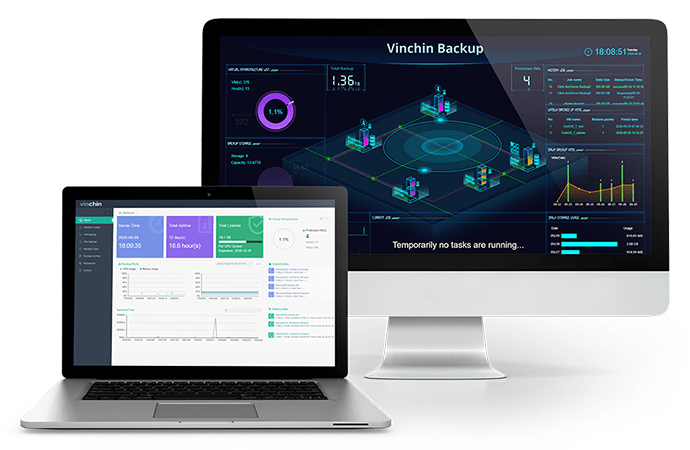
Key capabilities for Proxmox environments include:
Changed Block Tracking (CBT)-based incremental backups: only changed data blocks are transferred after the first full backup, dramatically reducing backup windows in large PVE environments.
Granular file-level restore: you don’t need to restore an entire VM just to recover a single file.
Ransomware protection and data encryption: backup data is protected both in transit and at rest.
More features are provided, click the button below to enjoy a fully featured 60-day free trial! If you have problems during the process, just contact us directly, and we will provide you with solutions!
FAQs: Can’t Connect to Proxmox Server
Q1: Why does Proxmox show "connection refused"?
A "connection refused" message generally means the server is reachable, but no application is listening on the requested port. Restarting the pveproxy service and reviewing its logs can help identify the cause.
Q2: How do I access Proxmox if the web GUI is completely unavailable?
Use SSH: 'ssh root@<proxmox-ip>'. From there, you can manage VMs and containers via the command line using 'qm', 'pct', and 'pvesh' commands, and use 'systemctl' and 'journalctl' to diagnose and repair services. As a last resort, connect a keyboard and monitor directly to the Proxmox host and use the physical console.
Conclusion
Most Proxmox web GUI inaccessibility issues stem from network, service, SSL, or cluster problems. A systematic troubleshooting approach can quickly restore access, while regular monitoring and reliable VM backups with Vinchin Backup & Recovery help minimize downtime and keep your Proxmox environment resilient against unexpected failures.










