Things About the Proxmox 9.2 Release
The Proxmox VE 9.2 update was officially released on May 21, 2026, with a strong focus on:
Intelligent cluster resource balancing
Simplified HA maintenance workflows
Modern SDN architecture
Enhanced virtualization compatibility
Updated storage and kernel technologies
According to Proxmox, version 9.2 is designed to reduce operational complexity while improving resource utilization in enterprise virtualization cluster.
Major New Features in Proxmox VE 9.2
Don't know the new features in Proxmox Virtual Environment? Just check the following to learn in detail: Dynamic Load Balancer, expanded SDN, Linux Kernel 7.0 and HA arm/disarm maintenance.
1. Dynamic Load Balancer for HA Cluster
The headline feature in Proxmox VE 9.2 is the Dynamic Load Balancer integrated into the Cluster Resource Scheduler (CRS).
Unlike traditional static scheduling, the Dynamic Load Balancer continuously evaluates:
The system can automatically migrate workloads between nodes to optimize cluster balance while respecting HA policies.
2. Expanded SDN Features with WireGuard & BGP
Networking receives a substantial upgrade in Proxmox VE 9.2.
New SDN capabilities include:
3. Linux Kernel 7.0 as the Stable Default
Proxmox VE 9.2 is now based on:
Debian 13.5 "Trixie"
Linux Kernel 7.0
QEMU 11.0
LXC 7.0
ZFS 2.4
Benefits of Kernel 7.0
The move to Linux Kernel 7.0 brings:
Updated hardware drivers
Better CPU virtualization performance
Improved IOMMU compatibility
Enhanced security mitigations
Better hardware passthrough support
However, administrators should still validate compatibility before production upgrades, especially for:
4. HA Arm/Disarm Maintenance Workflow
A high practical addition in Proxmox VE 9.2 is the new cluster-wide HA Arm/Disarm functionality.
Administrators can now temporarily suspend HA actions during maintenance windows without losing HA resource states.
Practical Use Case
This helps avoid unwanted behaviors such as:
Node fencing during upgrades
Automatic failover interruptions
HA-triggered migrations during maintenance
Accidental service restarts
5. Custom CPU Model Management
Proxmox VE 9.2 introduces GUI-bases management for custom CPU models.
Administrators can now:
Create custom CPU profiles
Modify CPU flags
Validate compatibility across nodes
Configure work-load-specific CPU optimizations
Storage Improvements in Proxmox VE 9.2
Storage technologies also receive important updates.
Ceph Tentacle 20.2 Support
Proxmox VE 9.2 officially introduces stable support for Ceph, while still maintaining compatibility with Ceph Squid 19.2.
This improves:
Distributed storage scalability
Performance consistency
Storage cluster reliability
Hyper-converged infrastructure support
Upgrade Considerations Before Moving to Proxmox VE 9.2
Before upgrading, administrators should follow several best practices.
1. Verify Cluster Health
Ensure:
Ceph is healthy
HA services are stable
No degraded nodes exist
Replication tasks are complete
2. Run Compatibility Checks
Use:
pve8to9 --full
This helps identify repository issues, deprecated configurations, and incompatible packages.
3. Validate Hardware Compatibility
Especially important for:
GPU passthrough
SR-IOV NICs
Custom drivers
HBA controllers
4. Back Up Everything First
This is critical. Even though Proxmox upgrades are generally reliable, kernel and storage stack changes can introduce unexpected issues.
Protecting Proxmox VE with Vinchin Backup & Recovery
Kernel transitions and storage upgrades always introduce some level of operational risk. That's why many Proxmox administrators rely on dedicated backup platforms before performing major upgrades.
Vinchin Backup & Recovery provides agentless backup and disaster recovery for virtualization environments, including Proxmox VE infrastructures. Many administrators concern about upgrading to Proxmox VE 9.2 have long downtime and the increase of Proxmox cluster. But don't worry, with Vinchin, all the concerns can be removed.
Vinchin offers these for Proxmox users:
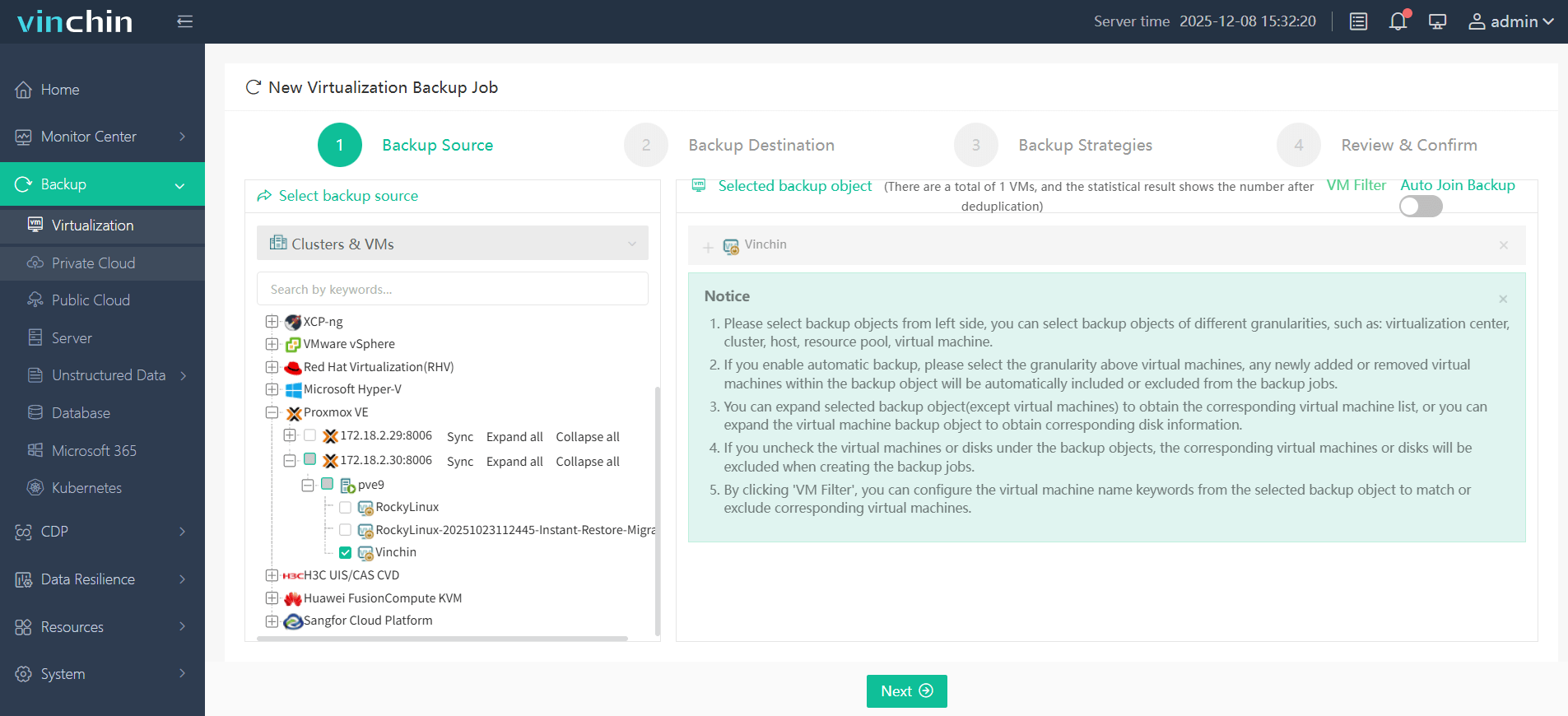
Follow simple steps to backup your Proxmox Environments:
Step 1. In Backup > Virtualization, choose the Proxmox VM to back up
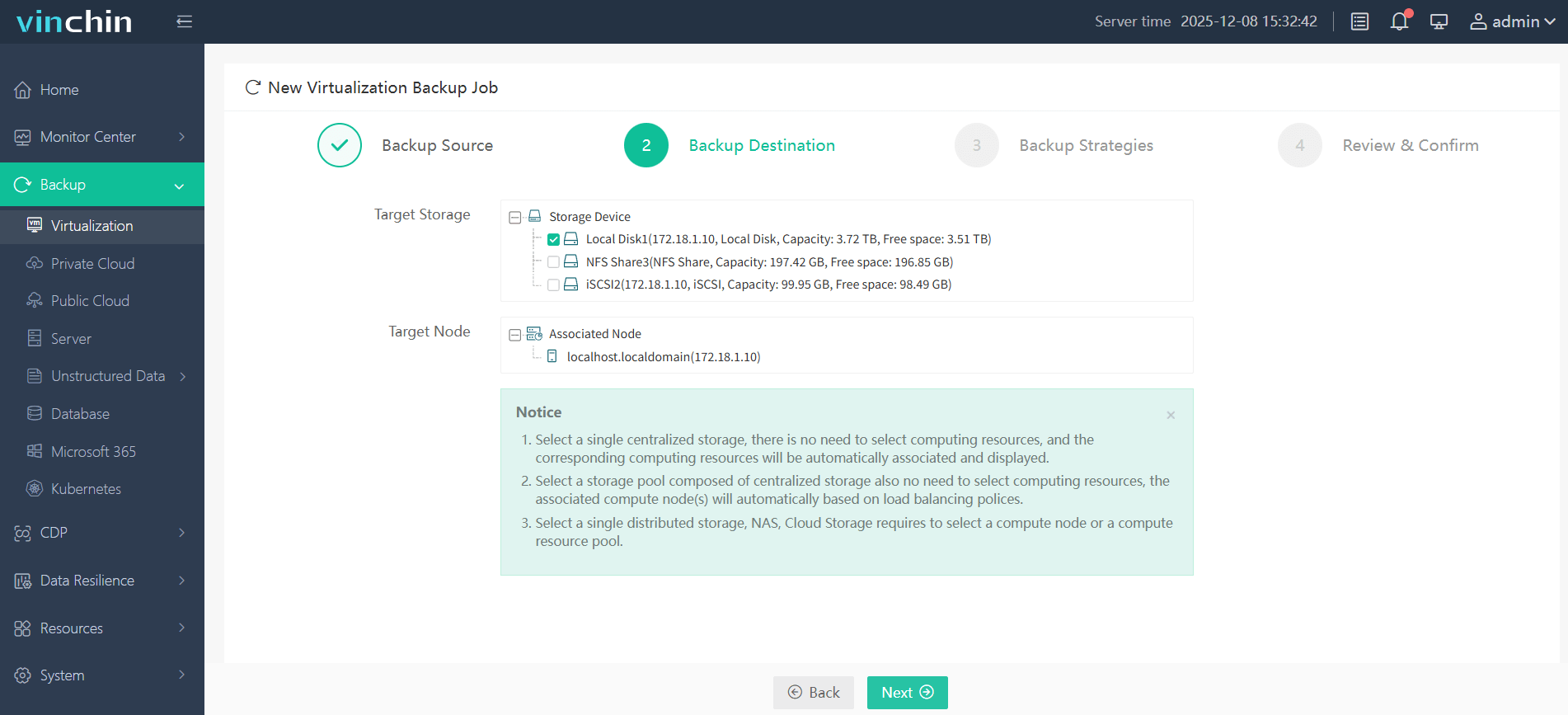
Step 2. In Backup Destination tab, choose Target Node and Target Storage
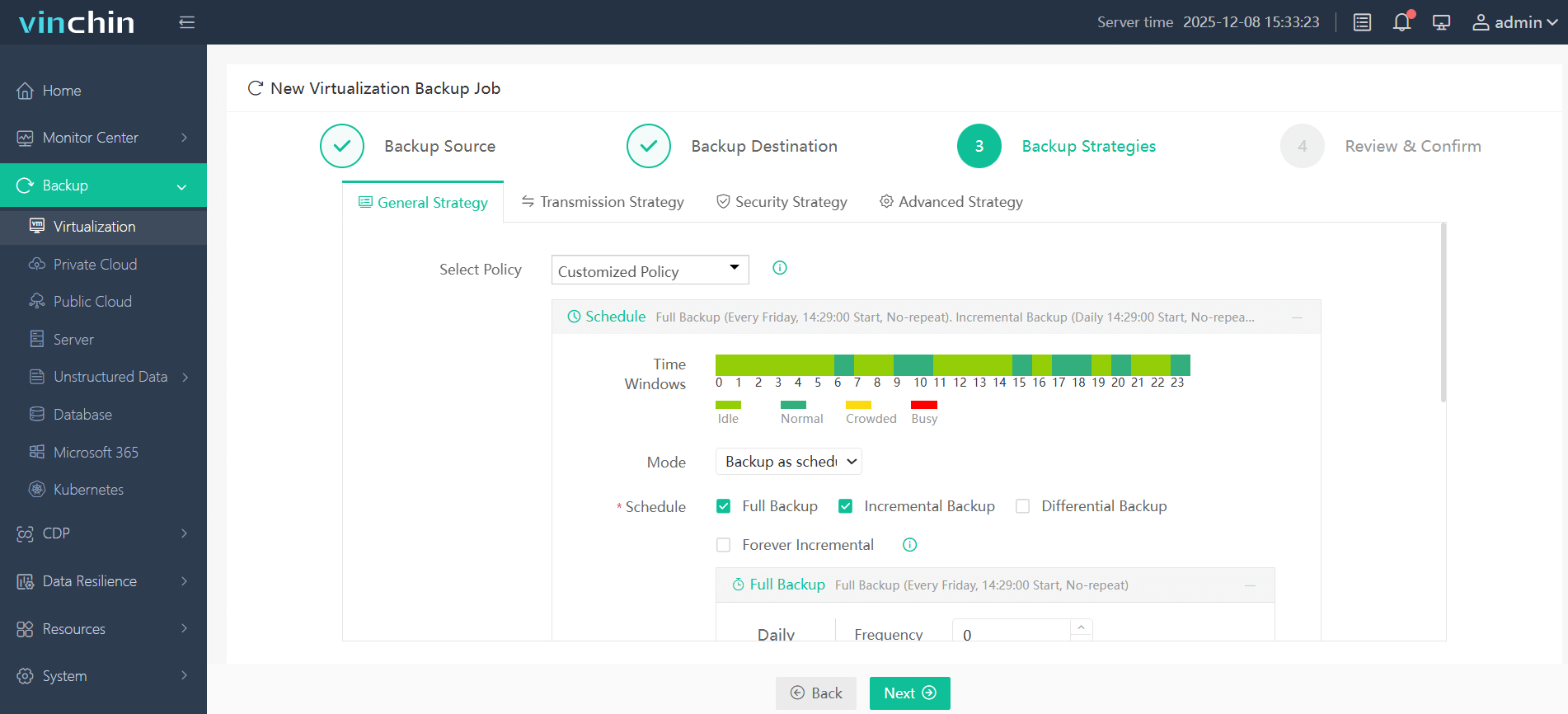
Step 3. Go to Backup Strategies, to select the backup mode and schedule
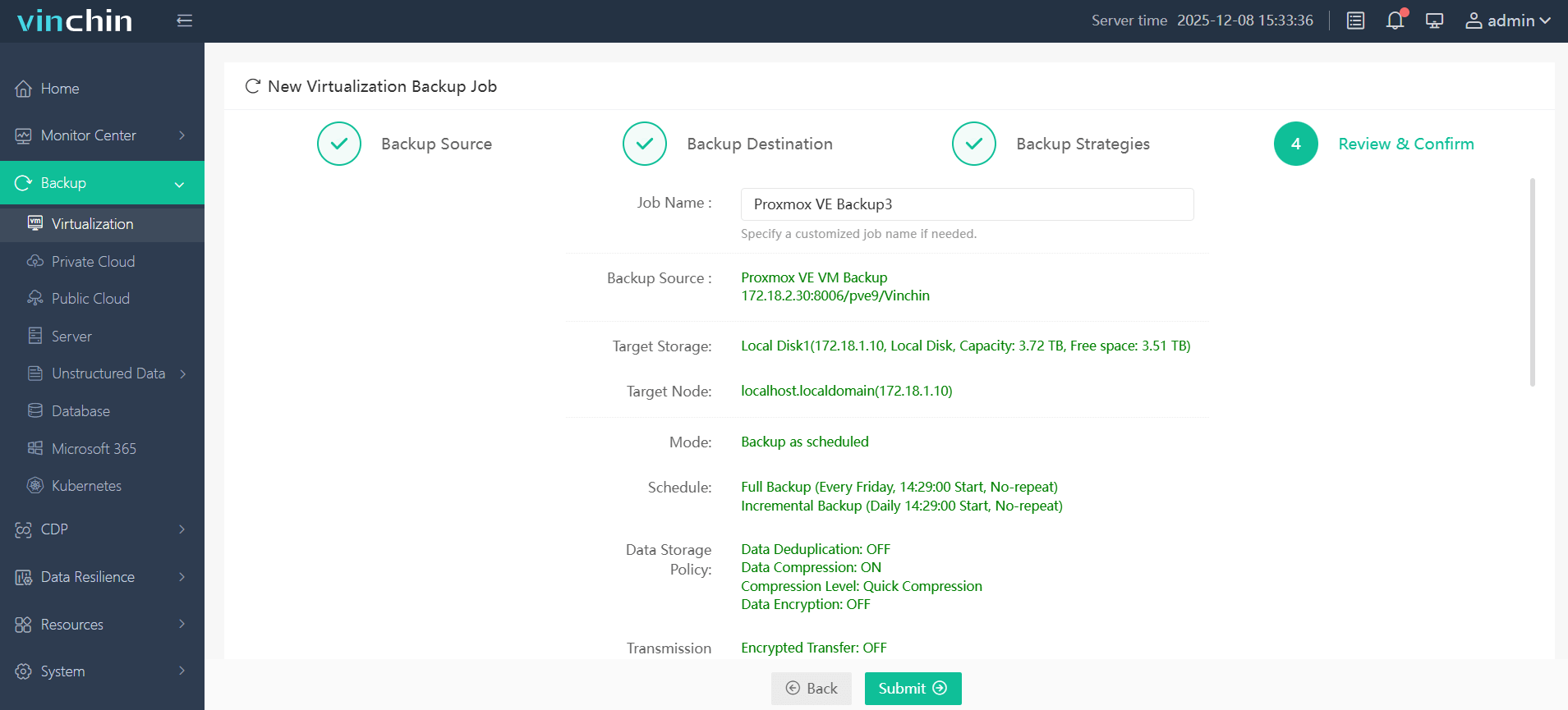
Step 4. Review all your settings, confirm everything is alright and click Submit
Click the download button now to get the Vinchin Backup & Recovery full feature free trial for 60 days!
FAQs about Promox VE 9.2 Update
Q1: Is Proxmox VE 9.2 stable for production use?
Many administrators consider the ".2" version cycle to be the first mature and production-ready release within a major Proxmox version branch.
Q2: Does Proxmox VE 9.2 support live migration between Intel and AMD CPUs?
Proxmox VE 9.2 still recommends using homogeneous CPU architectures for stable live migration. While custom CPU model management has improved compatibility handling, live migration between Intel and AMD hosts may still cause VM instability depending on enabled CPU flags and guest workloads. Administrators should validate migration compatibility in test environments before production deployment.
Q3: Is Secure Boot supported in Proxmox VE 9.2?
Yes, Proxmox VE 9.2 supports Secure Boot during installation and operation on compatible UEFI systems.
Q4: Can I install Proxmox VE 9.2 on the top of Debian 13 "Trixie"?
Yes, this can be instead of using the official Proxmox ISO installer.
Sum Up
The Proxmox Virtual Environment update is one of the most meaningful improvements to the platform. The introduction of Dynamic cluster balancing, advanced SDN capabilities, HA maintenance controls, and Linux Kernel 7.0, the all makes Proxmox VE 9.2 a strong release for both enterprise and homelab deployments. If need the protection of Proxmox VE, try Vinchin Backup & Recovery and enjoy the 60-day free trial!