Database administrators regularly need copies of production databases: to refresh test and development environments, to rehearse upgrades, to troubleshoot problems safely, or to move a database to new hardware. Oracle RMAN’s DUPLICATE command creates these copies, and with the FROM ACTIVE DATABASE option it can do so directly from the running source database, without any existing backups.
Quick answer: To clone an Oracle database with active duplication, copy the source’s password file to the new server, create a minimal PFILE containing only DB_NAME, add a static listener entry, and start the auxiliary instance in NOMOUNT mode. Then connect RMAN to both databases with rman TARGET sys@source AUXILIARY sys@clone and run DUPLICATE TARGET DATABASE TO clone FROM ACTIVE DATABASE SPFILE NOFILENAMECHECK;. RMAN copies the files over the network, recovers them, and opens the new database with RESETLOGS.
What Is RMAN Duplicate From Active Database?
RMAN Duplicate From Active Database, also called active database duplication, is an RMAN feature that clones a running Oracle database onto another instance by copying its files directly over the network. It was introduced in Oracle Database 11g.
In RMAN terms, the source database is the target, and the new copy is the auxiliary instance. During active duplication, RMAN:
1. Copies the server parameter file (if you use the SPFILE clause) and the control file to the auxiliary instance.
2. Copies all datafiles from the target to the auxiliary over Oracle Net.
3. Copies the archived redo logs generated during the copy and recovers the datafiles to a consistent point.
4. Creates new online redo logs and opens the duplicate database with RESETLOGS. The duplicate gets a new DBID, so it can be registered in the same recovery catalog as the source.
The source database stays open throughout, so users can keep working while it’s copied.
Active Duplication vs. Backup-Based Duplication
| Active duplication (FROM ACTIVE DATABASE) | Backup-based duplication (BACKUP LOCATION) |
|---|
| Needs existing backups | No | Yes |
| Needs a connection to the source | Yes, for the whole operation | No, if you use BACKUP LOCATION |
| Point in time of the copy | The end of the copy | Any time covered by the backups (UNTIL TIME/SCN) |
| Load on the source | Reads all datafiles over the network | None |
| Best for | Fast refreshes when the network is good | Recovering to a past point, or when the source can’t be reached |
For backup-based duplication and other ways to restore a database on another server, see how to restore an Oracle database from RMAN backup to another server.
Prerequisites
Same Oracle version on the source and destination, ideally with the same patch level, and the same operating system platform.
ARCHIVELOG mode on the source, if it stays open during the duplicate. A NOARCHIVELOG source must be mounted, not open.
Network connectivity between the hosts over Oracle Net, with enough bandwidth. Active duplication fails if the connection drops and has to start again.
Enough disk space on the destination for all datafiles, redo logs and archived logs.
SYSDBA (or SYSBACKUP in 12c and later) access to both databases.
How to Prepare the Auxiliary Instance
The examples below use PROD as the source database and CLONE as the new database. Replace them with your own names.
Step 1. Copy the password file
Copy the source’s password file to the destination and rename it for the new instance, so both use the same SYS password:
# On Linux/UNIX
scp $ORACLE_HOME/dbs/orapwPROD oracle@desthost:$ORACLE_HOME/dbs/orapwCLONE
On Windows, the file is %ORACLE_HOME%\database\PWDprod.ora; rename it to PWDclone.ora. Copying the file is more reliable than creating a new one with orapwd, which can cause ORA-01017 errors if the format or password doesn’t match exactly.
Step 2. Create a minimal parameter file
On the destination, create $ORACLE_HOME/dbs/initCLONE.ora with just one line:
DB_NAME=CLONE
With the SPFILE clause in the DUPLICATE command (Step 6), RMAN copies the source’s SPFILE and lets you change parameters as it goes, so you don’t need to copy and edit a full PFILE.
Step 3. Create the directories
Create the directories the new database will use, owned by the oracle user, for example:
mkdir -p /u01/app/oracle/oradata/CLONE
mkdir -p /u01/app/oracle/fast_recovery_area/CLONE
mkdir -p /u01/app/oracle/admin/CLONE/adump
Step 4. Configure the listener and tnsnames
An instance in NOMOUNT mode can’t register itself with the listener, so add a static entry for it in listener.ora on the destination:
SID_LIST_LISTENER =
  (SID_LIST =
    (SID_DESC =
      (GLOBAL_DBNAME = CLONE)
      (ORACLE_HOME = /u01/app/oracle/product/19.0.0/dbhome_1)
      (SID_NAME = CLONE)
    )
  )
Reload the listener with lsnrctl reload. Then add entries for both PROD and CLONE to tnsnames.ora on the host where you’ll run RMAN, and test them:
tnsping PROD
tnsping CLONE
Step 5. Start the auxiliary instance in NOMOUNT mode
export ORACLE_SID=CLONE
sqlplus / as sysdba
SQL> STARTUP NOMOUNT;
Then test that you can connect to both instances as SYS over the network, for example sqlplus sys@CLONE as sysdba.
How to Run RMAN Duplicate From Active Database
Step 6. Connect RMAN to both databases
Connect to the source as TARGET and the new instance as AUXILIARY, using the service names, and enter the SYS password when prompted:
rman TARGET sys@PROD AUXILIARY sys@CLONE
Step 7. Run the DUPLICATE command
If the new database uses different directories, change the paths as RMAN copies the SPFILE:
RMAN> DUPLICATE TARGET DATABASE TO CLONE
        FROM ACTIVE DATABASE
        SPFILE
          PARAMETER_VALUE_CONVERT 'PROD','CLONE'
          SET DB_FILE_NAME_CONVERT='/u01/app/oracle/oradata/PROD/','/u01/app/oracle/oradata/CLONE/'
          SET LOG_FILE_NAME_CONVERT='/u01/app/oracle/oradata/PROD/','/u01/app/oracle/oradata/CLONE/'
          SET CONTROL_FILES='/u01/app/oracle/oradata/CLONE/control01.ctl'
        NOFILENAMECHECK;
SPFILE copies the source’s server parameter file to the new instance.
PARAMETER_VALUE_CONVERT replaces the source name in parameter values, such as the audit file path.
SET changes individual parameters in the copied SPFILE.
NOFILENAMECHECK stops RMAN from complaining that file names match the source. Use it only when the clone is on a different host, otherwise you risk overwriting the source’s files.
If the destination uses exactly the same directory structure as the source, the command can be as simple as:
RMAN> DUPLICATE TARGET DATABASE TO CLONE FROM ACTIVE DATABASE SPFILE NOFILENAMECHECK;
To create a Data Guard physical standby instead of an independent copy, use DUPLICATE TARGET DATABASE FOR STANDBY FROM ACTIVE DATABASE.
Run it as a script
For repeated refreshes, save the commands in a file, for example duplicate_clone.rman:
CONNECT TARGET sys/password@PROD
CONNECT AUXILIARY sys/password@CLONE
DUPLICATE TARGET DATABASE TO CLONE
  FROM ACTIVE DATABASE
  SPFILE
    PARAMETER_VALUE_CONVERT 'PROD','CLONE'
    SET DB_FILE_NAME_CONVERT='/u01/app/oracle/oradata/PROD/','/u01/app/oracle/oradata/CLONE/'
    SET LOG_FILE_NAME_CONVERT='/u01/app/oracle/oradata/PROD/','/u01/app/oracle/oradata/CLONE/'
  NOFILENAMECHECK;
Run it in the background and keep a log:
nohup rman cmdfile=duplicate_clone.rman log=duplicate_clone.log &
tail -f duplicate_clone.log
Protect the script with chmod 600, because it contains passwords, or use an Oracle wallet instead.
How to Speed Up Active Duplication
For large databases, run the copy in parallel and compress the data on the network. From Oracle 12c, RMAN can use backup sets for active duplication: the auxiliary instance pulls compressed backup sets from the source, which reduces network traffic.
RMAN> RUN {
  ALLOCATE CHANNEL t1 DEVICE TYPE DISK;
  ALLOCATE CHANNEL t2 DEVICE TYPE DISK;
  ALLOCATE AUXILIARY CHANNEL a1 DEVICE TYPE DISK;
  ALLOCATE AUXILIARY CHANNEL a2 DEVICE TYPE DISK;
  DUPLICATE TARGET DATABASE TO CLONE
    FROM ACTIVE DATABASE
    USING COMPRESSED BACKUPSET
    SECTION SIZE 2G
    SPFILE
      PARAMETER_VALUE_CONVERT 'PROD','CLONE'
    NOFILENAMECHECK;
}
Auxiliary channels do the work on the destination side; add as many as the CPUs and network can handle.
USING COMPRESSED BACKUPSET compresses the data before sending it, which helps on slower networks.
SECTION SIZE splits large datafiles into pieces that several channels can copy at the same time.
Run duplications outside peak hours, because they read every block of the source database.
Verify the Clone and Finish Up
When RMAN reports that the duplicate is complete, connect to the new database and check it:
SQL> SELECT name, dbid, open_mode FROM v$database;
SQL> SELECT name FROM v$datafile;
SQL> SELECT member FROM v$logfile;
Make sure the DBID is different from the source’s and all files are in the new locations. Then:
Add temp files if the duplicate has none: ALTER TABLESPACE temp ADD TEMPFILE ... SIZE 1G;
Remove the static listener entry if you no longer need it.
Disable scheduler jobs, database links and outbound integrations that should not run from a test copy.
Set up backups for the new database if it will be kept.
Common Errors and Troubleshooting
| Error | Likely cause | What to do |
|---|
| ORA-12514: listener does not currently know of service | No static listener entry for the NOMOUNT auxiliary instance | Add the SID_LIST entry, run lsnrctl reload, and check lsnrctl status |
| ORA-01017: invalid username/password | Password files don’t match | Copy the source’s password file to the destination again and rename it |
| RMAN-05001: auxiliary file name conflicts with a file used by the target | The clone would use the same file paths as the source | Add DB_FILE_NAME_CONVERT/LOG_FILE_NAME_CONVERT, or use NOFILENAMECHECK if the clone is on another host |
| ORA-19809 / ORA-19804: limit exceeded for recovery files | The fast recovery area on the destination is full | Increase DB_RECOVERY_FILE_DEST_SIZE with a SET clause, or free space |
| RMAN-05501: aborting duplication of target database | A general failure; the real cause is in the lines above it | Read the earlier errors in the log, such as missing directories or permissions |
| Duplication stops after a network outage | Active duplication can’t resume | Shut down the auxiliary instance, delete the partly copied files, and start again |
How to Back Up Oracle Databases With Vinchin Backup & Recovery
Active duplication copies a database, but it isn’t a backup: if the source is damaged or the network is down, you can’t use it to recover. For reliable protection of both your production databases and their clones, use a dedicated backup solution.
Vinchin Backup & Recovery is an enterprise backup solution for mainstream databases, including Oracle (including RAC), MySQL, SQL Server, MariaDB, PostgreSQL, PostgresPro and TiDB. For Oracle, it provides incremental backup, source-side compression, batch database backup, retention policies including GFS, cloud and tape archiving, point-in-time recovery, and protection against ransomware.
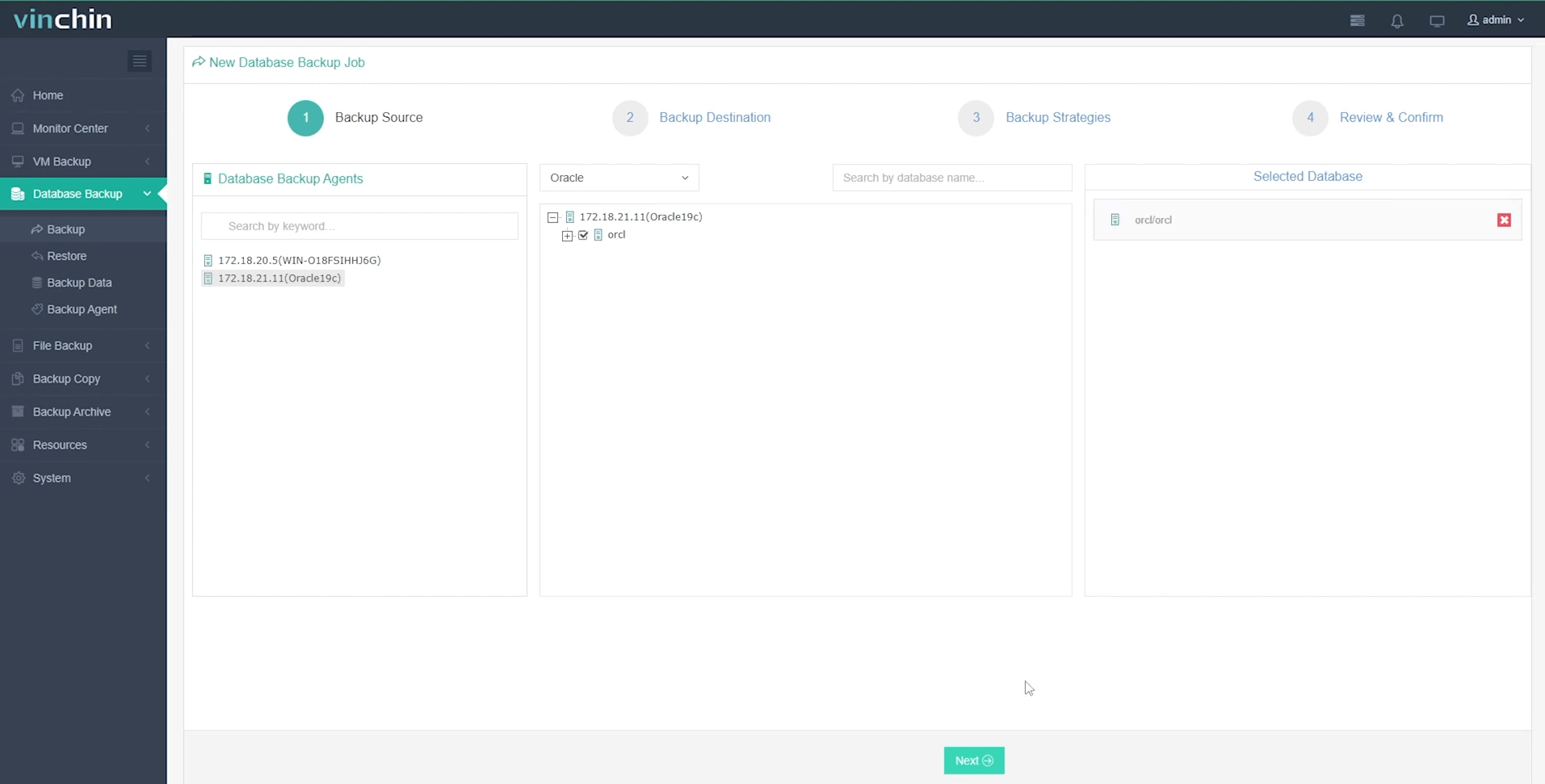
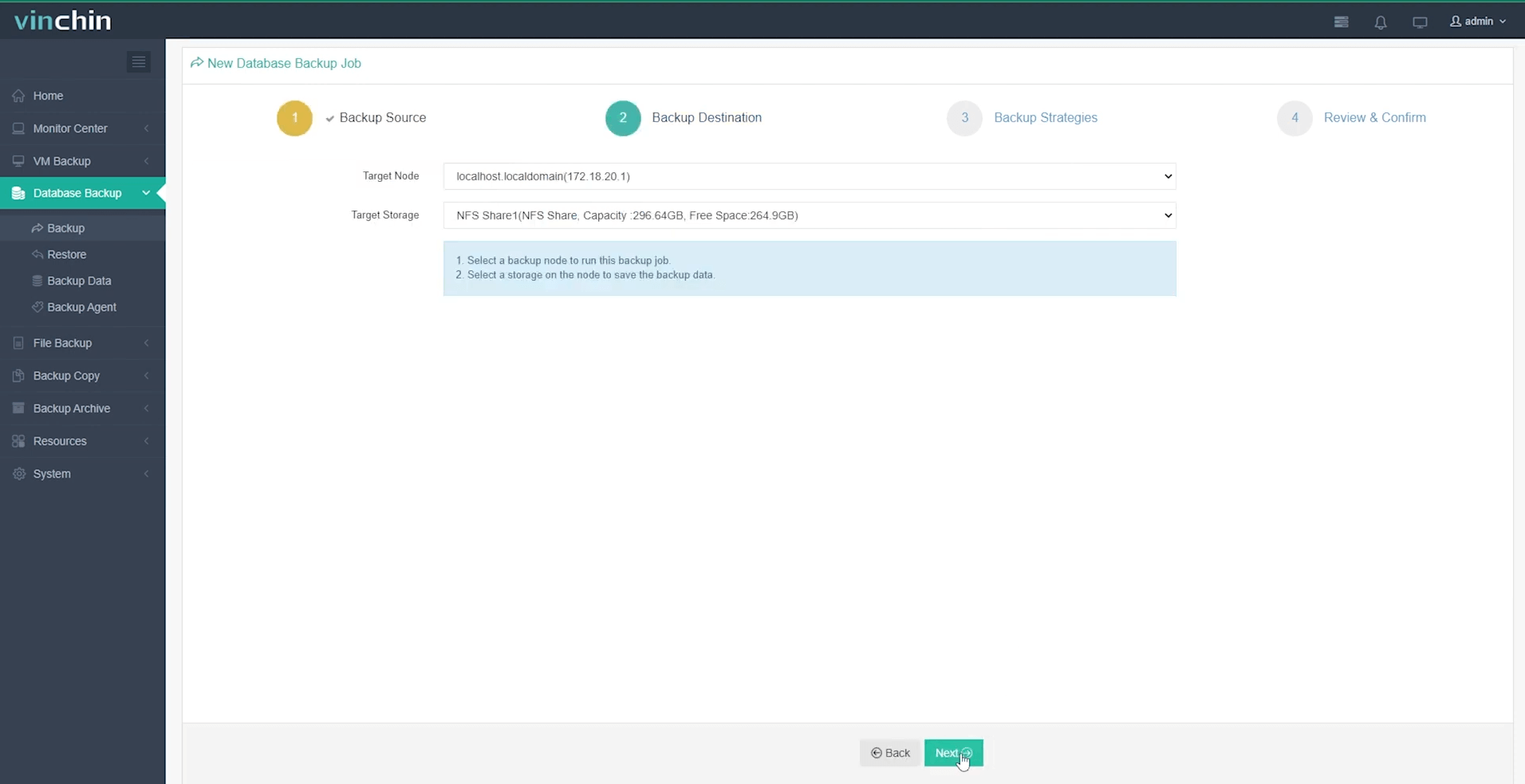
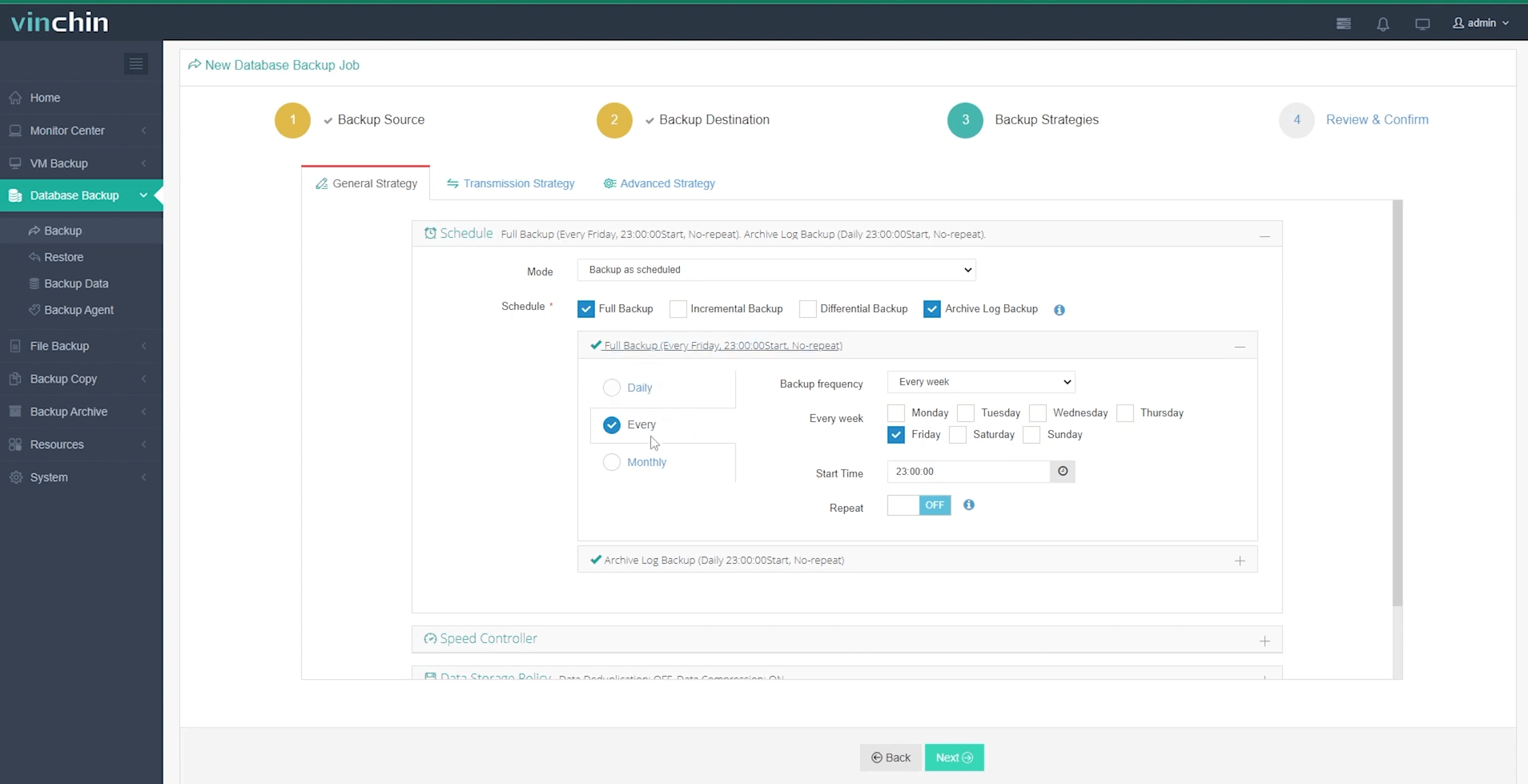
Backing up an Oracle database takes four steps in the web console:
Step 1: Select the Oracle database to back up
Step 2: Choose your preferred backup storage
Step 3: Define a tailored backup strategy
Step 4: Submit the job
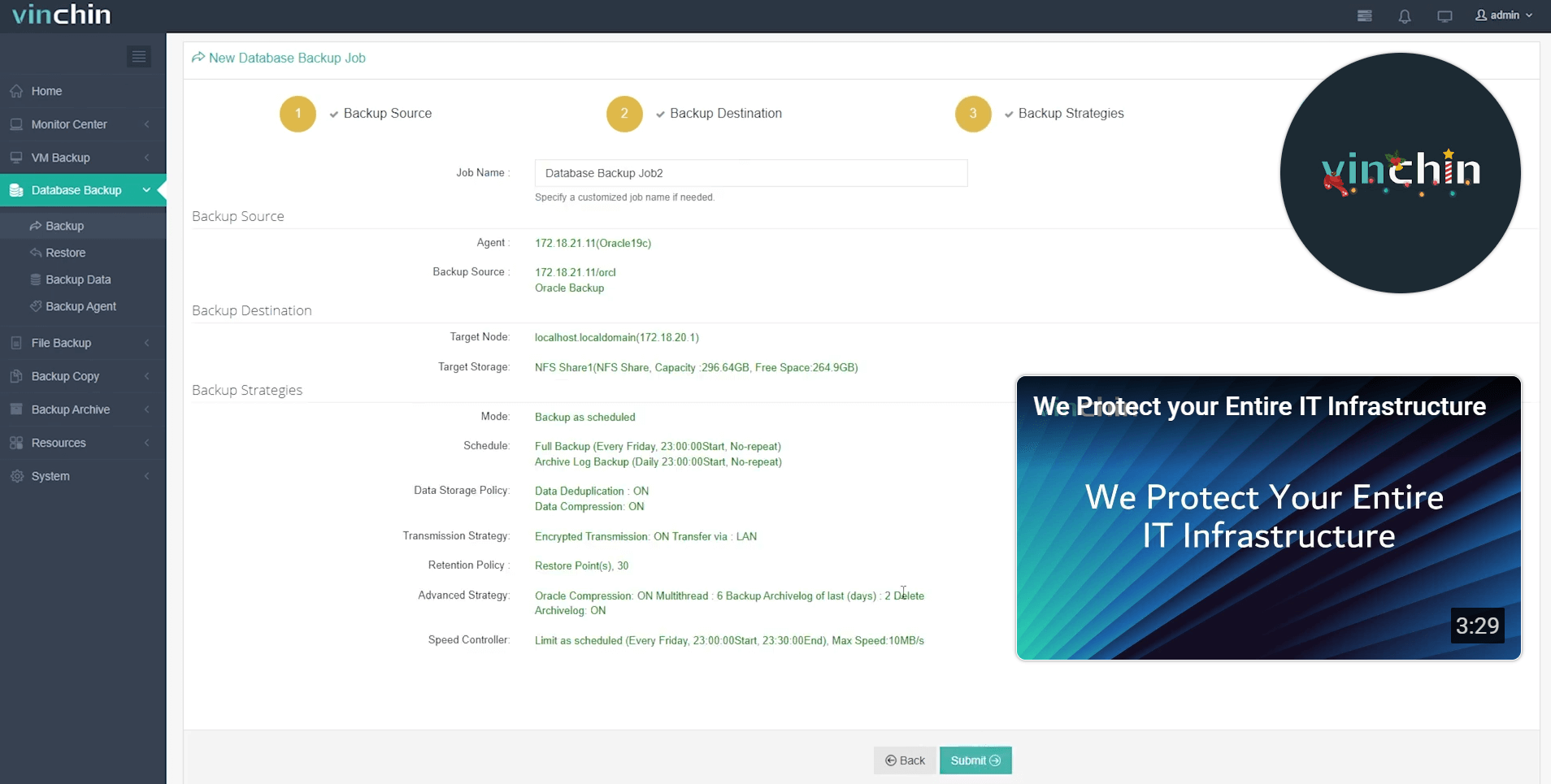
Recognized globally by enterprises of all sizes—and consistently top-rated by customers—Vinchin Backup & Recovery offers a fully featured 60-day free trial so you can experience its power firsthand before making any commitment.
RMAN Duplicate From Active Database FAQs
Q1: Can the source and destination run different Oracle versions?
No. Use the same Oracle Database release on both, and ideally the same patch level. To move a database to a newer version, duplicate it first and then upgrade the copy, or use an upgrade method such as AutoUpgrade.
Q2: Can I clone to a specific point in time with active duplication?
No. Active duplication copies the database as it is when the copy finishes, and doesn’t support the UNTIL clause. To clone to a past point in time, use backup-based duplication with UNTIL TIME or UNTIL SCN.
Q3: Does active duplication affect production performance?
Yes, some. RMAN reads every datafile and sends it over the network, which adds I/O, CPU and network load on the source. Schedule duplications in quiet periods, and limit the number of channels if the source is busy.
Q4: How do I monitor the progress of an active duplication?
Watch the RMAN output or log file, and query V$SESSION_LONGOPS on the source to see how much of each file has been copied:
SELECT sid, opname, sofar, totalwork, ROUND(sofar/totalwork*100,1) AS pct_done
FROM v$session_longops
WHERE opname LIKE 'RMAN%' AND totalwork > 0 AND sofar <> totalwork;
Q5: Can I duplicate a single pluggable database (PDB)?
Yes. From Oracle 18c, you can copy a PDB from one CDB into another existing CDB with DUPLICATE PLUGGABLE DATABASE ... FROM ACTIVE DATABASE. You can also duplicate a whole CDB, or a CDB with only selected PDBs, using DUPLICATE TARGET DATABASE ... PLUGGABLE DATABASE.
Q6: Do I need FORCE LOGGING for active duplication?
Not for a normal clone. FORCE LOGGING is recommended when you create a Data Guard standby database, so that changes made with NOLOGGING operations aren’t missing from the standby.
Conclusion
RMAN Duplicate From Active Database is the fastest way to clone a running Oracle database when you have a good network connection: copy the password file, start a minimal auxiliary instance in NOMOUNT mode, and let one DUPLICATE command copy, recover and open the new database. Add auxiliary channels and compressed backup sets for large databases, and check the clone carefully before use.
Since a clone is not a backup, protect both production and copies with regular backups. Vinchin Backup & Recovery makes Oracle backup simple and reliable; try it free for 60 days.