










Protect Exchange data at the right level of granularity to meet different protection requirements.
Why Exchange Data Requires Specialized Protection

Full & Granular Recovery
Recover entire mailboxes or individual emails, folders, calendar events, and contacts from full or incremental backup points.

Flexible & Incremental Backup
Restore Exchange data to the original user organization, different user organizations, newly created paths, or specified users.

One-Click Instant Recovery
View email content details and initiate one-click instant email recovery during granular email-level recovery.
What to Look for in an Exchange Protection Solution
Backup Coverage

Recovery Granularity
Recover only the Exchange data that is needed instead of restoring more data than necessary.
Data Security
Protect backup data against unauthorized access, modification, and ransomware-related threats.

Recovery Flexibility
Support different recovery requirements, from complete mailbox recovery to targeted data recovery.
Key Capabilities of Vinchin Exchange Protection
Flexible & Incremental Backup
Secure & Resilient Backup
Efficient Data Protection
Full & Granular Recovery
Flexible & Instant Recovery
Flexible & Incremental Backup
Vinchin supports forever incremental backups with flexible scheduling, retention policies, and backup granularity for Exchange.

Forever Incremental Backup
Perform forever incremental backups while maintaining data consistency with increments.

Flexible Backup Granularity
Select the backup granularity to back up specific Exchange items instead of the entire Exchange server.

Flexible Scheduling & Retention
Configure flexible backup jobs with scheduling and retention policies.
Secure & Resilient Backup
Vinchin protects Exchange backup data during data transmission and storage through multiple security mechanisms.

Encryption in Transit
Use RSA algorithm encryption during data transmission to prevent data leakage.

Ransomware Protection
Use real-time I/O monitoring to deny unauthorized data modification requests from unknown applications.

Storage Protection
Enable Storage Protection to make backup data immutable.

Role-Based Access Control
Apply role-based access control to backup data and operations.

AES-256 Encryption
Apply AES-256 encryption to backup data.
Efficient Data Compression & Transmission
Vinchin provides configurable compression and data transmission strategies for Exchange backup.


Data Compression
Choose from Quick, Standard, Maximum, and Ultimate compression levels to reduce backup data size.

Multi-Threaded Transmission
Configure multi-threaded transmission for backup data transfer.

Dedicated Network
Use a dedicated network for backup data transmission.

Throttling Policy
Configure Global Throttling or job-based Throttling Policy to control data transmission.
Full & Granular Recovery
Vinchin supports recovery of entire mailboxes or individual Exchange data items from full or incremental backup points.


Full Mailbox Recovery
Recover entire Exchange mailboxes from backup points.

Email Recovery
Recover individual emails from Exchange backups.

Folder Recovery
Recover individual folders from Exchange backups.

Calendar & Contact Recovery
Recover calendar events and contacts from Exchange backups.

Advanced Search
Use advanced search to locate required data in Exchange backups.
Instant & Flexible Recovery
Vinchin provides one-click instant email recovery and multiple recovery destinations for Exchange data.

One-Click Instant Recovery
Initiate one-click instant email recovery after checking email content details.

Email Content Viewing & Editing
View email details, edit email content, and send emails during granular email-level recovery.

Flexible Restore Destinations
Restore data to the original organization, different organizations, newly created paths, or specified users.
Supported Versions for Exchange
Exchange Online
Why Choose Vinchin for Exchange Protection?

Unified Protection
Protect Exchange alongside VMs, databases, servers, and file workloads through one unified data protection platform.

Simplified Management
Restore Centralize Exchange backup, recovery, scheduling, and monitoring through an intuitive web-based console, reducing daily IT administration.

Lower TCO
Reduce infrastructure, licensing, and operational costs by protecting multiple workloads with one platform and Universal License.
Resources
Best Practices & Guides
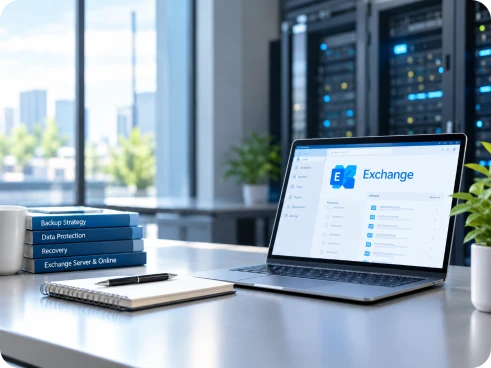
Discover practical best practices and expert guides for Microsoft Exchange protection, covering backup strategies, data protection, recovery, and common Exchange backup scenarios. These resources provide actionable guidance to help IT teams better protect Exchange Server and Exchange Online data.
Explore More ResourcesGet Exchange Protection Solution Now
Vinchin Backup & Recovery provides industry-leading level protection services for Exchange
Free Trial
* 60-day free trial
Talk to an Expert
* Free solution assessment
Frequently Asked Questions
Q1: What is the difference between backing up to the cloud and backing up cloud workloads?
A: Backup to the cloud stores backup copies in the cloud, while cloud workload backup protects workloads that are already running in cloud environments.
Q2: What is the best way to recover Exchange data after accidental deletion?
A: For isolated data loss, granular recovery is generally more efficient than restoring an entire mailbox or server. The required email, folder, calendar event, or contact can be recovered from an available backup point.
Q3: Do I still need Exchange backup if I use a Database Availability Group (DAG)?
A: Yes. DAG provides high availability and database-level recovery, but organizations should still evaluate backup and recovery requirements based on their RPO, RTO, failure scenarios, and data protection strategy.
Q4: What is the difference between Exchange high availability and backup?
A: High availability helps keep Exchange services available when infrastructure failures occur, while backup provides recoverable copies of data for scenarios such as accidental deletion, corruption, or other recovery requirements.
Q5: Does Vinchin Exchange backup guarantee my database consistency?
A: Yes, Vinchin Backup & Recovery Exchange backup is application-consistent.