




Product: Vinchin Backup & Recovery
Version: V9.0
KB Number: 200225
Last Modified: 2026-09-29 23:18:52
Discovered Version:v9.0
Question
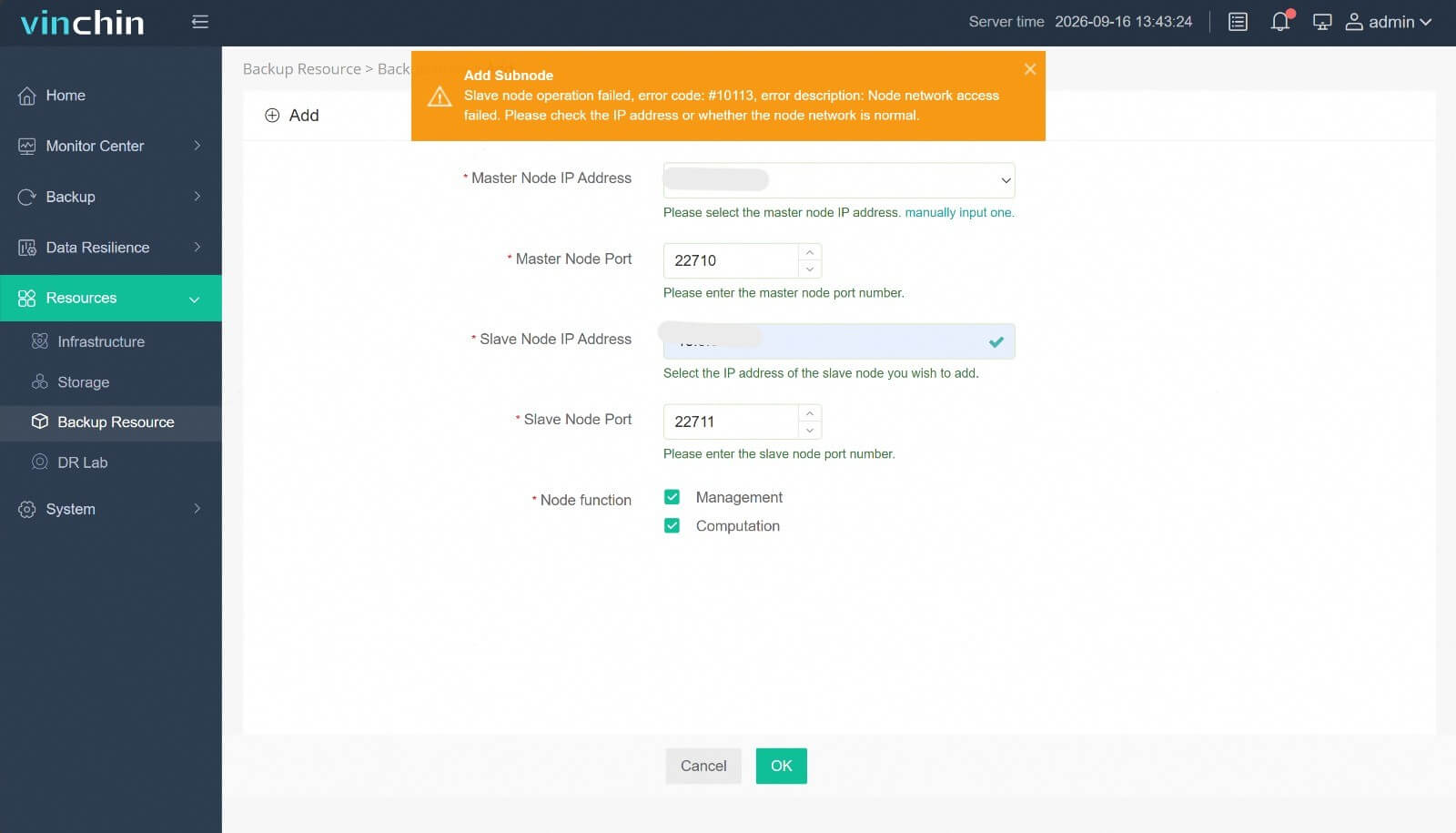
When trying to connect sub node to the master node, failed with error #10113, error description: Node network access failed. Please check the IP address or whether the node network is normal.
Answer
Issue Description
The reasons for failure may include the following:
- Port 3306, 22710, 22711 is not open
- Sub node installation exception, service did not start properly
- The master node has multiple network segments, and the sub node are not properly connected to the network segment used for node communication
Resolution
Port 3306, 22710, 22711 is not open
- SSH to Master Node, execute telnet <sub_node_ip> <port> to check the port access.
- Make sure master node can telnet to sub node through port 3306, 22710, 22711.
- After this, trying add sub node again.
Sub node installation exception, service did not start properly
- SSH to sub node, execute ps aux | grep vinchin to check whether the services loaded.
- If there is no output of service, we recommend re-install the sub node.
- execute sudo systemctl status node_server to check whether the sub node is normal.
- If the service status abnormal, execute sudo systemctl restart node_server and then sudo systemctl status node_server to check again.
The master node has multiple network segments, and the sub node are not properly connected to the network segment used for node communication
- SSH to Sub Node, execute cat /etc/backup_system/common_server.conf.xml, check the <server_ip> and <database_ip> is the Master Node IP.
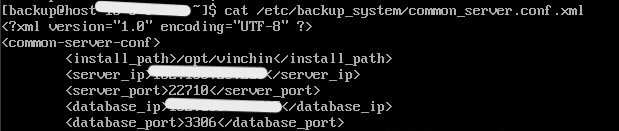
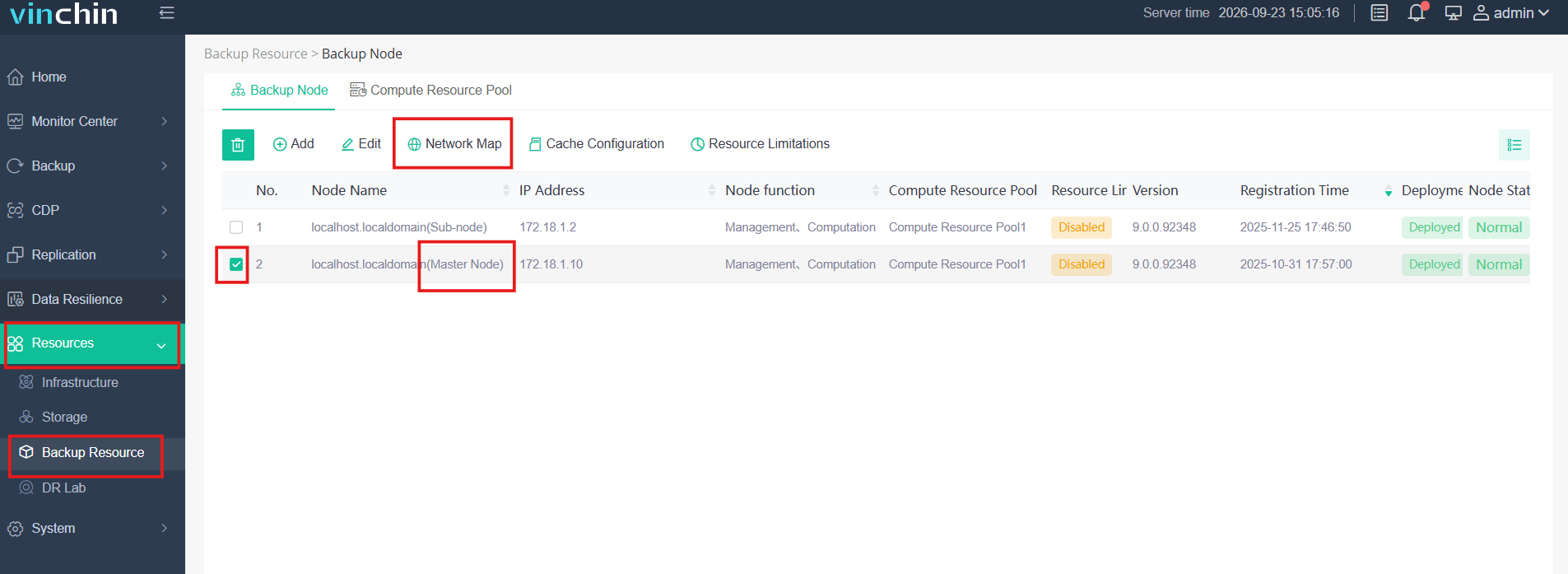
- If the IP information does not match, please check the network priority of the master node on the Resources - Backup Resource - Network Map and set the IP that needs to be connected to the first priority before attempting to connect. The following is for your reference.
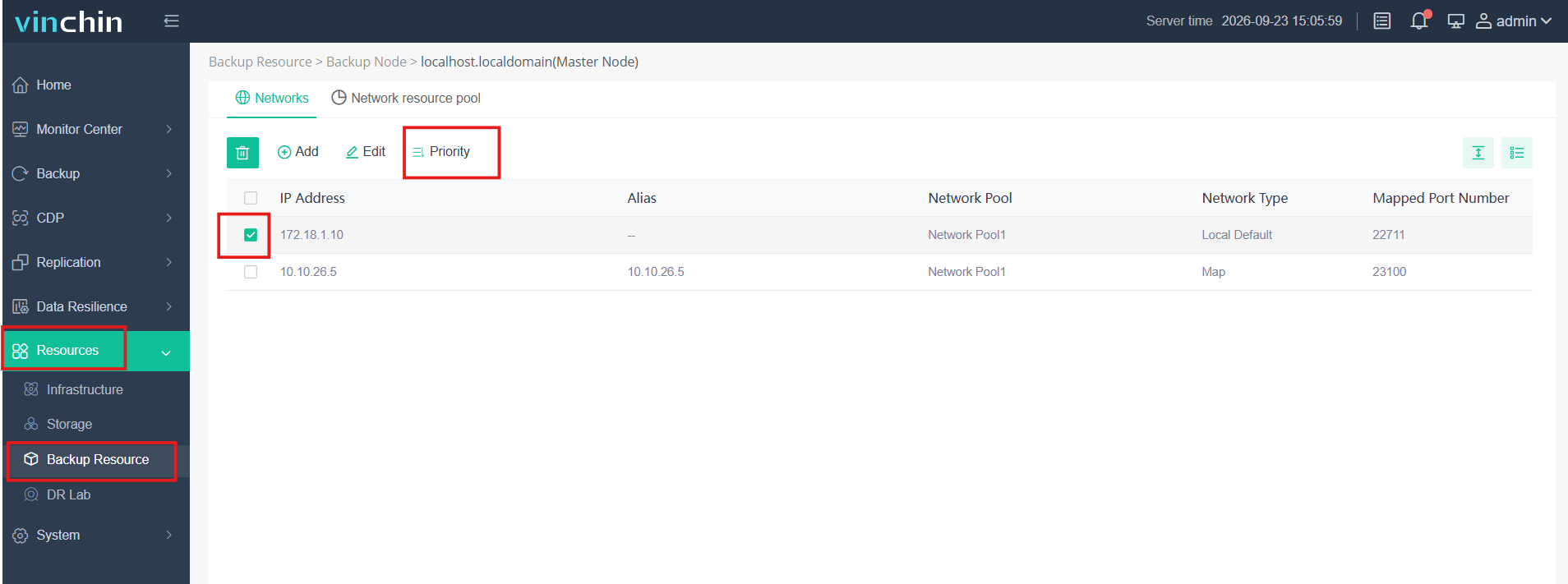
- If set the priority still cannot solve this issue, please contact Vinchin Support Team (technical.support@vinchin.com) to troubleshooot.
NOTE
If all solutions cannot work, please contact Vinchin Support Team (technical.support@vinchin.com) to troubleshoot.
60-DAY FULL-FEATURED FREE TRIAL
- No credit card required
- Get started in 10 minutes