








Product: Vinchin Backup & Recovery
Version: V9.0
KB Number: 200243
Last Modified: 2026-10-09 11:54:55
Discovered Version:v9.0.0
Question
How can I configure vinchin HA clsuter?
Answer
Vinchin's HA cluster is designed to ensure that the backup system itself remains highly available, so that when the primary control node fails, the disaster recovery services can continue without interruption
Key Components
-
Backup Cluster Architecture: The system operates as a cluster consisting of one master server and multiple slave nodes.
-
Automatic Failover: All nodes have equal priority and can compete to become the new primary node if the current one fails, enabling automatic failover.
-
Cluster VIP: A unified virtual IP address provides a single access point, making the cluster address transparent to users even during node switchover
How to Configure
1. The cluster configuration must need to have at least 1 master server and 1 slave node, when adding slave node, need to grant node with both management and computation role. 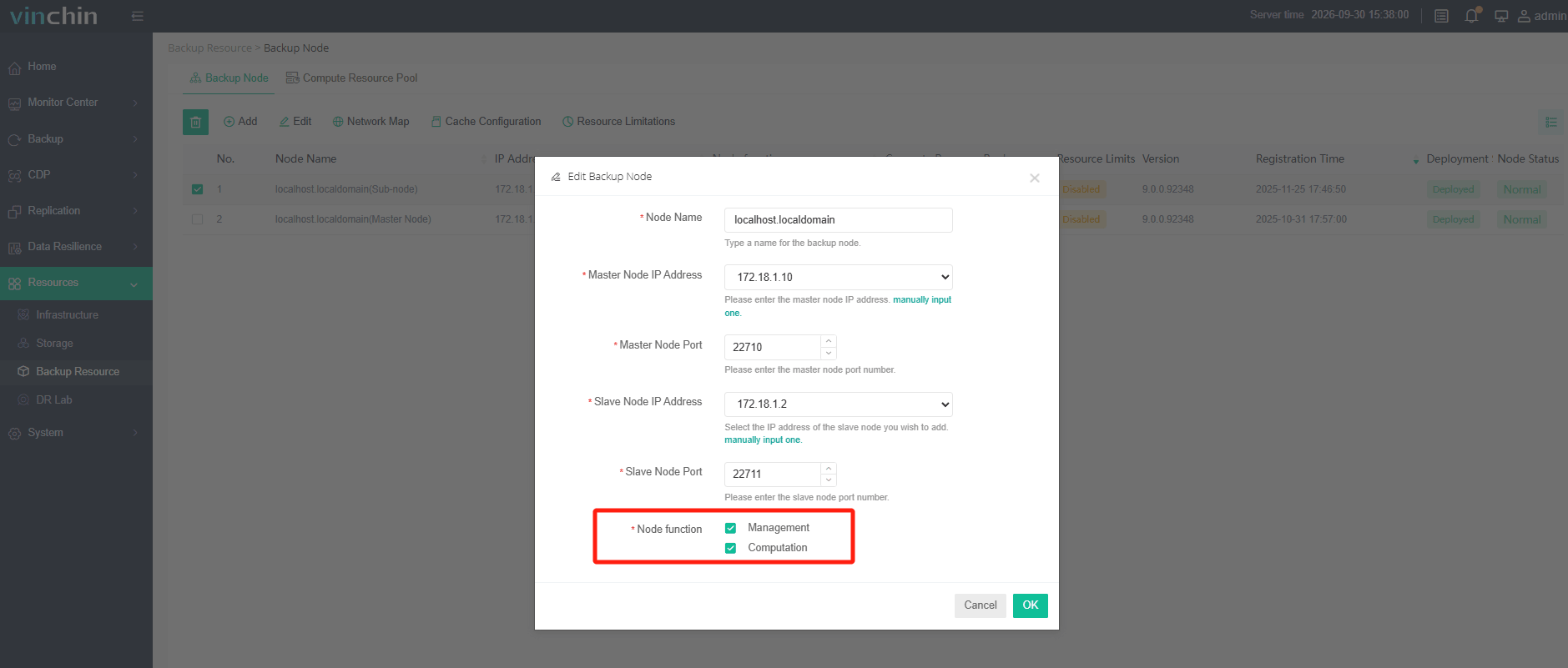 2. Redirect to Backup Resource>Cluster Management, create HA cluster, here need to choose 1 master server and 1 or multiple slave node, and give a Virtual IP address for system login. After cluster configured, system will auto login by using Virtual IP address.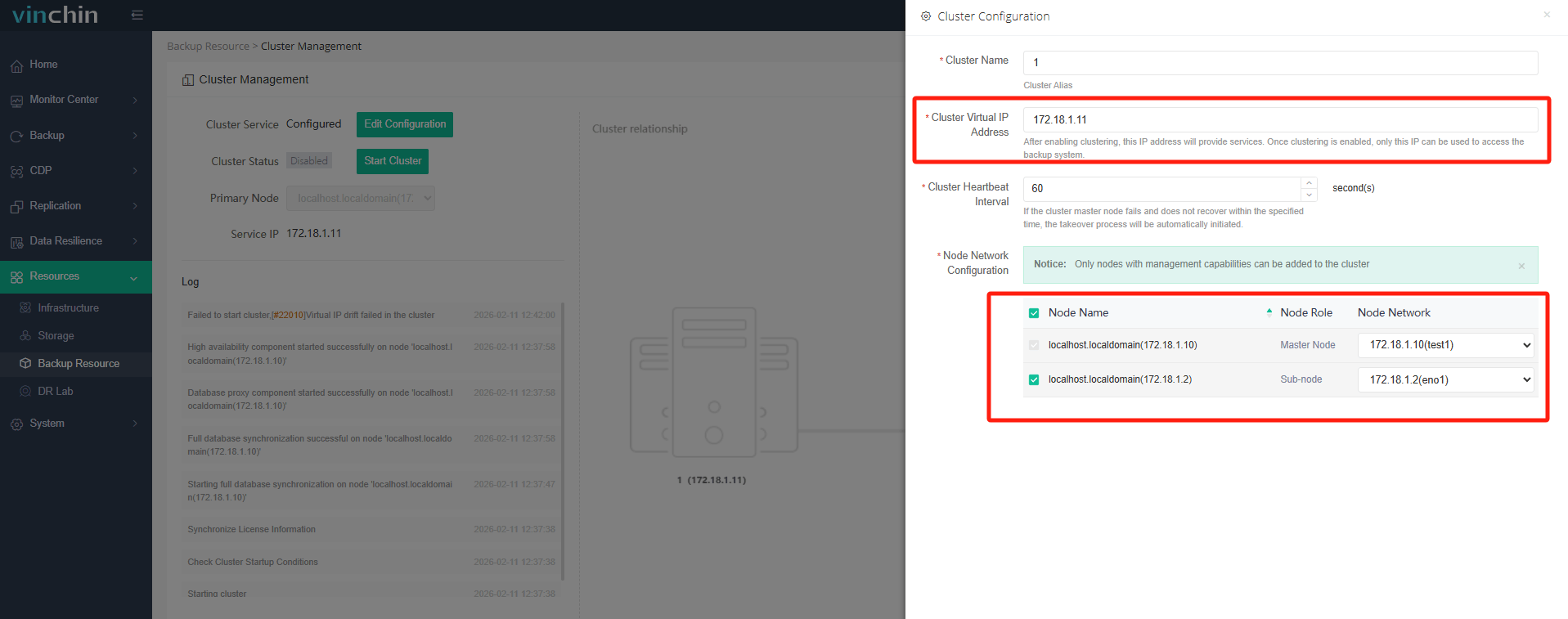
60-DAY FULL-FEATURED FREE TRIAL
No credit card required
Get started in 10 minutes