








Product: Vinchin Backup & Recovery
Version: V8.1, V9.0
KB Number: 200237
Last Modified: 2026-09-28 17:44:58
Discovered Version: v9.0 V8.1
Question
After removing the storage containing backup data from Vinchin, how do I add that storage to a new Vinchin instance and import the backup data?
Answer
The Vinchin DR system supports two types of data import operations:
1.Backup Data Import – Import previously exported backup data back into the system storage.
2.Archive Data Import – Import archived data into the system for recovery or long-term retention purposes.
Resolution
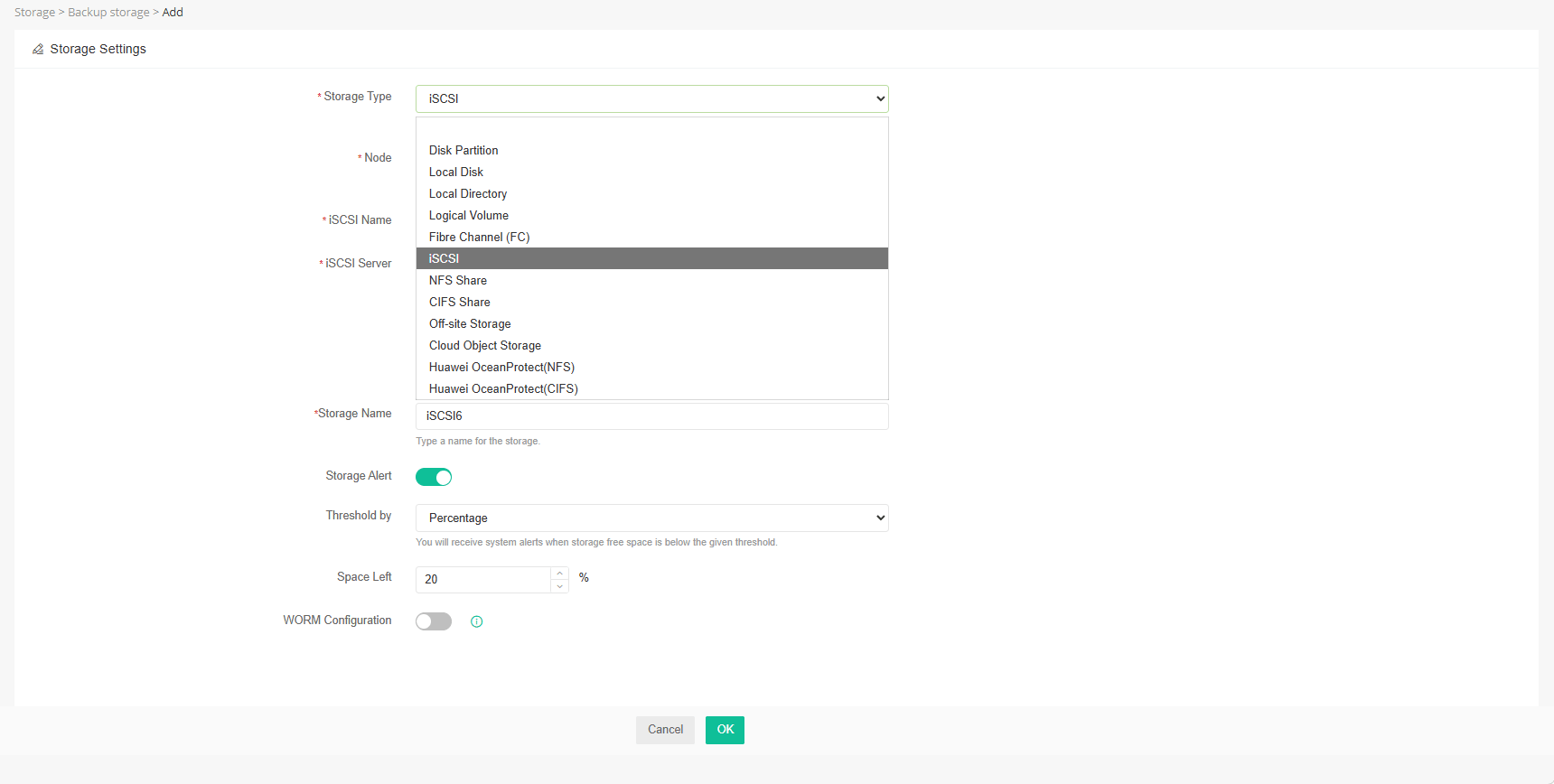
1.Go storage->backup storage page, Re-add the storage using the same storage type as before.
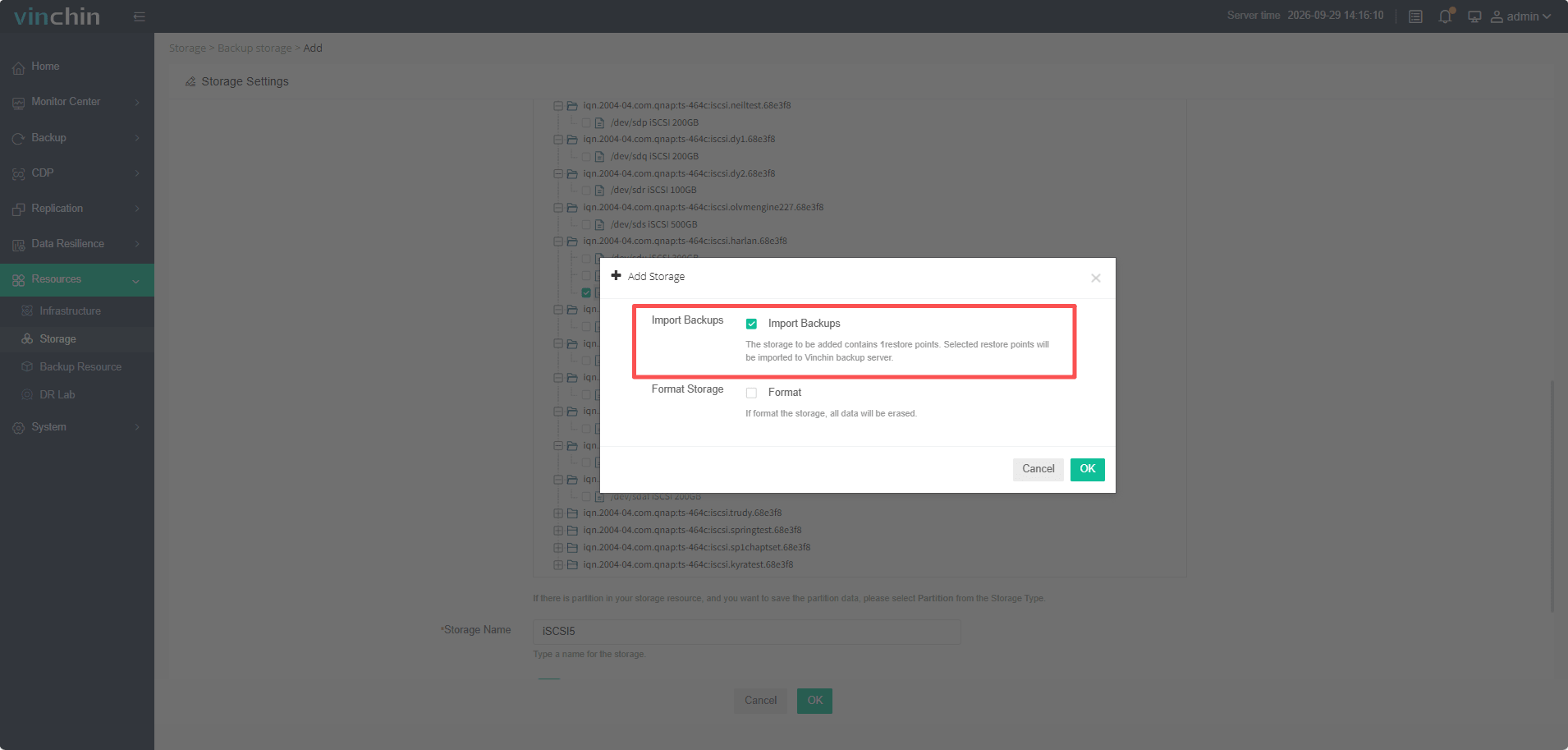
2.When adding this storage, the system will prompt you with information regarding the import of existing data; we need to select that option and proceed.
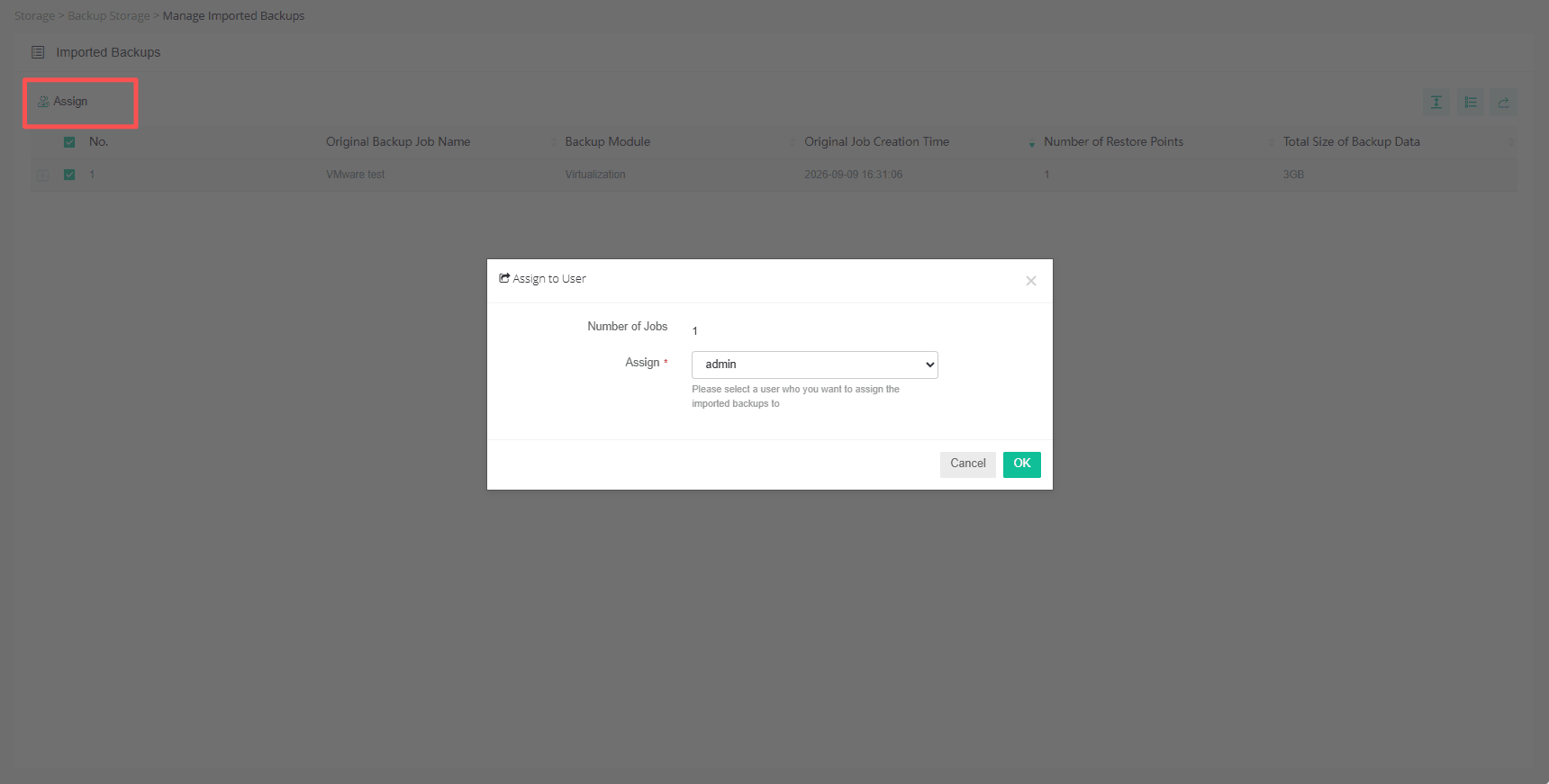
3.After this storage was added, the existing data can not be seen in the storage page, we need to assign imported data to user.
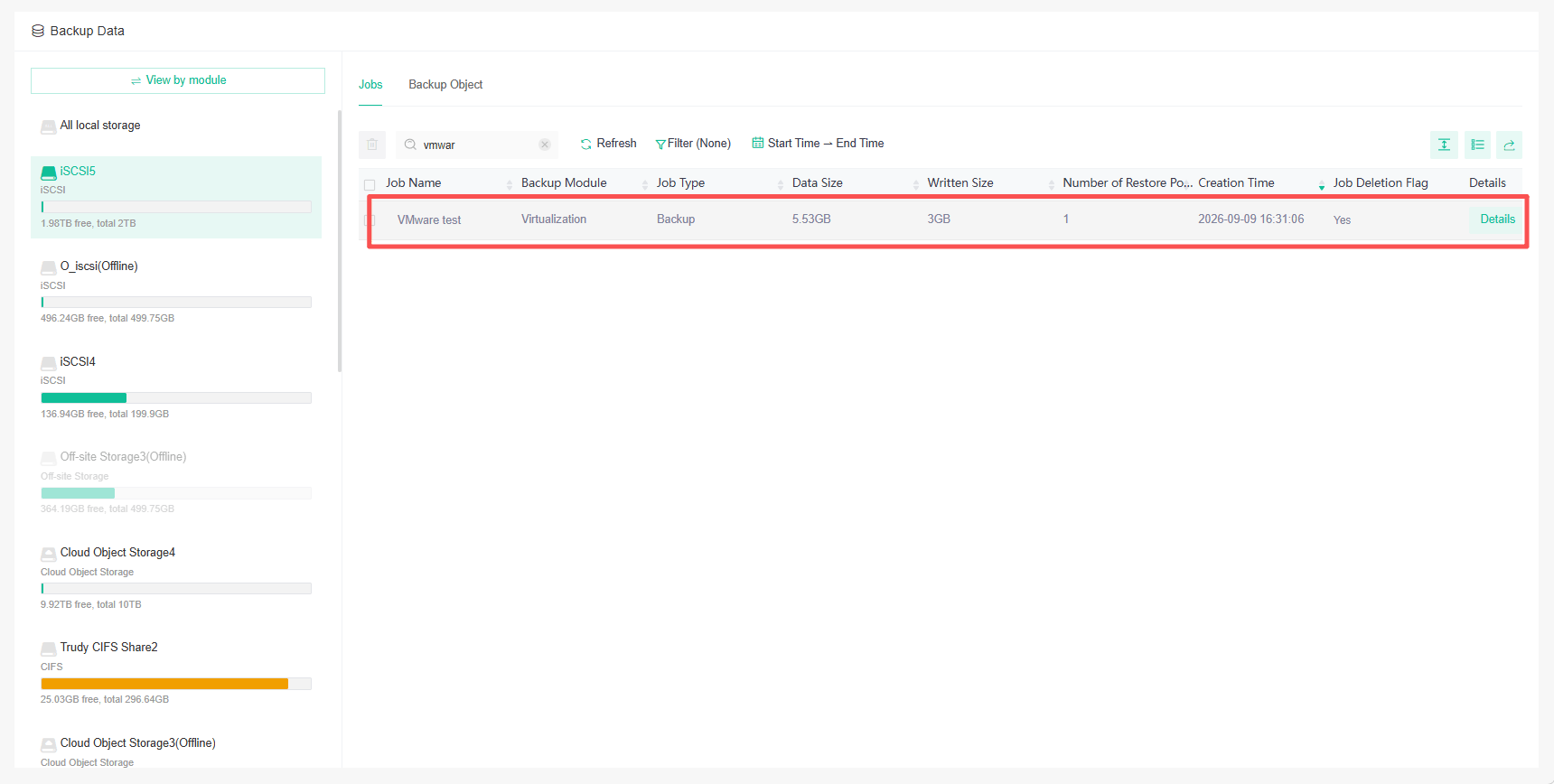
4.Data is successfully imported and assigned, ready for use.
Note
If the storage type was originally "Local Disk," we can only re-add it using the "Local Directory" method.
For tape storage, we need to directly connect it to vinchin and scan it in vinchin tape management page.
60-DAY FULL-FEATURED FREE TRIAL
No credit card required
Get started in 10 minutes