








Product: Vinchin Backup & Recovery
Version: V9.0
KB Number: 200234
Last Modified: 2026-09-28 14:22:41
Discovered Version: v9.0
Question
Current ISCSi storage is almost full, how should we expand the storage?
Answer
Actually, we do not recommend expanding existing iSCSI storage, as the process carries significant risk when data is already present. The safest approach is to add a new iSCSI storage target to Vinchin; however, if you are aware of the risks and still wish to proceed with expansion, please refer to the guidelines below.
Resolution
Example:
This storage was originally 150 GB; 50 GB was added, bringing the total to 200 GB.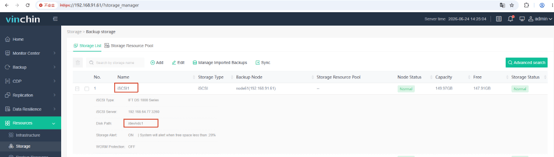
Check the backup system's Linux backend using `lsblk`:
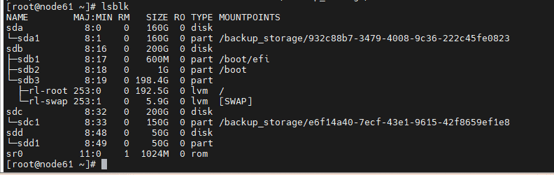
`sdc` is 200 GB and `sdc1` is 150 GB (if the capacity was just expanded, there may be a slight delay before the backup system reflects the new size for `sdc`).
Now we expand the sdc1:
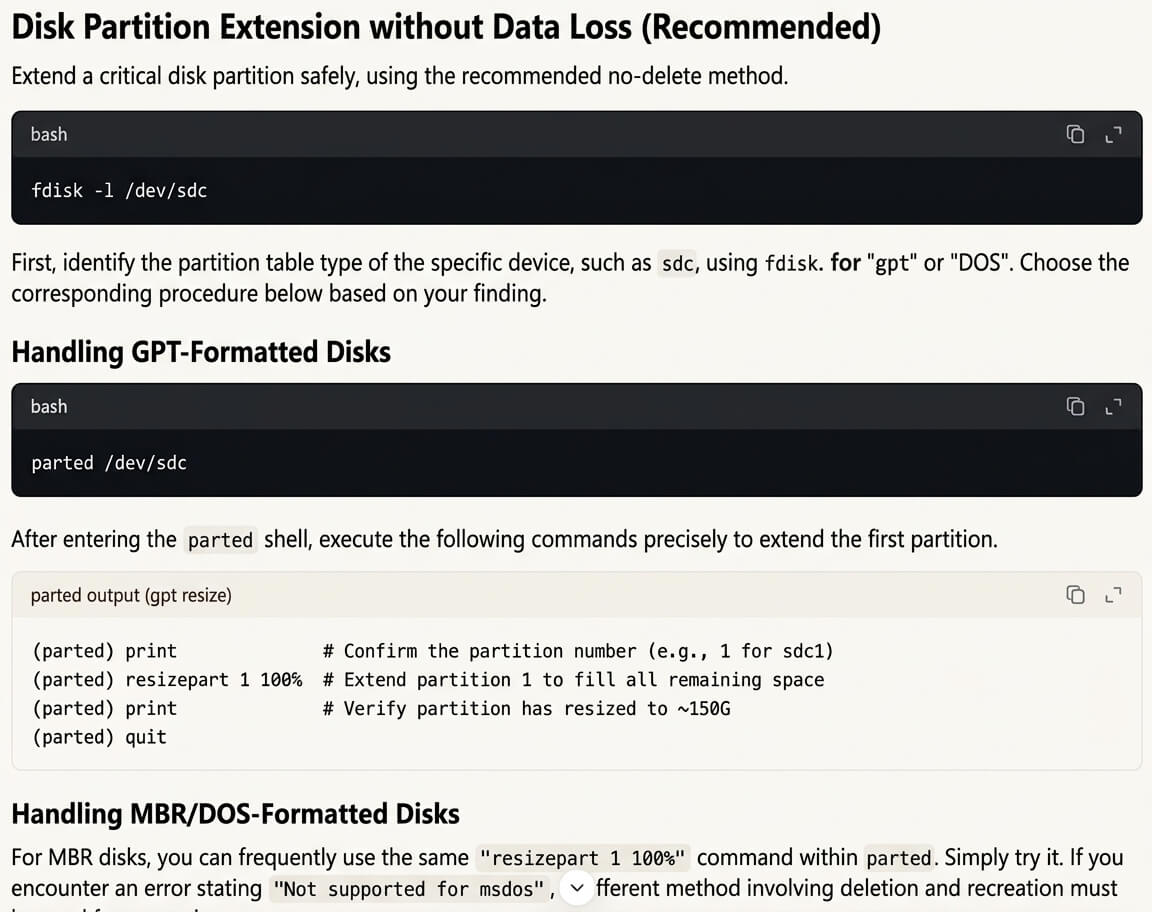
Test case in our local enviroment: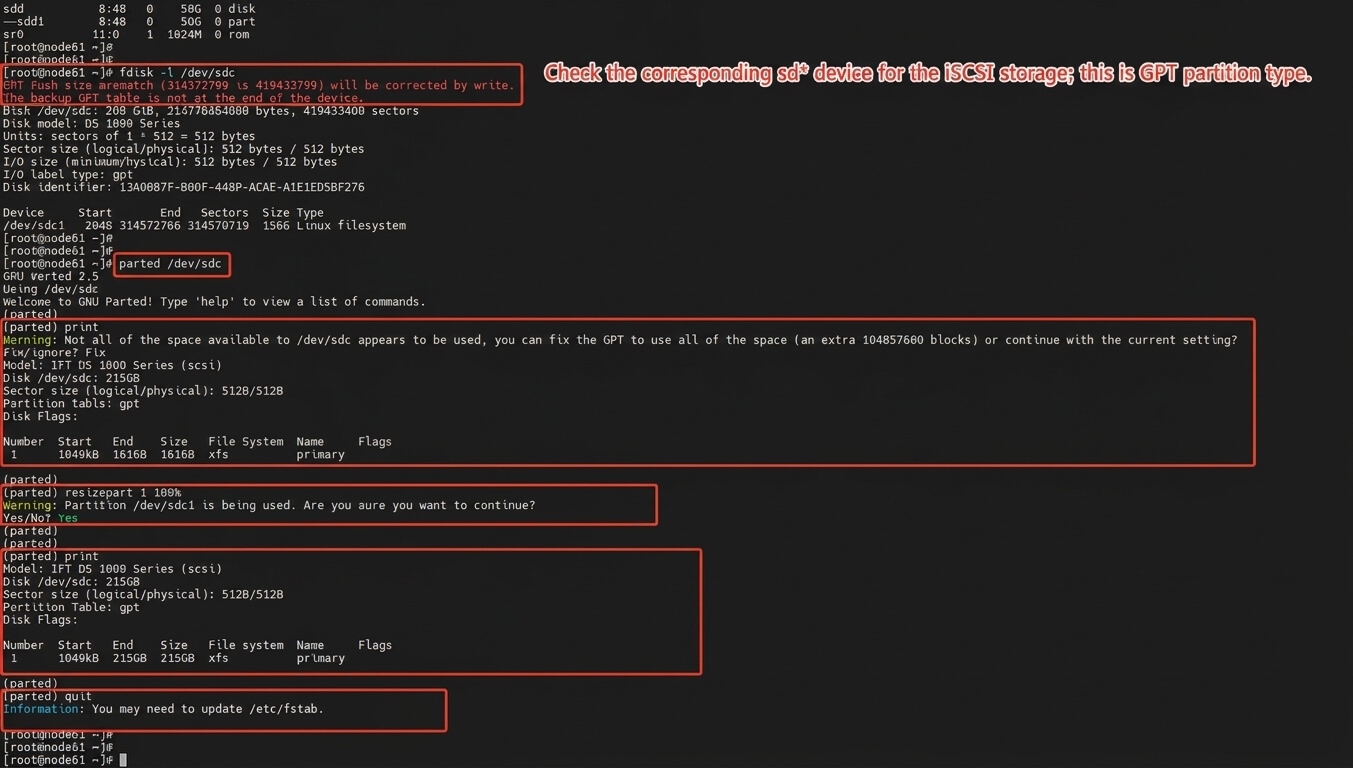
After manually expanding the capacity, the `lsblk` command shows that `sdc1` is now 200 GB.
Finally, run `xfs_growfs /backup_storage/*****` to complete the expansion, then move to vinchin web console and synchornize this storage(Will take some time to synchronize, depending on to the storage size).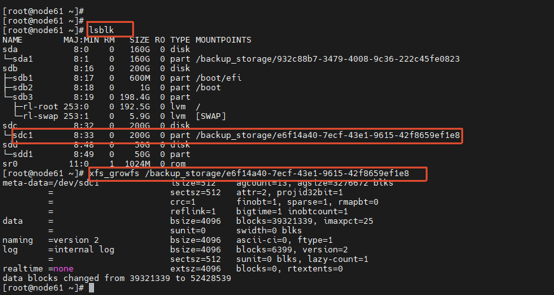
60-DAY FULL-FEATURED FREE TRIAL
No credit card required
Get started in 10 minutes