




Product: Vinchin Backup & Recovery
Version: V9.0
KB Number: 200224
Last Modified: 2026-09-29 23:19:01
Discovered Version:v9.0
Question
When adding new iSCSI storage, click on 'Scan Target', failed with error #923 Fatal iSCSI login error.
Answer
Issue Description
When adding iSCSI storage, Vinchin will attempt to scan all targets of the target SCSI server. If a target is already connected to another server and multi session login is not enabled, Vinchin's attempt to log in will be rejected, and the entire scanning process will directly fail with an error message.
Resolution
Enable the multi session login
You can first go to iSCSI console to enable the 'Multi session login', then try scan target again.
The following if for your reference:
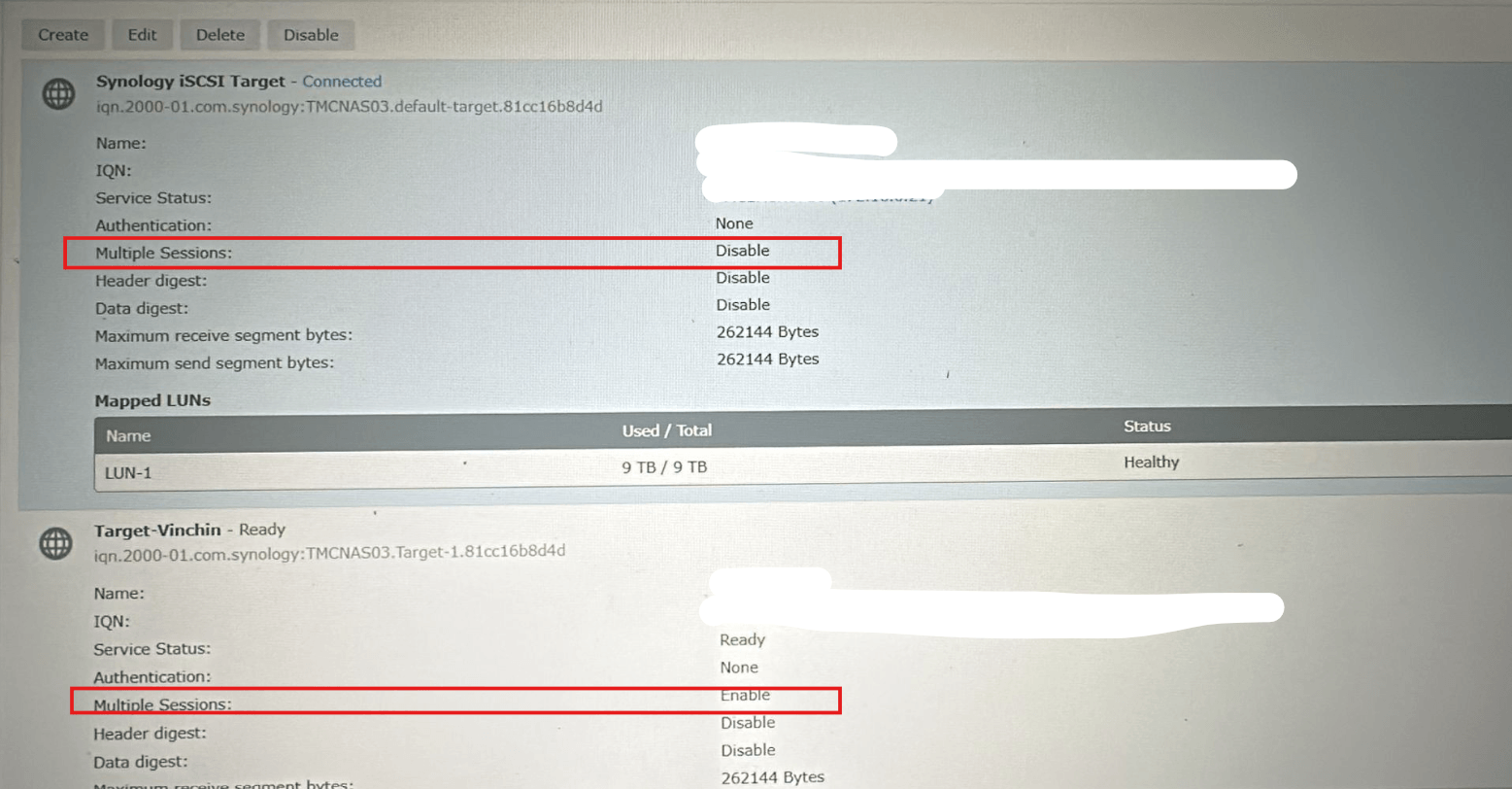
If enable the multi session login, the Scan Target process still fails, Please contact Vinchin Support Team (technical.support@vinchin.com) to troubleshoot.
60-DAY FULL-FEATURED FREE TRIAL
- No credit card required
- Get started in 10 minutes