Running MySQL on Kubernetes has become a standard practice for many IT teams seeking flexibility and automation in database management. Kubernetes brings powerful tools for scaling, resilience, and lifecycle control—but how do you actually run MySQL inside your cluster? Let’s break down mysql kubernetes deployment from beginner basics to advanced operations.
What Is MySQL on Kubernetes?
MySQL on Kubernetes means running your database as a containerized workload managed by Kubernetes itself. Instead of installing MySQL directly onto virtual machines or physical servers, you package it into containers that run inside pods within your cluster.
Kubernetes uses objects like StatefulSets or Operators to manage stateful applications such as databases. These controllers ensure that data persists even if pods restart or move between nodes by connecting them to PersistentVolumeClaims (PVCs). This approach lets you treat your entire database stack as code—making deployments repeatable across environments while keeping data safe through persistent storage resources.
Why Deploy MySQL on Kubernetes?
Deploying mysql kubernetes style offers several benefits:
First is consistency—you manage both applications and databases using the same set of tools: YAML manifests, Helm charts, CI/CD pipelines. Second is automation—Kubernetes handles pod scheduling, failover recovery if a node fails, rolling updates with zero downtime when upgrading images or configurations. Third is portability—you can move workloads between clouds or data centers without major changes because everything runs inside containers orchestrated by Kubernetes APIs.
Of course there are trade-offs: Running databases in containers adds complexity around storage classes and network policies compared to traditional setups. But with careful planning—and the right tools—these challenges are manageable even at scale.
Method 1. Deploying MySQL Using Helm Chart
Helm is a package manager designed specifically for Kubernetes applications like mysql kubernetes deployments. It bundles all required resources into reusable charts so you can deploy complex stacks quickly—even customize them for different environments with minimal effort.
To get started deploying MySQL via Helm:
1. Add the MySQL Helm repository:
Run helm repo add bitnami https://charts.bitnami.com/bitnami to include Bitnami’s official chart library.
2. Update your Helm repositories:
Use helm repo update so you have access to the latest versions.
3. Install MySQL with Helm:
Deploy using:
helm install my-mysql bitnami/mysql --set auth.rootPassword=my-secret-pw
This creates a StatefulSet named “my-mysql” with root password set.
4. Check deployment status:
Use kubectl get pods until you see your pod status as “Running.”
5. Access your instance locally:
Forward port 3306 from service:
kubectl port-forward svc/my-mysql 3306:3306
Then connect via any standard client at localhost:3306.
6. Customize deployment settings:
You can adjust storage size (--set primary.persistence.size=20Gi) or other parameters during installation.
7. Upgrade or remove deployment easily:
Use helm upgrade my-mysql ... for updates; remove everything cleanly with helm uninstall my-mysql.
Customizing MySQL Deployment With Helm Values
While command-line flags work well for quick tests or single overrides, production environments often need more detailed configuration files called values files (values.yaml). These let you specify passwords securely (avoiding exposure in shell history), enable replication features—or fine-tune resource requests/limits for performance tuning:
auth:
  rootPassword: "secure-root-password"
primary:
  persistence:
    enabled: true
    size: 50Gi
resources:
  requests:
    memory: "2Gi"
    cpu: "1000m"
Install using this file by running:
helm install my-mysql bitnami/mysql -f values.yaml
You can also enable metrics exporters here if integrating with Prometheus/Grafana later—a common request among ops teams managing mysql kubernetes clusters at scale.
Method 2. Deploying MySQL Operator in Kubernetes
For production-grade mysql kubernetes setups requiring high availability features like automated failover or scheduled backups—the recommended approach is deploying via an Operator rather than just plain StatefulSets/Helm charts alone.
Operators extend native capabilities of Kubernetes through custom resource definitions (CRDs) plus controllers that act much like an embedded DBA inside your cluster—handling tasks such as replication setup automatically based on declarative specs written in YAML files.
Here’s how to deploy Oracle’s official MySQL Operator:
1. Install the operator using Helm
helm repo add mysql-operator https://mysql.github.io/mysql-operator/
helm repo update
       helm install mysql-operator mysql-operator/mysql-operator \
         --namespace mysql-operator --create-namespace
2. Create credentials secret
       kubectl create secret generic mypwds \
         --from-literal=rootUser=root \
         --from-literal=rootHost=% \
         --from-literal=rootPassword="test"
3. Deploy InnoDB Cluster
        apiVersion: mysql.oracle.com/v2
        kind: InnoDBCluster
        metadata:
          name: mysqlcluster
        spec:
          secretName: mypwds
          tlsUseSelfSigned: true # For testing only; use proper certs in production!
          instances: 3           # Number of database nodes
          router:
            instances: 1         # Load balancer/router pod count
Apply it via command line:
kubectl apply -f mysql-cluster.yaml
4. Monitor cluster health
kubectl get pods
Look out for events indicating failed PVC binding if persistent volumes aren’t available.
5. Connect securely
kubectl port-forward service/mysqlcluster 3306:3306
Connect locally using root credentials stored earlier.
6. Scale up/down safely
Increase number of replicas simply by editing the value under instances: then reapplying manifest; operator manages rolling upgrades automatically.
When reducing replicas always verify no critical transactions are active before proceeding—to avoid accidental data loss!
Automating Backups With The MySQL Operator
The real power of Operators comes from their ability to automate routine maintenance tasks—including full/incremental backups triggered either manually or according to schedules defined right inside your CRD specs:
Example addition within InnoDBCluster YAML:
backupProfiles:
  daily-backup:
    schedule:
      cronExpression: "0 2 * * *" # Every day at 2am UTC
    storageType: S3               # Or 'PersistentVolumeClaim'
    s3BucketName: "my-backup-bucket"
To trigger an ad-hoc backup outside scheduled windows:
kubectl create -f backup-job.yaml
Always monitor logs generated by operator controller pods—they provide real-time feedback about backup progress/failures so issues don’t go unnoticed!
Vinchin Backup & Recovery – Enterprise-Level Protection for Your Kubernetes Data
After establishing robust deployment and operational practices for running MySQL on Kubernetes, ensuring reliable backup and disaster recovery becomes essential for business continuity and compliance needs alike.
Vinchin Backup & Recovery stands out as a professional enterprise-level solution purpose-built for comprehensive protection of containerized workloads—including full support for advanced backup scenarios across diverse Kubernetes environments. Key features include agentless full/incremental backups at multiple granularities (cluster, namespace, application, PVC), policy-based scheduling alongside instant one-off jobs, encrypted transmission/storage options, cross-cluster restore—even heterogeneous multi-version recovery spanning different K8s releases and underlying storage platforms—all designed to maximize security while minimizing operational overhead.
The intuitive web console streamlines every step of protecting your mysql kubernetes environment
Step 1. Select the backup source

Step 2. Choose the backup storage
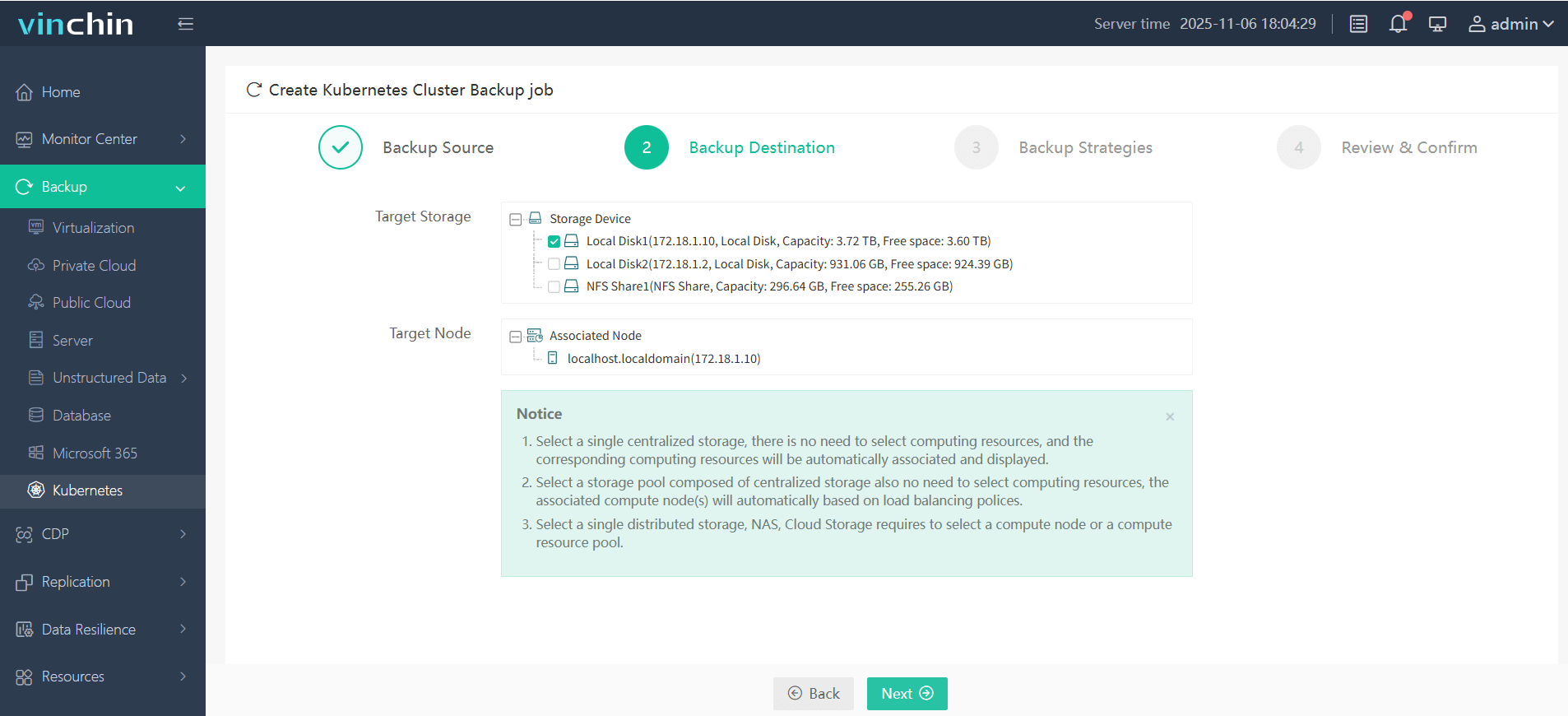
Step 3. Define the backup strategy
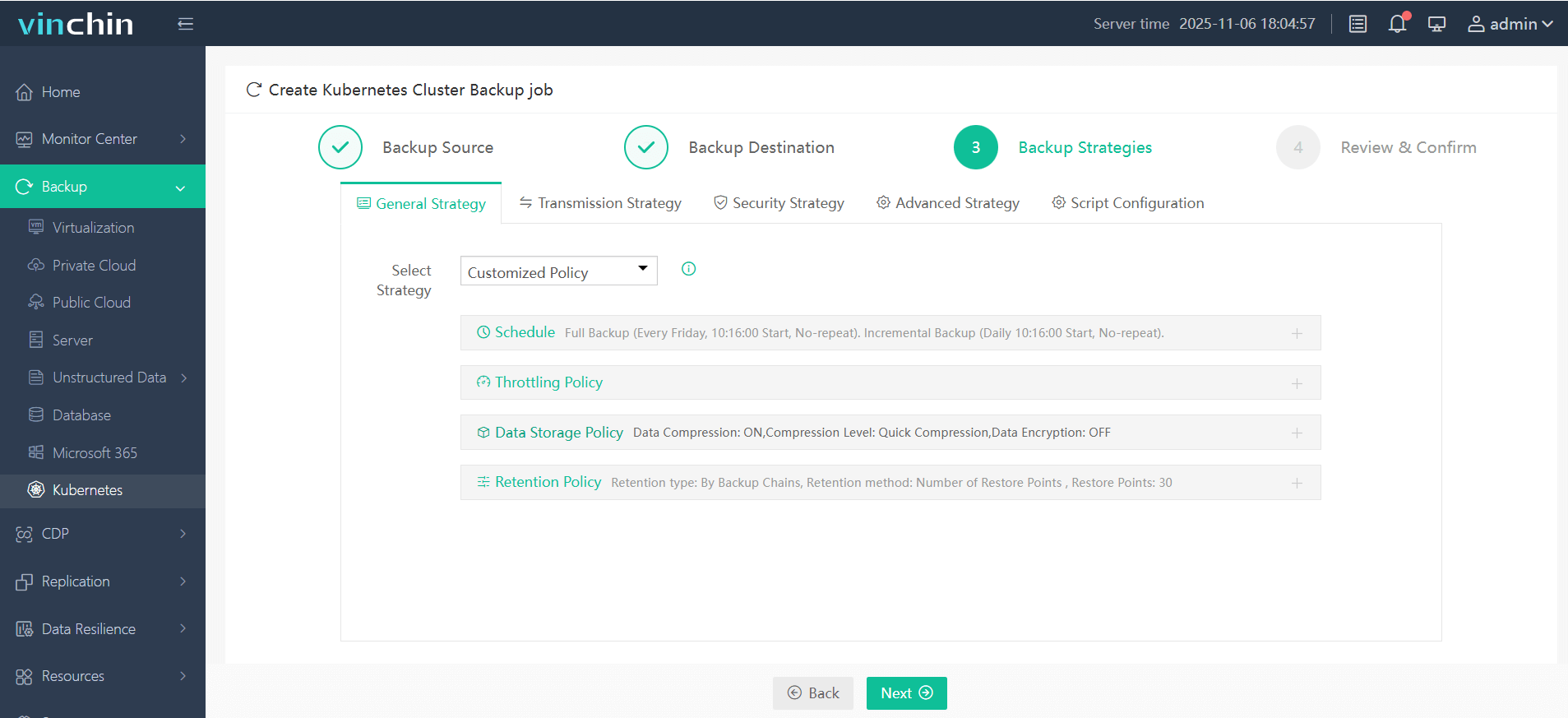
Step 4. Submit the job
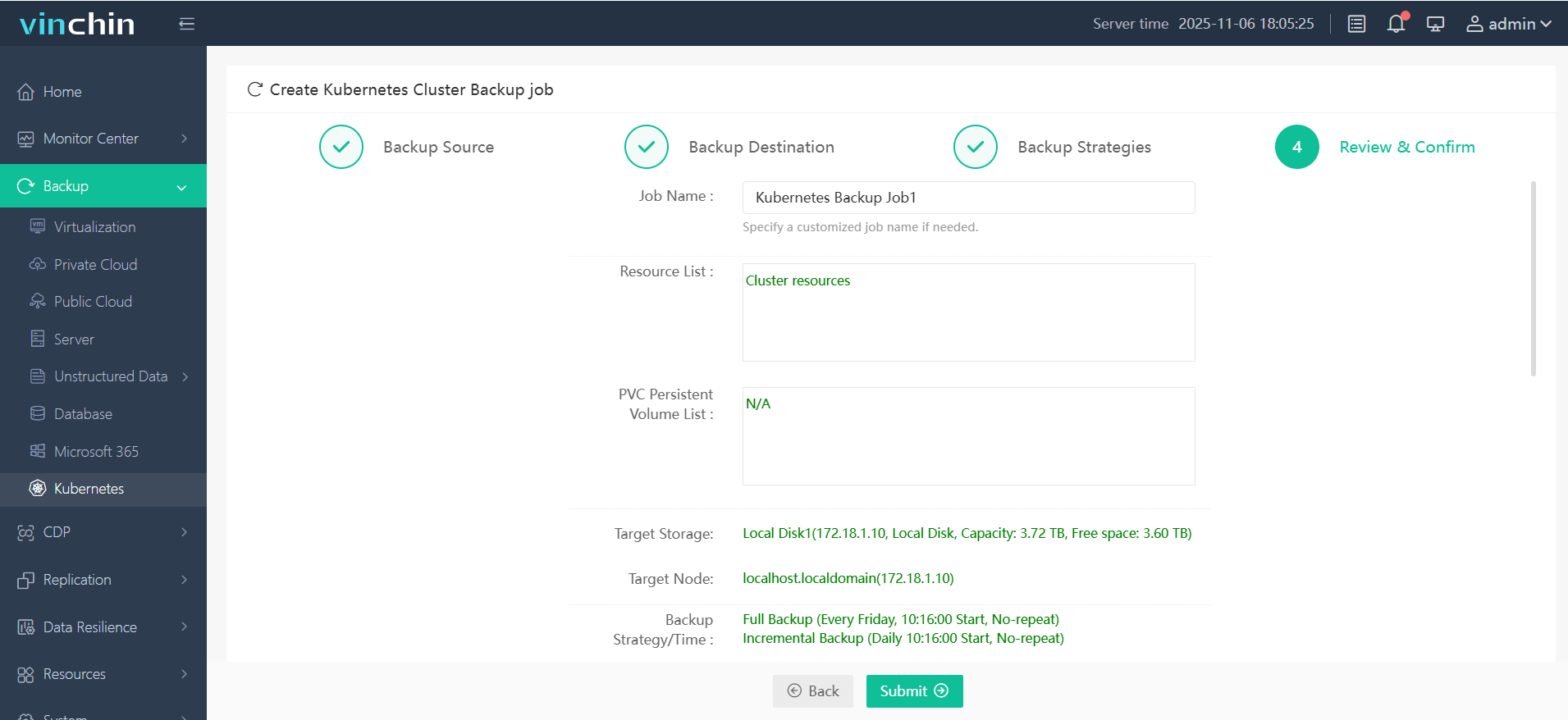
Trusted globally by thousands of organizations and rated highly across industry benchmarks, Vinchin Backup & Recovery delivers proven enterprise-grade protection—with a risk-free 60-day full-featured trial available now; click below to experience seamless K8s data safety firsthand.
MySQL Kubernetes FAQs
Q1: How do I resize persistent storage used by my SQL instance?
A1: Edit PersistentVolumeClaim's size field; ensure StorageClass supports expansion (AllowVolumeExpansion:true) then run kubectl apply -f <pvc-file>—some cloud providers may require additional steps before resizing takes effect.
Q2: Can I migrate a live production database between two separate clusters?
A2: Yes—back up current data first; transfer snapshot/archive securely then restore onto target cluster following documented import procedures specific to chosen method/operator version used.
Q3: What’s best practice for automating regular backups across multiple namespaces?
A3: Define scheduled backup profiles within each namespace's CRD spec—or leverage centralized policy-driven solutions compatible with multi-tenancy requirements.
Conclusion
Running mysql kubernetes style delivers flexibility plus robust automation—from simple test labs up through enterprise-grade HA clusters managed entirely via code! Whether you choose Helm charts or Operators depends on business needs—but reliable protection always matters most; Vinchin makes safeguarding those workloads easy worldwide today.










