




Product: Vinchin Backup & Recovery
Version: V7.0, V7.2, V8.0, V8.1, V9.0
KB Number: 200128
Last Modified: 2026-01-08 17:57:51
Discovered Version:v7.0
Question
The copy task failed, reporting that the source backup data does not exist.
Pause copy source 'vm_name' restore point, [#4286] The dependent backup copy restore points do not exist, may have been deleted.
Answer
The source backup data is no longer accessible, possibly due to unintentional deletion, while the corresponding database records remain intact.
Resolution
-
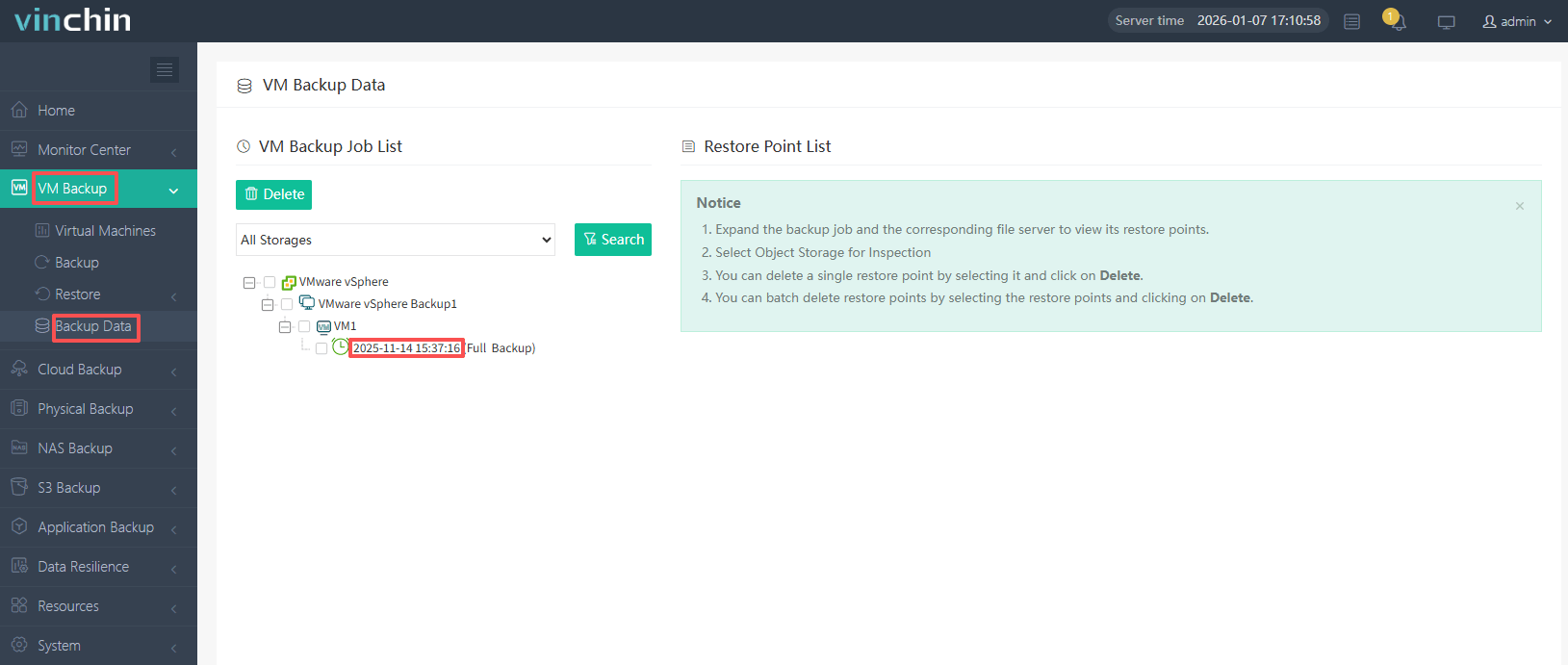
In the VM Backup > Backup Data web console, locate the restore point corresponding to the timestamp and verify whether the backup data exists on the respective backup storage based on the timestamp.
-
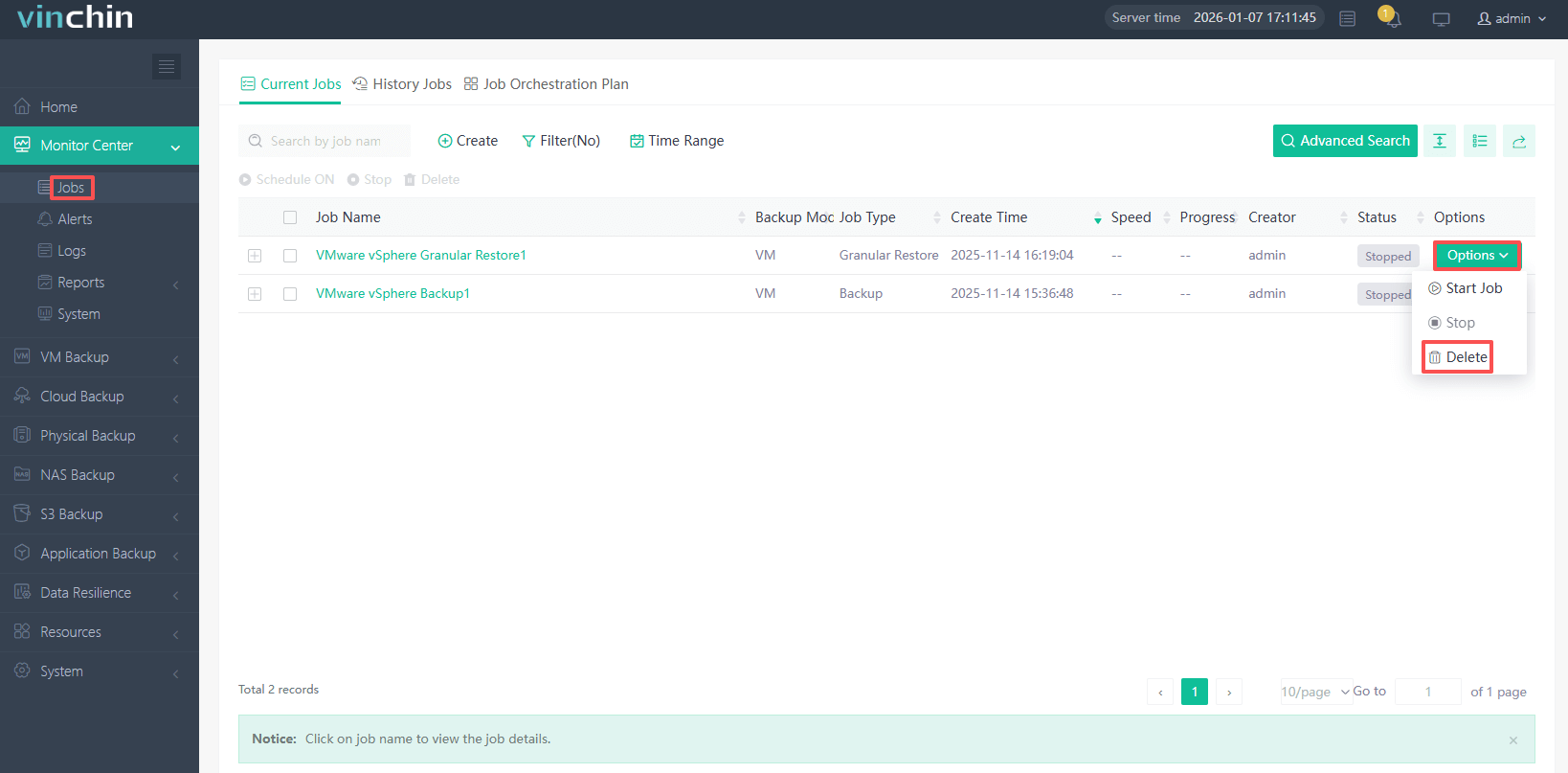
First, stop the virtual machine copy task from the Operation drop-down menu in the job settings, then delete it.
-
On the VM Backup > Backup Data page, delete the non-existent restore point, then create a new copy job and start it.
60-DAY FULL-FEATURED FREE TRIAL
- No credit card required
- Get started in 10 minutes