Choosing between Ceph and ZFS as your storage backend in Proxmox can be tough. Both are powerful technologies with loyal followings and unique strengths. Your decision shapes how you manage virtual machines (VMs), scale your environment, and protect data from failure or loss. So which one fits your needs? Let’s explore their differences step by step.
What Is Ceph in Proxmox
Ceph is a distributed storage system built for high availability and scalability across multiple servers. In Proxmox environments, Ceph lets you combine disks from several nodes into a single fault-tolerant cluster where data is spread out automatically.
Ceph is a distributed storage system made up of OSDs (data storage), MONs (cluster health monitoring), MGRs (management services), and the CRUSH algorithm, which determines how data is distributed across nodes. This design ensures high availability, so VM data remains accessible even if a node fails.
For production use, at least three nodes are required to provide proper redundancy, while smaller single- or two-node setups are only suitable for testing. Performance also depends heavily on infrastructure, with 10GbE considered the minimum and 25GbE recommended for NVMe-based systems.
Each OSD requires sufficient CPU and memory resources, and Ceph clusters need careful planning and ongoing monitoring. In Proxmox, Ceph can be deployed and managed via built-in tools, enabling shared storage and live migration without downtime through its distributed architecture.
What Is ZFS in Proxmox
ZFS combines both file system features and volume management into one technology known for reliability and ease of use on single servers or small clusters. In Proxmox setups using ZFS, each node manages its own local disks through pools called zpools.
ZFS focuses on data integrity using checksums and a copy-on-write design, enabling fast snapshots and easy rollbacks. It supports software-based RAID options like mirrors and RAIDZ2/RAIDZ3, and improves performance through ARC caching when enough RAM is available.
Unlike Ceph, ZFS is not distributed, so storage is tied to each node and becomes unavailable if the node fails. Proxmox only offers asynchronous replication for basic DR, not true shared storage or synchronous replication.
Overall, ZFS is best suited for smaller or simpler environments where snapshots and reliability matter more than full cluster-wide shared storage.
Proxmox Ceph vs ZFS Comparison
Both solutions have clear strengths but serve different needs depending on your environment size, uptime requirements, team expertise level, and growth plans over time.
To help you compare quickly:
| Feature | Ceph | ZFS |
|---|
| Architecture | Distributed across multiple nodes | Local per node |
| High Availability | Yes – native shared storage | No – relies on async replication |
| Scalability | Grows easily by adding disks/nodes | Limited to local pool expansion |
| Performance | Scales well with fast network/hardware | Excellent single-node performance |
| Complexity | Higher setup/maintenance effort | Easier setup/management |
| Data Integrity | Built-in redundancy & self-healing | End-to-end checksumming/copy-on-write |
| Live Migration | Seamless between any nodes | Only after manual failover/replication |
Hardware and Network Considerations
When planning your deployment strategy as an operations administrator, hardware choices matter greatly:
For Ceph clusters aiming at production-grade reliability and throughput: invest in fast CPUs per OSD process (ideally dedicate cores), plenty of RAM per node (at least 4GB per OSD recommended), SSD/NVMe journals/wal devices if possible and above all else, a low-latency network backbone rated at least 10GbE end-to-end [4]. If you’re working with NVMe drives throughout the cluster or expect heavy concurrent workloads from dozens of VMs simultaneously writing large files (think databases), consider moving up to 25GbE switches/adapters.
For ZFS deployments: prioritize ample RAM, the more memory available for ARC cache the better overall read/write speeds will be felt by users and choose reliable enterprise-class SATA/SAS SSDs/HDDs based on desired capacity/performance mix rather than raw network throughput since traffic stays local unless replicating offsite backups asynchronously via gigabit Ethernet links suffices here.
Remember: With distributed systems like Ceph comes increased maintenance overhead as more moving parts must be monitored daily compared with simpler standalone setups using just local disks managed under ZFS pools alone!
Operational Complexity
Managing a multi-node distributed system such as Ceph introduces new challenges compared to operating traditional file systems like ZFS:
You must monitor not just disk health but also inter-node communication latency/failures
Upgrades often involve orchestrated rolling restarts across all participating hosts
Troubleshooting requires understanding how placement groups map onto physical OSDs
Recovery from failed hardware may involve rebalancing large amounts of data automatically behind-the-scenes, which can impact performance temporarily
In contrast:
Performance Tuning Considerations
Performance tuning varies widely between these two approaches:
For best results under heavy write loads using Ceph ensure journal/wal devices reside on separate SSD/NVMe partitions apart from spinning media storing actual objects themselves whenever feasible
On busy database servers leveraging local-only storage via mirrored/multi-vdev striped zpools under ZFS maximize throughput further still simply by adding more RAM then tuning recordsize/zfs_arc_max parameters accordingly based upon observed workload patterns collected during normal business hours week after week!
Why Choose Ceph or ZFS for Proxmox
Your final choice depends largely upon current infrastructure scale plus future growth expectations, not forgetting staff comfort level maintaining complex software stacks day-to-day!
If you operate a larger environment needing continuous uptime even during planned/unplanned outages or anticipate scaling rapidly beyond three physical hosts soon, then investing upfront into properly architected multi-node shared-storage powered by modern versions of Ceph makes sense long-term despite steeper initial learning curve involved getting everything dialed-in correctly first time round.
On smaller installations where budget constraints limit both headcount/training opportunities or perhaps only basic snapshotting/disaster-recovery capabilities suffice given less critical nature underlying applications being hosted locally instead, sticking exclusively with proven simplicity offered natively inside every open-source build shipped today featuring robust support already baked right inside core Linux kernel tree itself courtesy upstream OpenZFS project maintainers worldwide might prove wisest course action overall!
Still unsure? Ask yourself: Do my users demand seamless live migration/high availability above all else or would they prefer blazing-fast response times coupled alongside straightforward troubleshooting procedures handled internally without outside vendor escalation required ever again?
How Does Vinchin Protect VM Data on Ceph and ZFS
To ensure reliable backup protection in Proxmox VE environments, whether using Ceph clustered storage or OpenZFS standalone pools, an advanced solution is essential. Vinchin Backup & Recovery is an enterprise-level platform that supports over fifteen major virtualization systems, including Proxmox VE, VMware, Hyper-V, and others, enabling unified protection across mixed infrastructures. It offers features such as forever incremental backup, deduplication and compression, granular restore, V2V migration, and built-in encryption with malware detection to safeguard VM workloads from data loss and ransomware threats.
The intuitive web console makes Vinchin Backup & Recovery easy to operate:
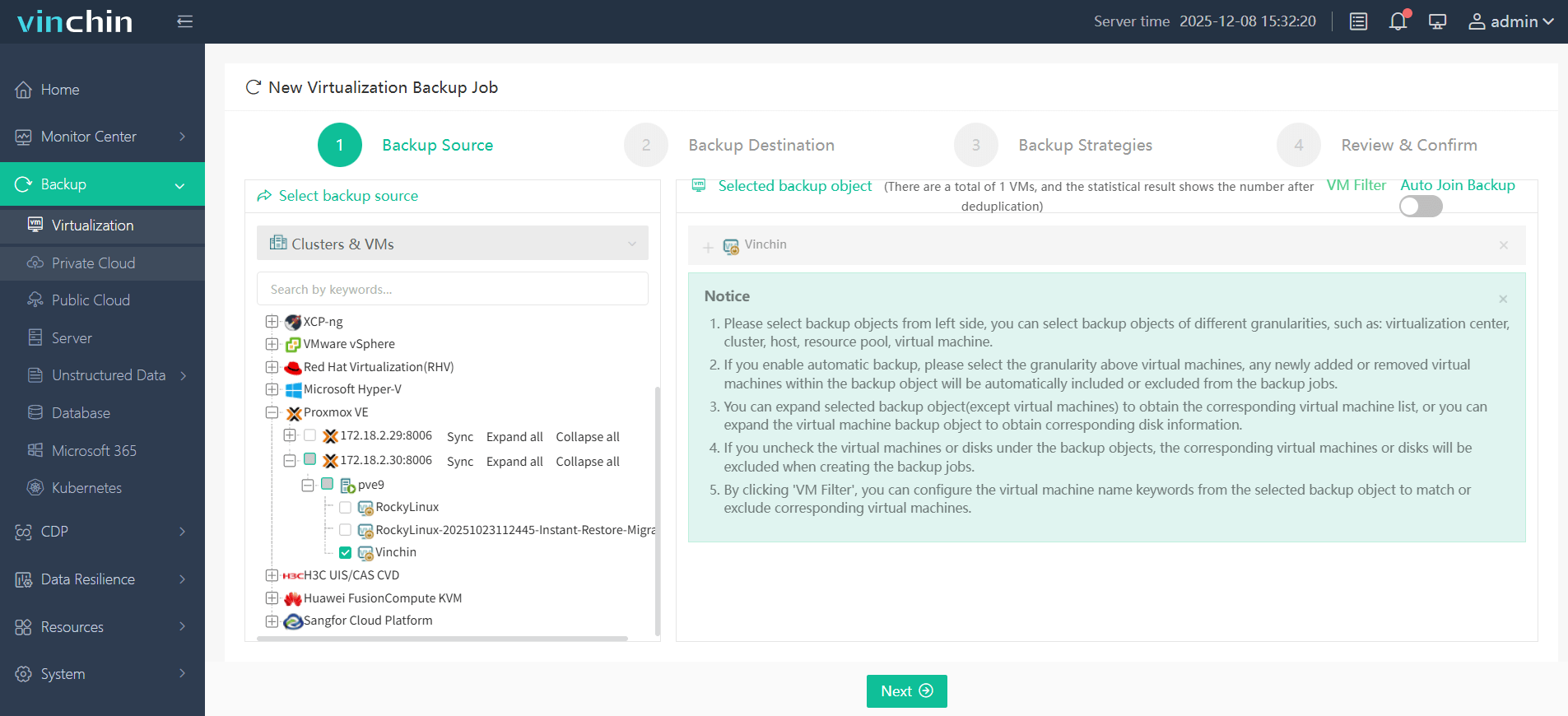
Step 1: Select the Proxmox VM(s) you wish to back up
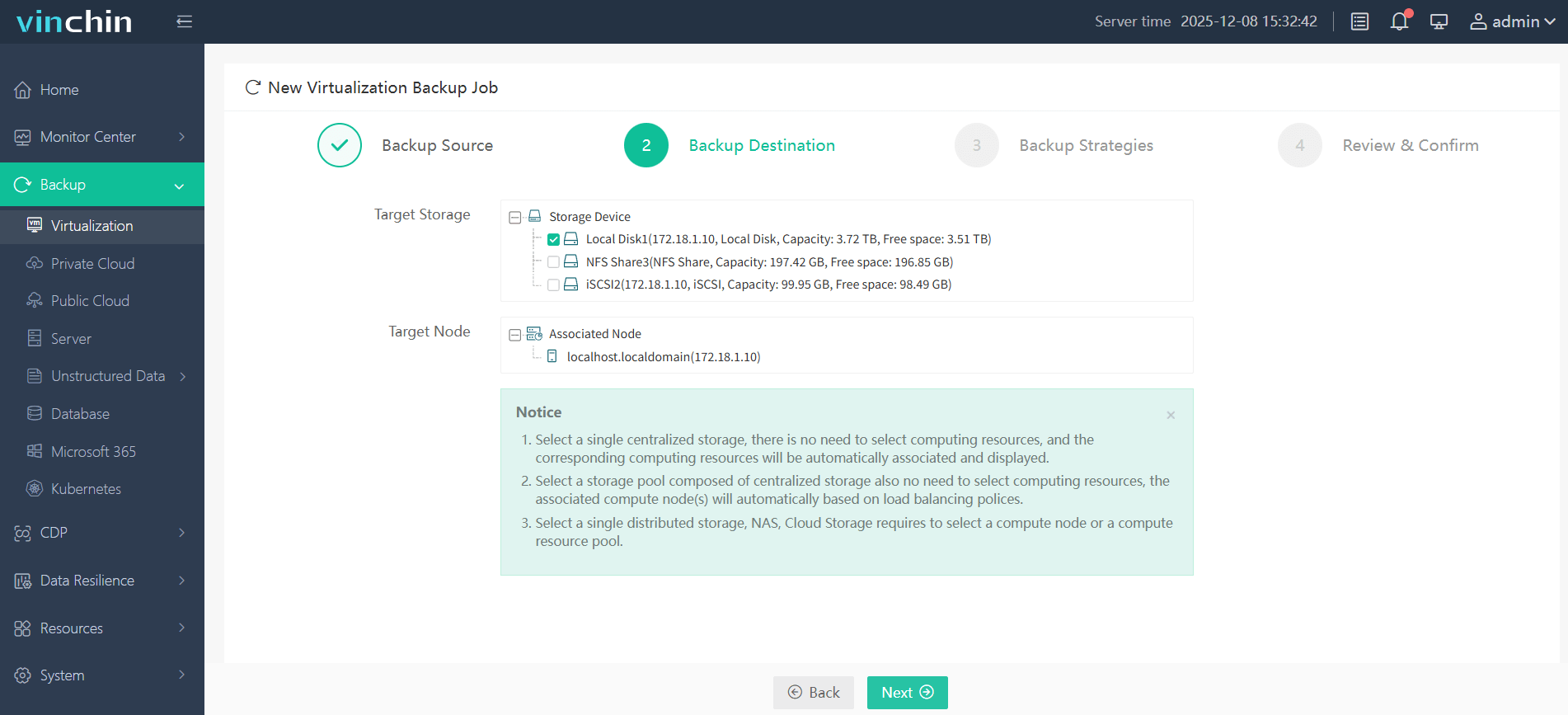
Step 2: Choose the backup storage destination
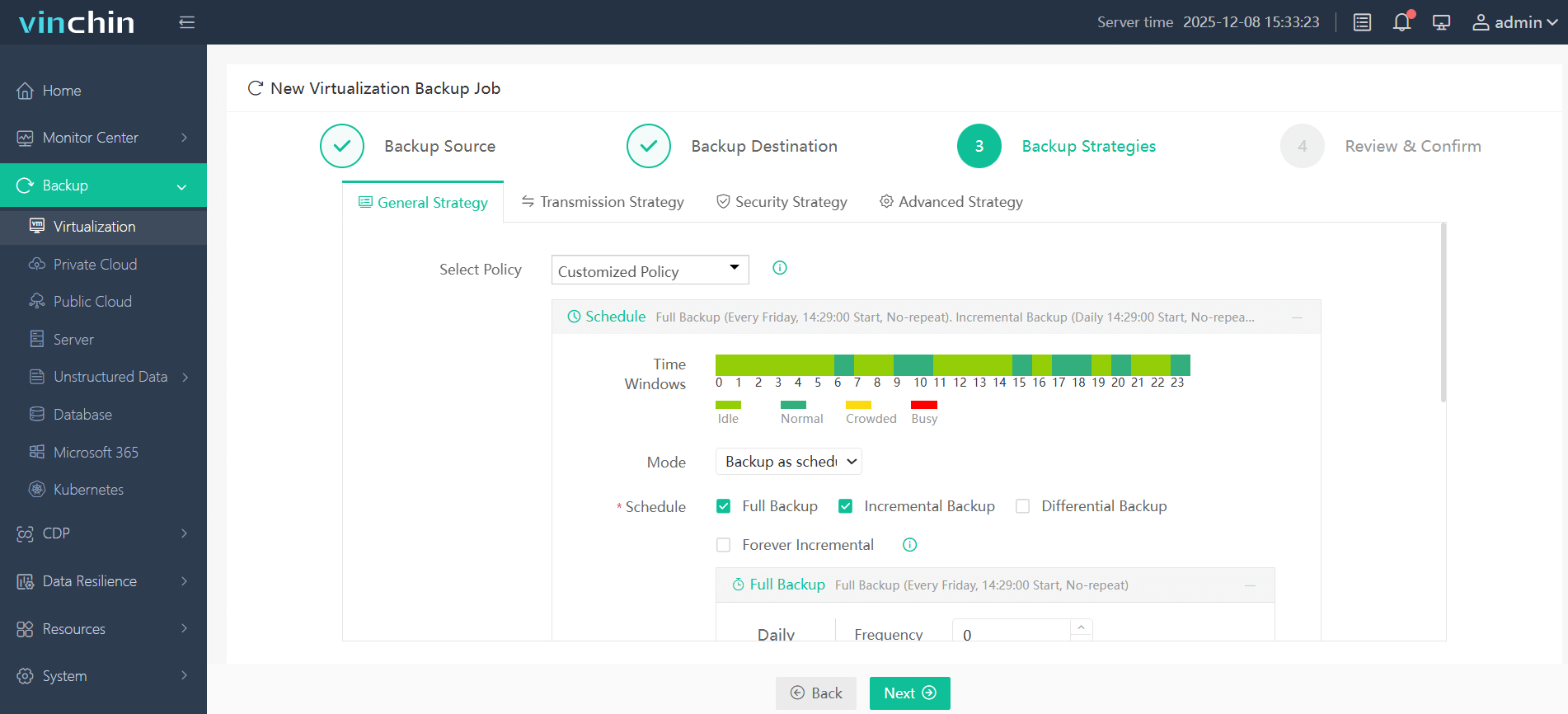
Step 3: Configure backup strategies such as scheduling policies and retention settings
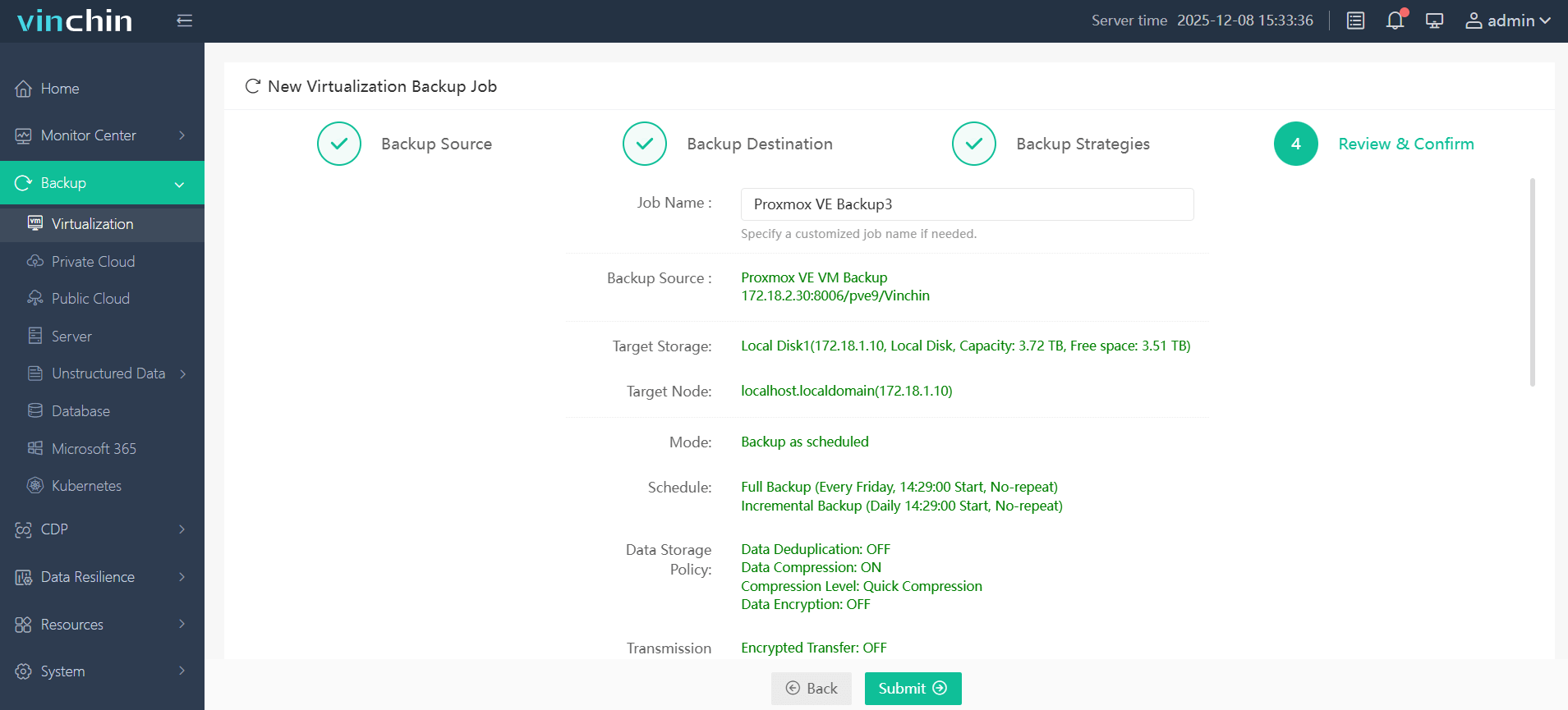
Step 4: Submit the job
Thousands of organizations worldwide trust Vinchin Backup & Recovery's proven reliability with top ratings globally, and you can try every feature free for 60 days. Click below to start protecting your environment now!
Proxmox Ceph vs ZFS FAQs
Q1: Can I migrate from local OpenZFS pools to a clustered storage solution in Proxmox?
Yes, but you must migrate the VM disks to the new storage manually and update each VM’s configuration to point to the new location; always plan the migration carefully to avoid downtime or data loss.
Q2: What is the recommended network speed for deploying a production-ready clustered storage environment?
For enterprise production environments, 10GbE is commonly recommended as a baseline, though the actual requirement depends on workload intensity, storage architecture, and performance expectations.
Q3: How often should VMs on standalone storage be replicated for disaster recovery?
Replication frequency should be determined by your required RPO; many environments use intervals ranging from a few minutes to hourly, depending on business criticality and risk tolerance.
Conclusion
The right choice between Proxmox storage backends depends on your business needs and technical requirements. Whether you prioritize scalable, high-availability clustered storage or simpler, easy-to-manage local storage, Vinchin supports both environments through a unified web-based console, helping you protect and manage your VMs consistently across different infrastructures.