







Product: Vinchin Backup & Recovery
Version: V9.0
KB Number: 200146
Last Modified: 2026-07-21 10:28:36
Discovered Version:v8.1.0
Question
When running a backup task for a VMware virtual machine, the job fails with the following error message:
Job Failed, #[46] Job error
[#3065]read remote disk error
Answer
Issue Description
This issue is typically caused by a missing DNS configuration in your network environment. If the VMware vCenter or ESXi host was added using a hostname or FQDN, and the Vinchin backup server cannot resolve that name, it will fail to establish a network connection with the target host. This lack of access directly causes the backup job to fail.
Resolution
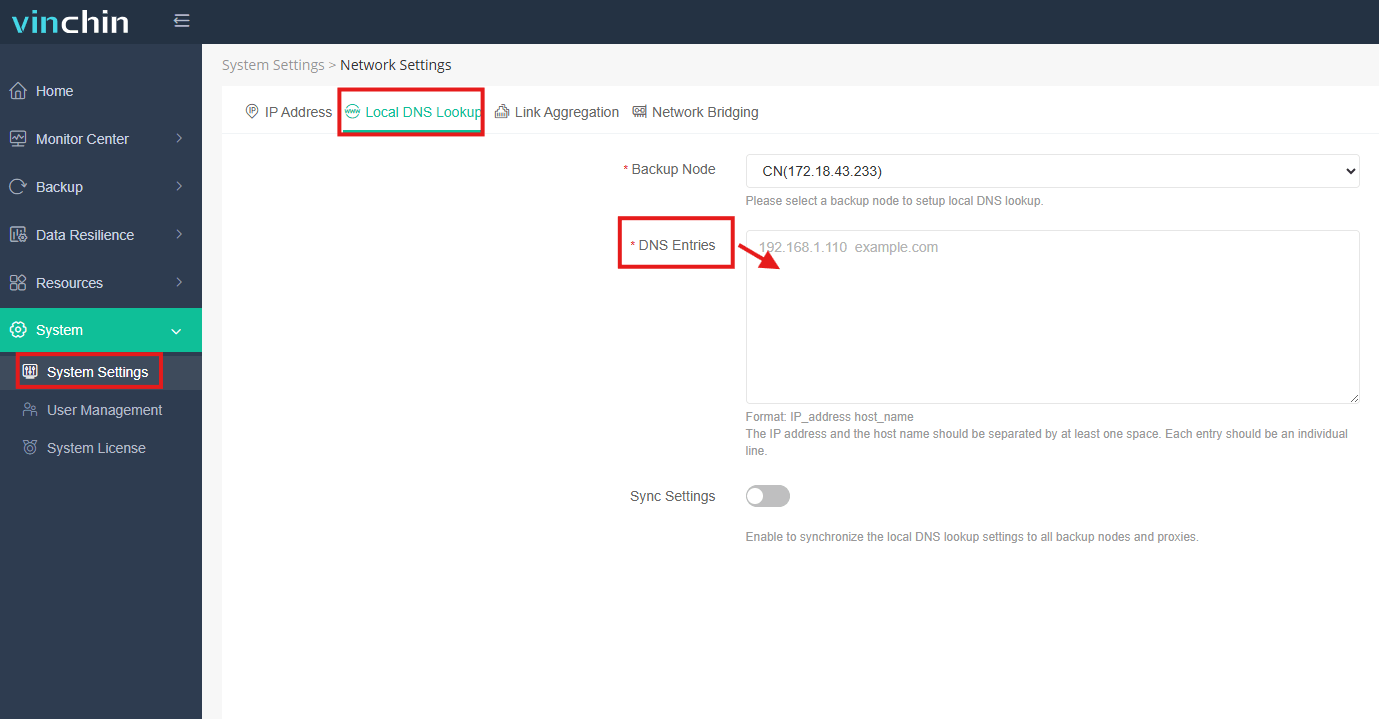
Enter the IP Address of the VMware ESXi host and its corresponding Hostname at the position in the figure.
60-DAY FULL-FEATURED FREE TRIAL
- No credit card required
- Get started in 10 minutes