




Product: Vinchin Backup & Recovery
Version: V9.0
KB Number: 100192
Last Modified: 2026-07-22 10:31:30
Discovered Version:v9.0.0
Question
How does Vinchin Malware Scan Works?
Answer
1. Feature Principle Explanation
Vinchin’s malware scanning process leverages integrated third-party tools, including ClamAV and Kaspersky. Initially, the system creates an on-demand VM from backup data within its secure, sandboxed DR Lab. Subsequently, the scan engine conducts a thorough, full-system examination of the VM, isolating the scanning process from the production environment to prevent any impact on live operations.
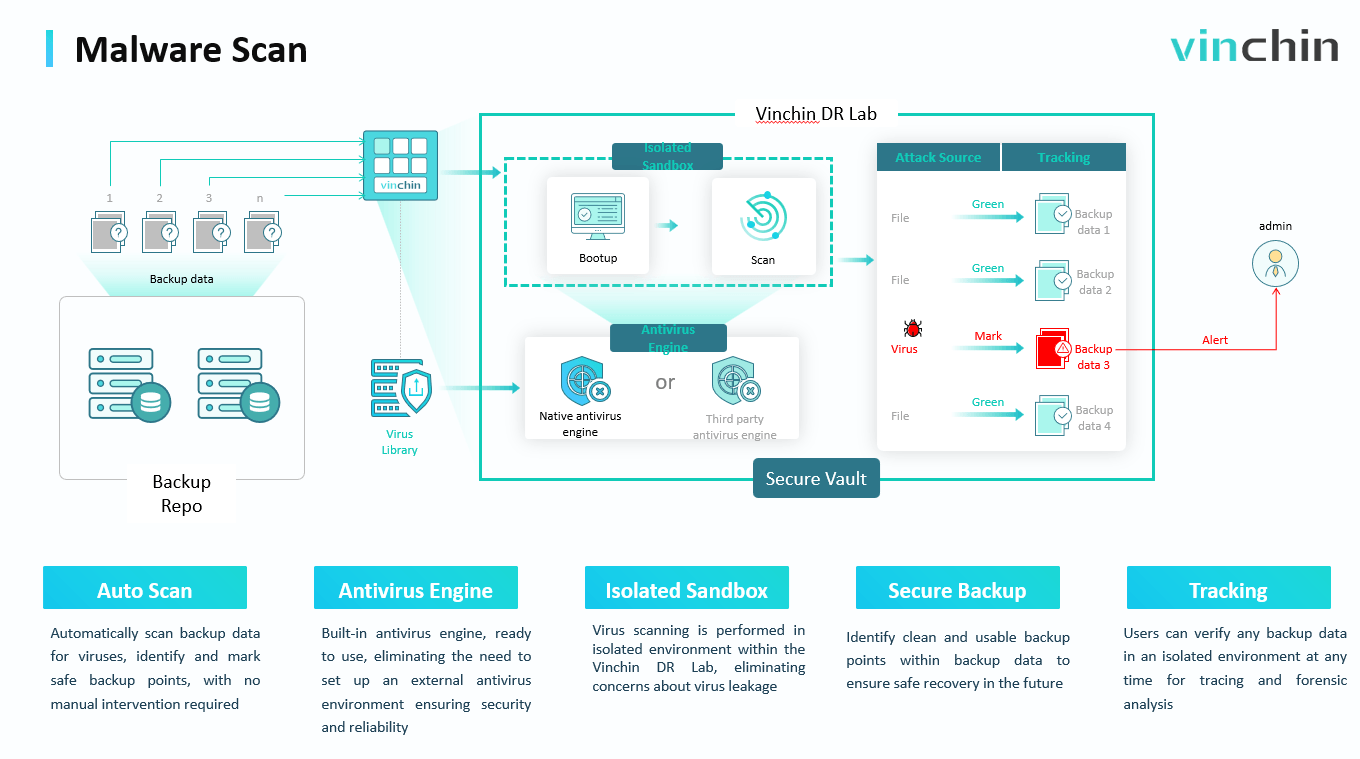
2. How to configure malware scan in Vinchin system
Step1: Check virus database status
Redirect to Resources>Backup Resource>Virus Database Management, check the virus database status, recommend to use kaspersky as the default malware scan engine.
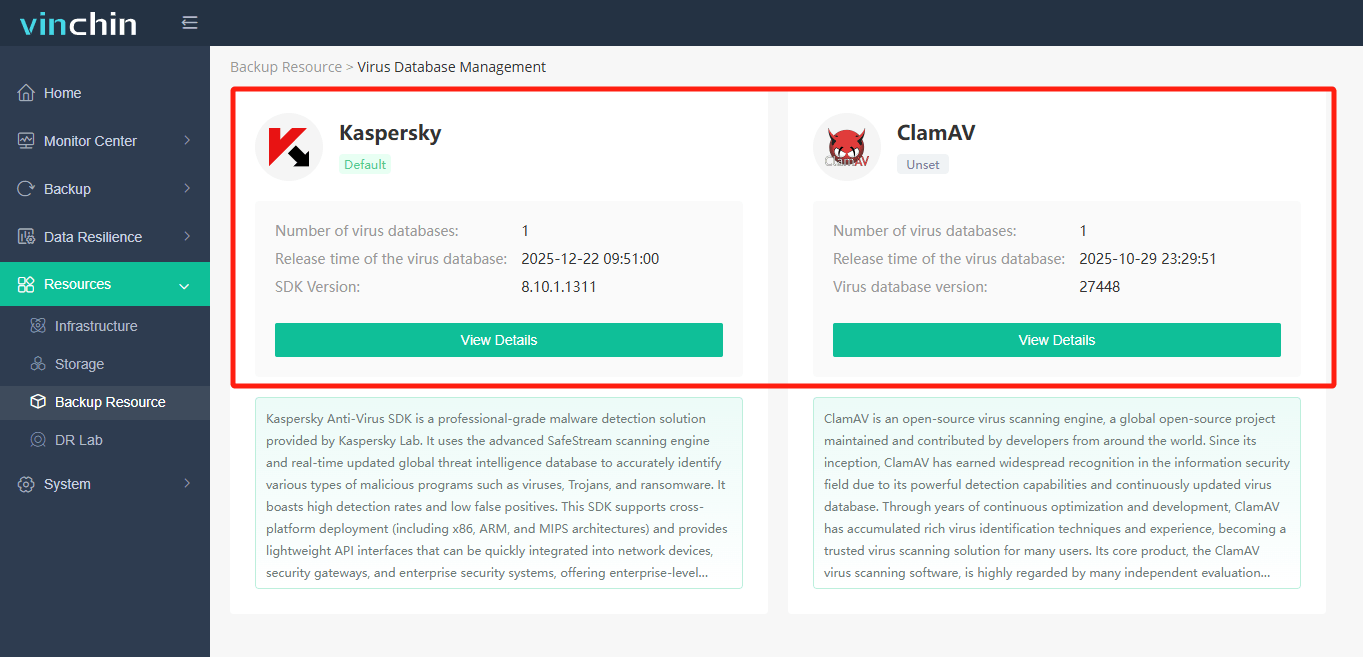
Step 2: Configure malware scan in job.
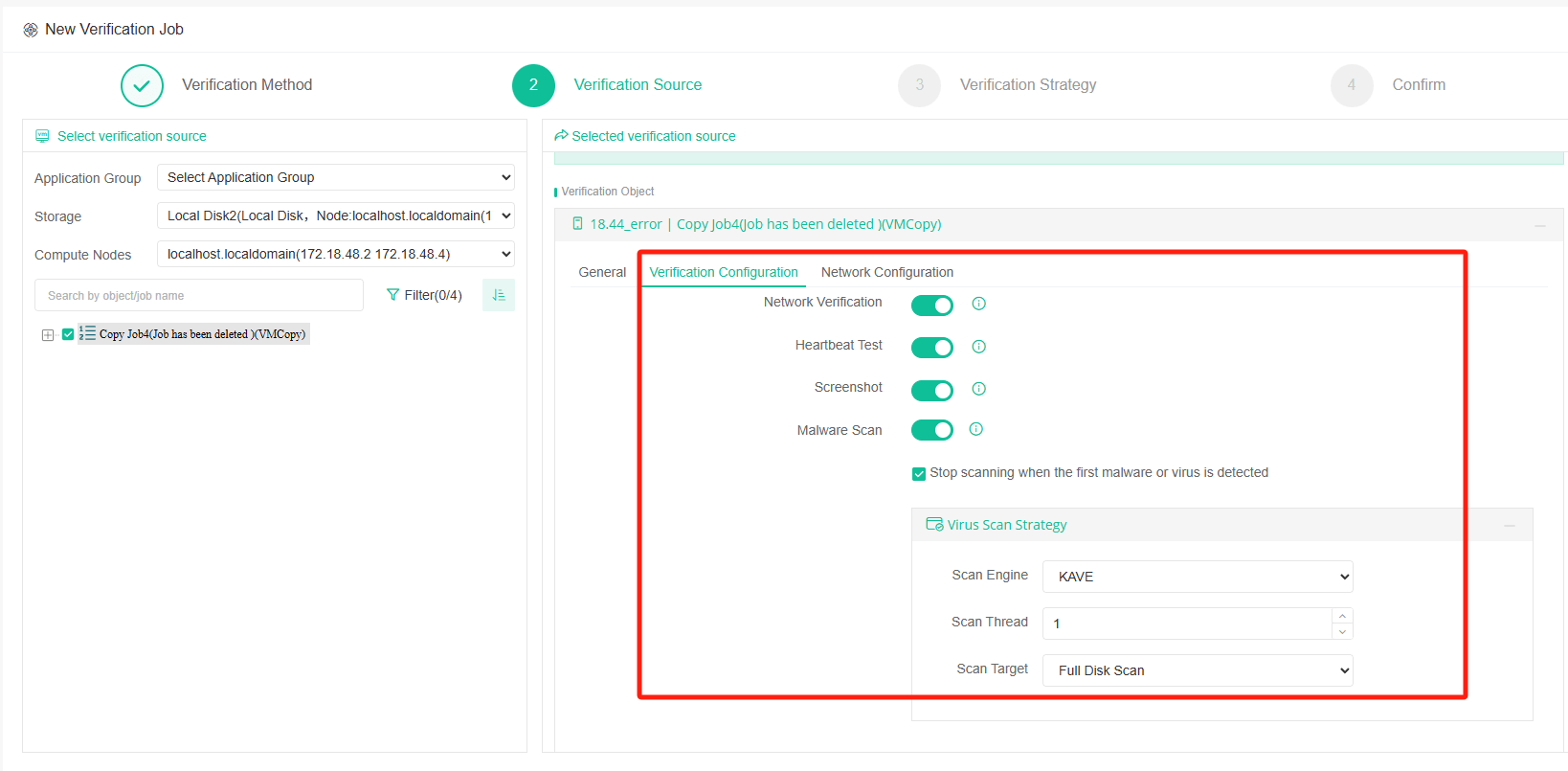
The malware scan can be configured at 2 stage, in backup job or verification job.
When configure in backup job, it will auto created a surebackup job after backup job finished for virus scan, then will only perform virus scan test, after scan finised, there will be a scan report 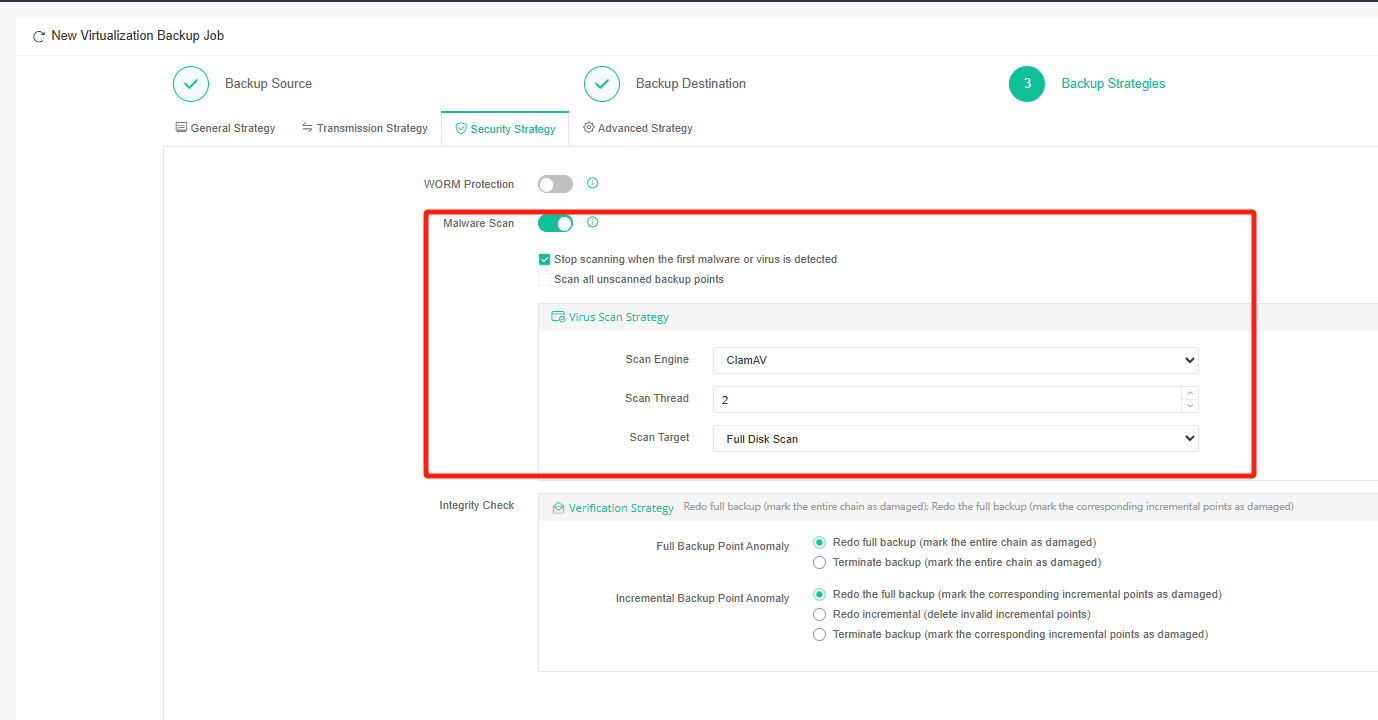
When configure in verification job, malwae scan will run together with other verification method, including integrity check, heartbeat test, network verification, screenshot. After the verification finished, there will be a verification report available.
60-DAY FULL-FEATURED FREE TRIAL
- No credit card required
- Get started in 10 minutes