







Product: Vinchin Backup & Recovery
Version: V7.0, V7.2, V8.1, V8.0, V9.0
KB Number: 200113
Last Modified: 2026-01-08 18:11:03
Discovered Version:v8.1.0
Question
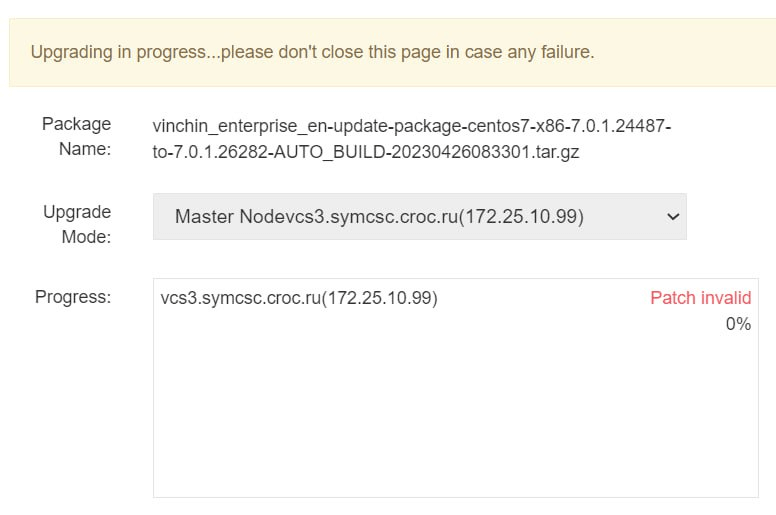
The Vinchin system upgrade fails with a "Patch invalid" error message at the start of the process。
Upgrading in progress...please don't close this page in case any failure.
Answer
The "Patch invalid" error is primarily caused by corrupted data in the temporary upgrade directory or a lack of storage space in the system's root partition. Clearing the temporary cache and ensuring at least 10GB of free space in the root directory are necessary steps to resolve this.
Resolution
Clear the Temporary Upgrade Directory
Access the Vinchin backup server via CLI (backend) and navigate to the following directory:
/usr/share/nginx/vinchin/tmp/upgrade
Delete all files and subdirectories within this folder to remove any residual or corrupted upgrade data.
Verify Root Directory Storage Space
Ensure that the root directory of the Vinchin backup server has at least 10GB of free space. Insufficient storage can prevent the upgrade package from being correctly extracted, triggering the "Patch invalid" error.
Re-upload the Upgrade Package
After clearing the directory and confirming sufficient disk space, return to the Vinchin web console and upload the upgrade package again to restart the upgrade process.
60-DAY FULL-FEATURED FREE TRIAL
- No credit card required
- Get started in 10 minutes