








Product: Vinchin Backup & Recovery
Version: V7.0, V7.2, V8.0, V8.1, V9.0
KB Number: 200112
Last Modified: 2026-01-06 16:51:30
Discovered Version:v6.7
Question
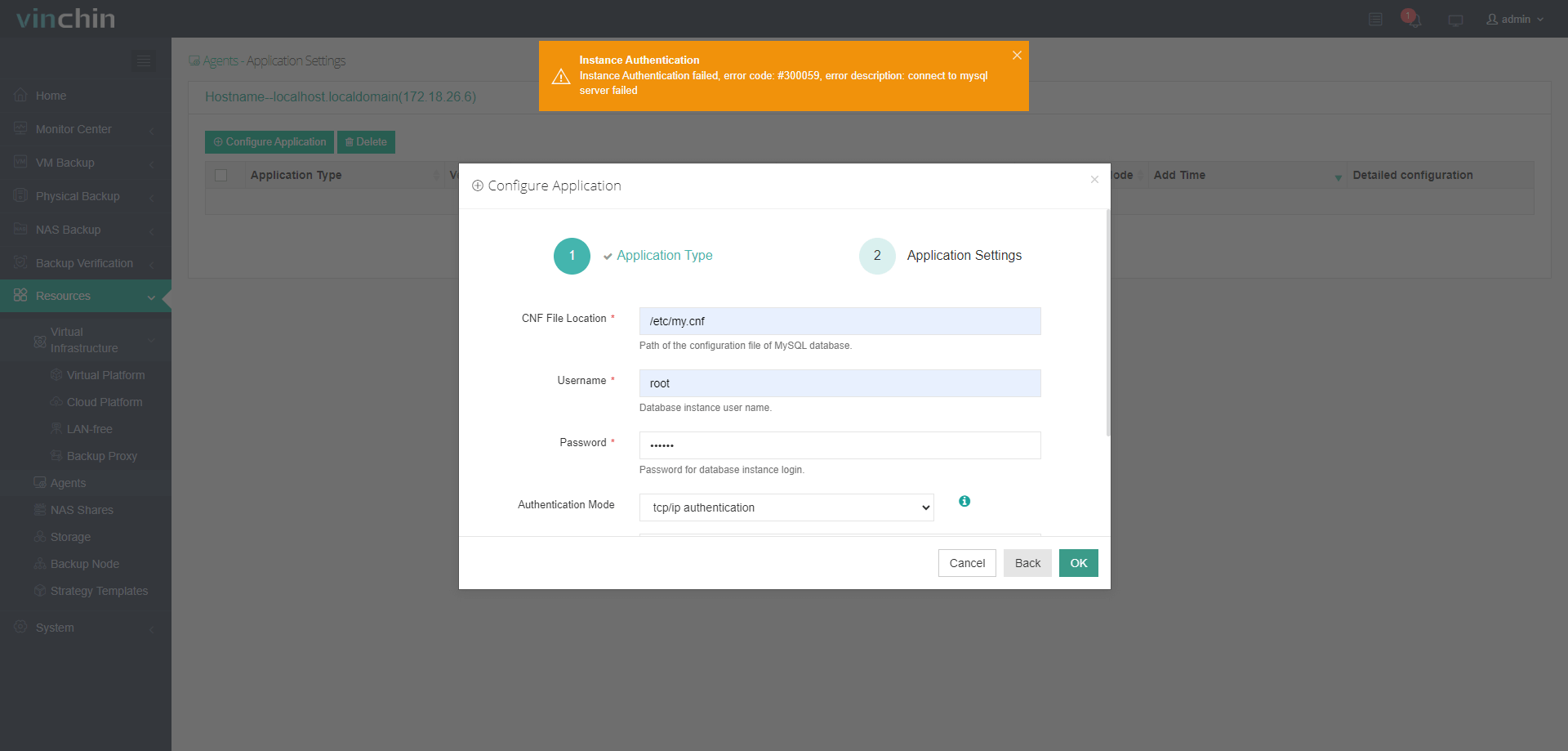
When adding an MySql database instance failed with error code #300077 and the message below:
Instance Authentication failed, error code:#300077,
error description: connect to MySQL server failed,
check if MySQL is running, or if username and password correct
Answer
Adding the database failed is typically caused by incorrect authentication credentials (invalid username or password) provided during the configuration process. Additionally, it may occur if the current database user lacks the necessary privileges or permissions required for Vinchin to access and manage the database instances effectively.
Resolution
Verify Credentials
Double-check that the username and password are correct and that there are no extra spaces or typos.
Standard Permissions
Verify that the database user has been granted the following essential privileges: RELOAD, LOCK TABLES, REPLICATION CLIENT, PROCESS, SUPER, CREATE, INSERT, and SELECT
MySQL 8.0+ and DBA Intervention
For MySQL 8.0 and above, the BACKUP_ADMIN permission is specifically required. It is highly recommended to have your Database Administrator (DBA) perform these privilege adjustments to ensure the system is correctly and securely configured for Vinchin.
60-DAY FULL-FEATURED FREE TRIAL
No credit card required
Get started in 10 minutes