




Product: Vinchin Backup & Recovery
Version: V9.0
KB Number: 200211
Last Modified: 2026-09-02 17:08:08
Discovered Version:v9.0
Question
Granular recovery failed with #28519 Insufficient embedded resource or #28533 Failed to connect to embedded VM agent.
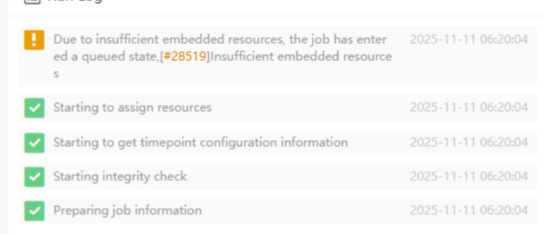
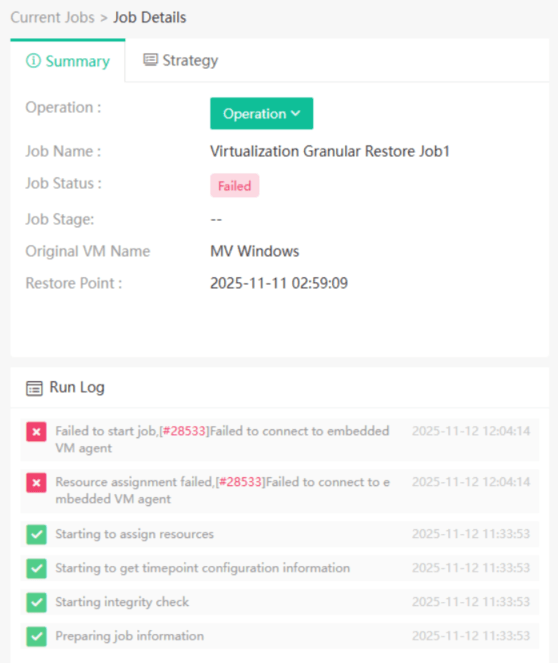
Job Failed, #[28519] Insufficient embedded resource. #[28533] Failed to connect to embedded VM agent.Answer
Issue Description
Vinchin embedded resource may be not enough, which lead to create embedded lab failure.
Resolution
Upgrade vinchin system:
- For the vinchin server running version: vinchin_enterprise_en-9.0.0.86562-SP1 or eariler, please upgrade vinchin to the latest version first.
Try to increase vinchin system resource:
- Set the system configuration to at least 16C and 32 GB RAM.
- Log into Vinchin GUI, Navigate to [Resources]->[DR Lab]->[DR Lab Management]->[Resource]:
Set the number of CPU cores 300% of the actual CPU core number, and the size of memory 90% of the actual memory size.
Enable hardware virtualization for the Vinchin system.
- If vinchin is deployed on virtual platform, please enable hardware virtualization for it.
Contact vinchin support for help:
- If the experiments above don't help, please contact vinchin technical support, share the system detailed information and system logs. please find the system logs from following path: [Monitor Center]->[Logs]->[System log] or [Monitor Center]->[System]->[System Monitor].
60-DAY FULL-FEATURED FREE TRIAL
- No credit card required
- Get started in 10 minutes