




Product: Vinchin Backup & Recovery
Version: V9.0
KB Number: 200147
Last Modified: 2026-05-25 14:00:50
Discovered Version: v9.0.0
Question
On a Huawei FusionCompute environment, virtual machine backup tasks initiated via Vinchin fail with the error:
[ERROR:56#Task failed]: failed to reconnect network
Answer
Issue Description
The backup failure is caused by network instability or misconfiguration between the Vinchin backup server and the Huawei FusionCompute infrastructure. The error #56 failed to reconnect network typically indicates that the CBT (Changed Block Tracking) data stream was interrupted and the system could not re-establish the connection. In this specific case, the root cause was identified as a hardware switch configuration issue in the customer's network environment.
Resolution
Option 1: Network Infrastructure & Connectivity Check
1.Inspect Physical Switches: Verify the status of the switch ports connected to the Vinchin nodes and FusionCompute hosts. Check for CRC errors, flapping ports, or VLAN tagging mismatches.
2.Verify CBT Traffic Management: Ensure that the CBT traffic management policy is correctly enabled for the target virtual machines.
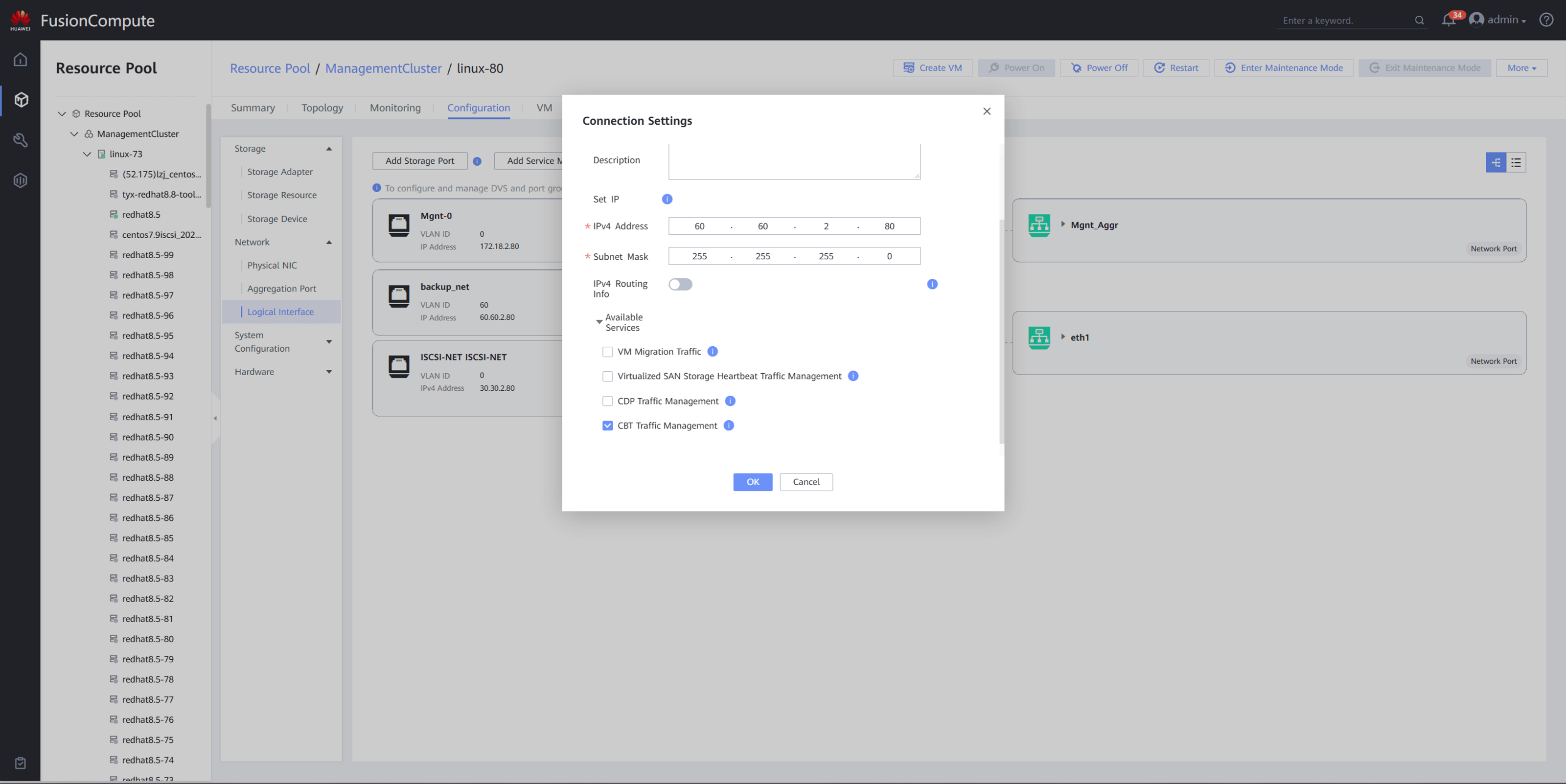
3.Check Routing & Segmenting: If a dedicated backup network is used, verify that the routing between the Vinchin management/storage network and the FusionCompute management/CNA network is stable.
Option 2: Task Dispatch & Node Verification
1.Correct Node Assignment: Ensure the backup task is dispatched to the correct Vinchin node that has direct network access to the target FusionCompute storage/CNA cluster.
2.Retry Mechanism: After resolving the underlying switch issues, restart the backup task to clear any cached connection states.
60-DAY FULL-FEATURED FREE TRIAL
- No credit card required
- Get started in 10 minutes