




Table of contents
-
How to Perform Granular Restore of Huawei ECS Instance to Extact Files with Vinchin Backup & Recovery?

Huawei ECS supports many workloads. Sometimes you need to recover only a few files. This guide shows how to use Vinchin Backup & Recovery for quick granular restore on Huawei ECS.

You will learn how to perform granular restore of Huawei ECS instance with Vinchin Backup & Recovery.
Vinchin Backup & Recovery is able to perform H3C data recovery at file level. You can restore specific folders or files saved in a restore point using Vinchin Granular Restore. In case you mistakenly delete some files, this feature will help quickly retrieve certain files you want without needing to recover the whole virtual machine.\
Before that, you should have a Huawei ECS backup created by Vinchin Backup & Recovery.
let’t open a browser and log in Vinchin Backup & Recovery server web console.
Step 1. Go to Cloud Backup > Restore > Granular Restore.
Select one restore point of Huawei ECS for granular restore. Here you can specify a customized job name if needed.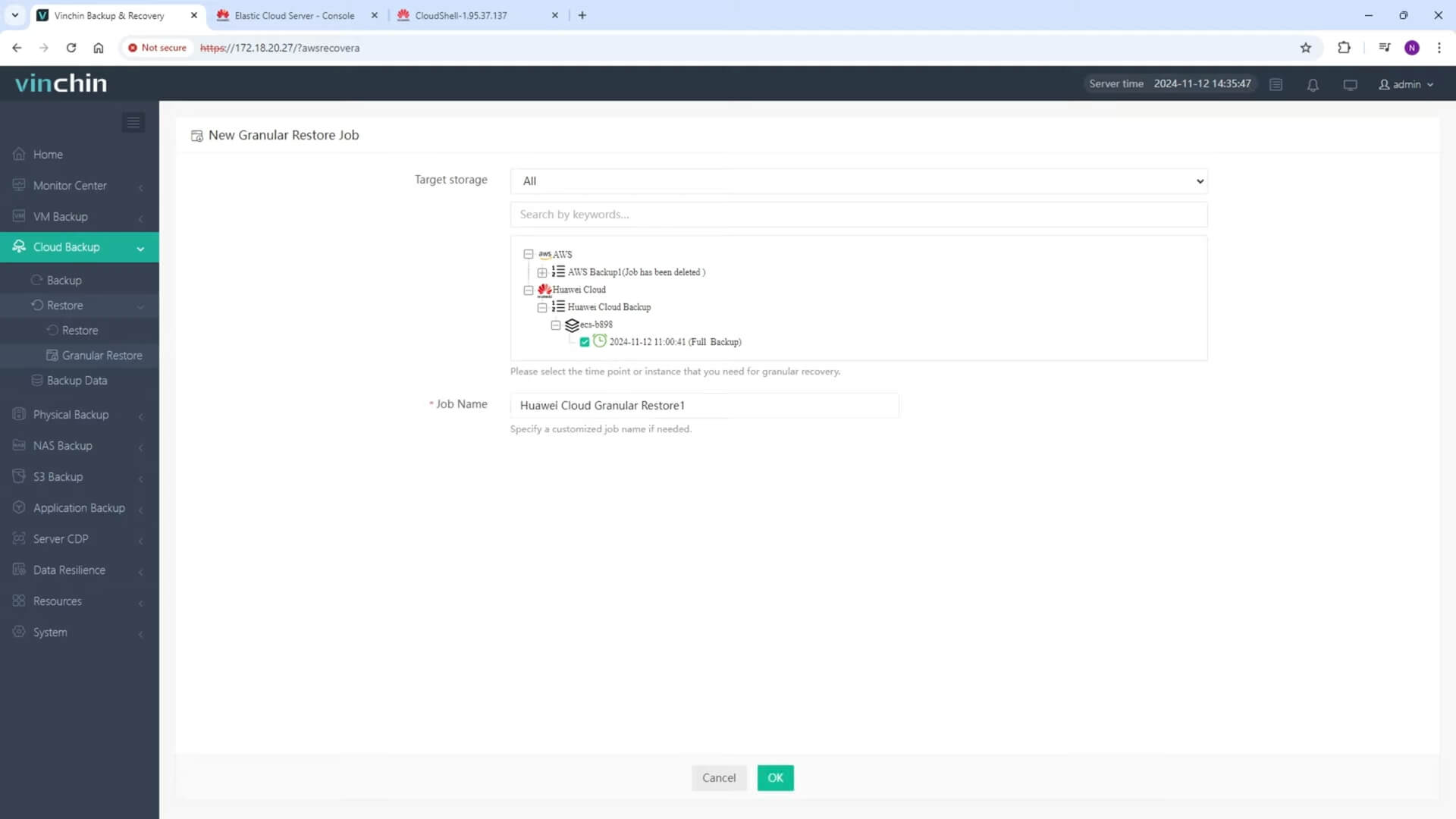
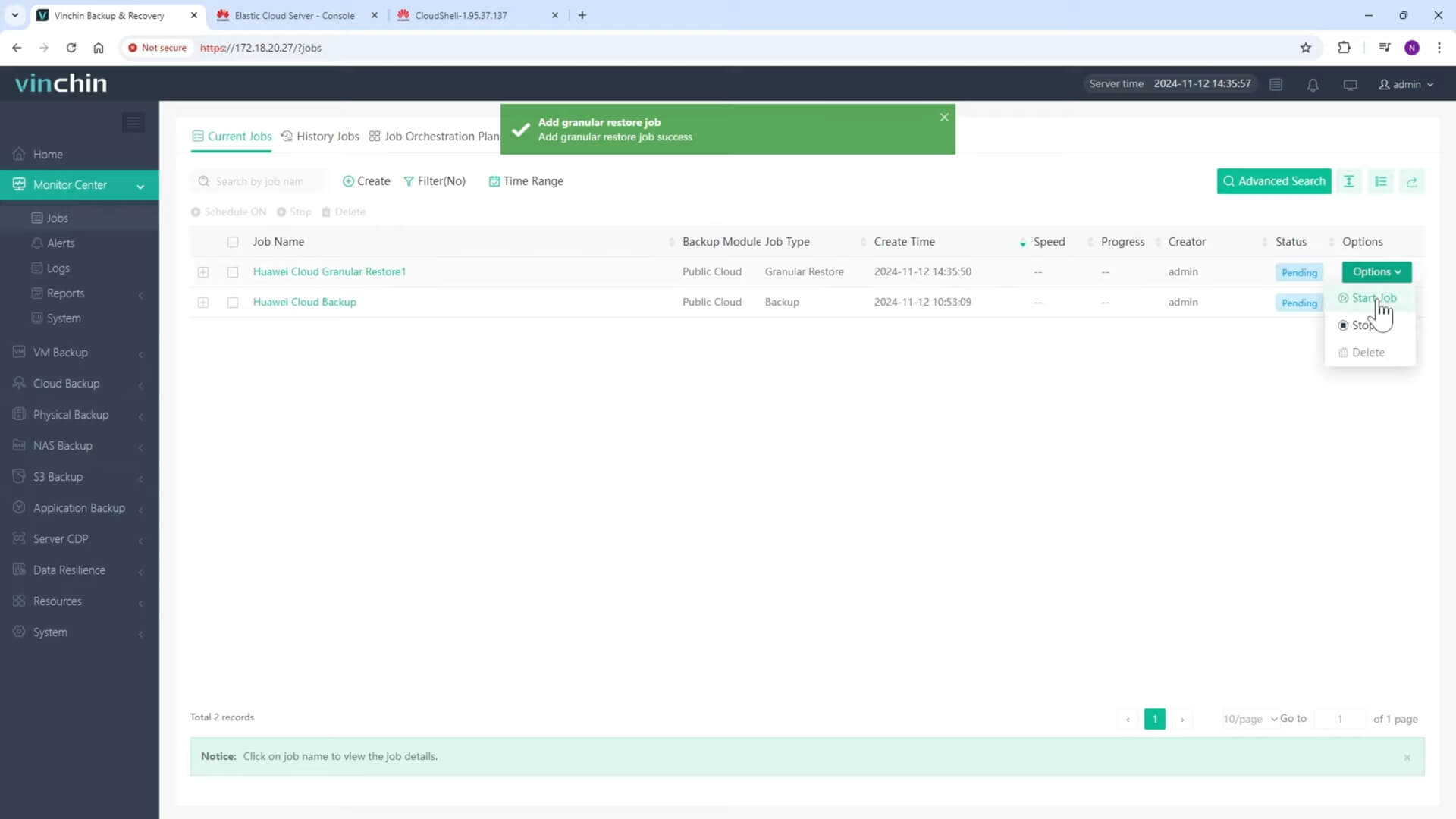
Step 2. Click on Options and Start Job to run this job.
Wait for a while, You will see it’s finished. Now you can preview the files on the right side of the screen and get the ones you need.
Step 3. Just click the download button on the right side to download the files or folders to the local machine.
And you will got these files on your computer.
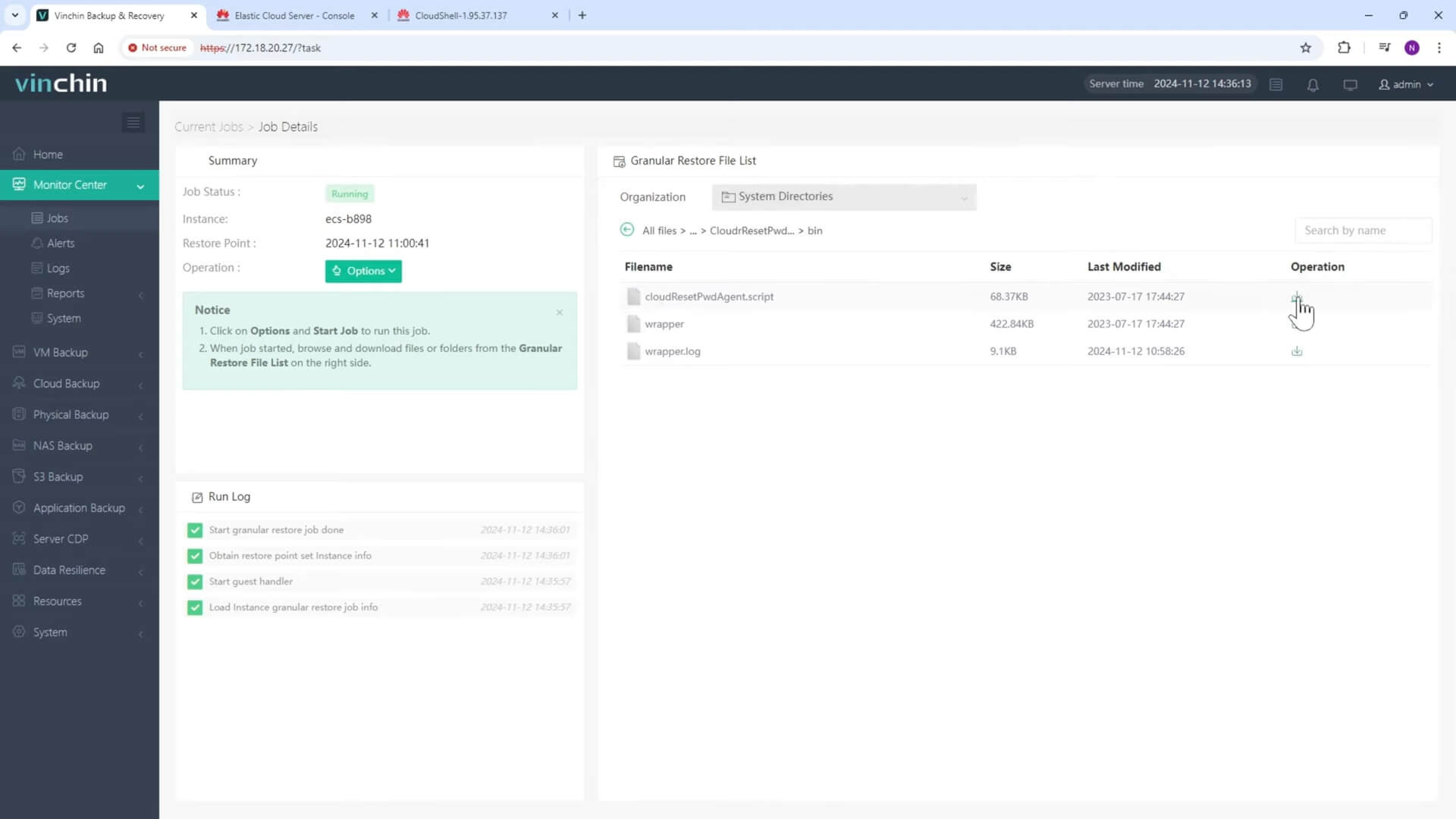
After that, just stop this job to avoid wasting resources.
Just get the installation package of Vinchin Backup & Recovery with 60-day full-featured free trial by clicking the button below. You can easily experience how it changes IT maintenance.
Share on:


