








Product: Vinchin Backup & Recovery
Version: V7.0, V7.2, V8.1, V8.0, V9.0
KB Number: 200122
Last Modified: 2026-01-07 14:46:38
Discovered Version:v7.0
Question
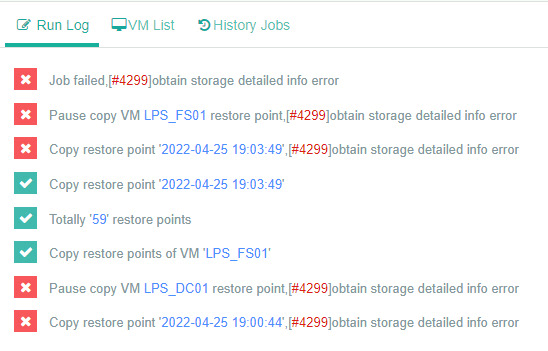
Copy job failed with error code #4299
Job Failed, #[4299]obtain storage detailed info error
Answer
The root cause of this error is that the source storage associated with the current restore point no longer exists in the system's records or cannot be accessed. This usually happens if the storage was removed and then re-added, or if backup data files were manually deleted from the physical disk outside of the Vinchin console, leading to a discrepancy between the database and the actual storage.
Resolution
Verify whether the storage has been recently re-added or if any data has been manually deleted from the repository. If the data is indeed missing from the storage, the invalid restore point records need to be manually cleared from the backend database. You can contact Vinchin technical team to help you with manual deletion to allow subsequent tasks to proceed.
60-DAY FULL-FEATURED FREE TRIAL
No credit card required
Get started in 10 minutes