







Product: Vinchin Backup & Recovery
Version: V9.0
KB Number: 100182
Last Modified: 2026-06-30 14:31:40
Discovered Version:v9.0.0
Question
How doen Vinchin WORM Feature works?
Answer
What is WORM?
WORM stands for Write Once, Read Many. It's a data storage technology where data can be written only once and cannot be modified or deleted afterward, but can be read many times. It's commonly used for archiving and compliance.
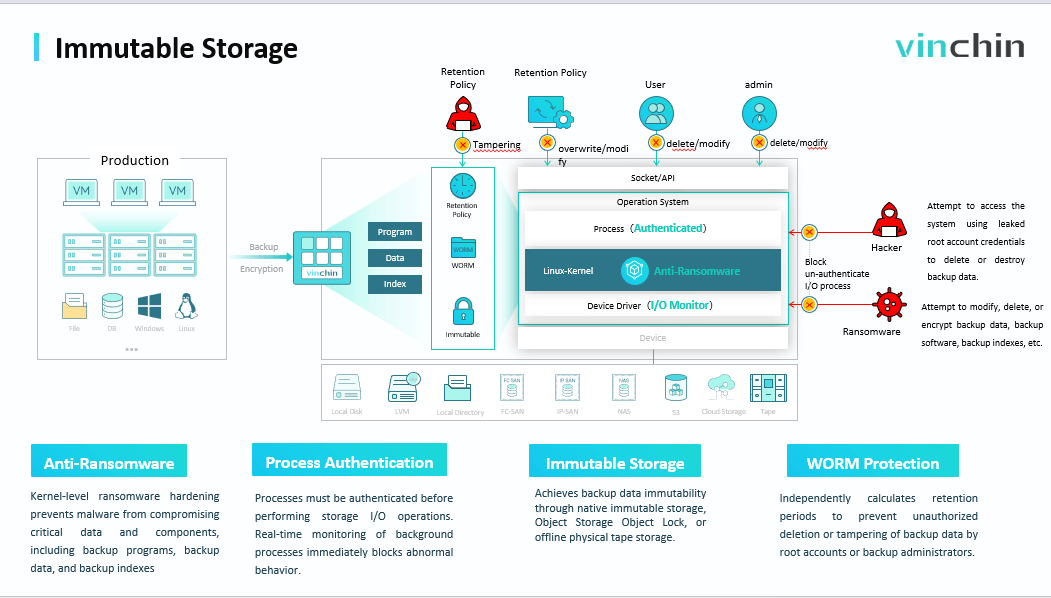
Vinchin's WORM feature has three layers:
-
Vinchin's self-developed software-level WORM – works with local disk, DAS, NAS, and SAN storage.
-
Vinchin integration with cloud S3 storage – utilizes the cloud storage lock feature to achieve WORM purposes.
-
Vinchin integration with tape storage – tape is naturally a physically air-gapped storage; once data is written to tape, it becomes cold storage.
How to Configure Worm in Vinchin?
Step 1: Redirect to Resource>Storage>Backup Storage, click add storage, when adding storage can enable worm feature for this storage.
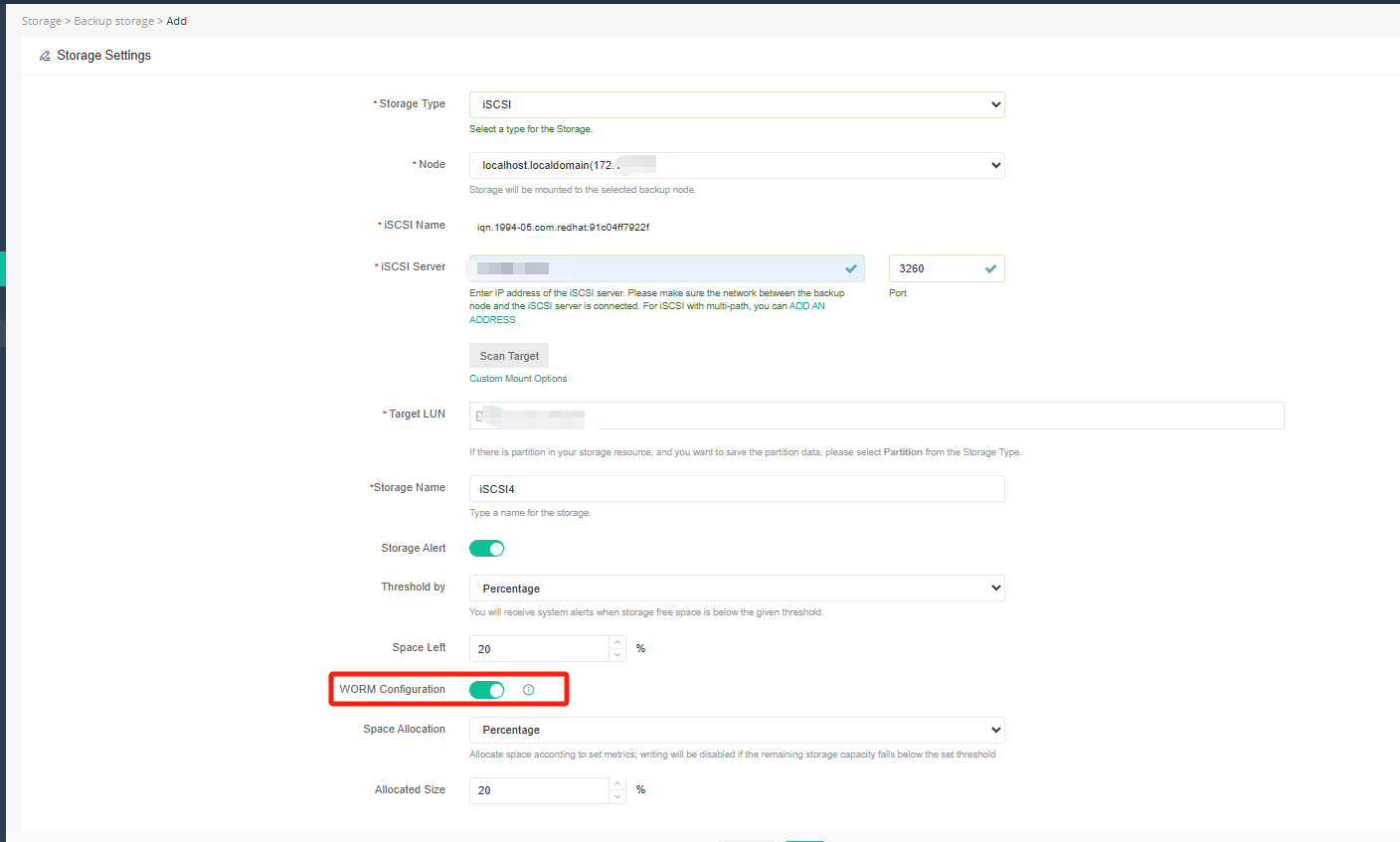
Note: If you already have added storage before, can click edit button, and enable worm feature for storage already added before, but pls. noted the job which ultized this storage will downgrade to full if worm configured.
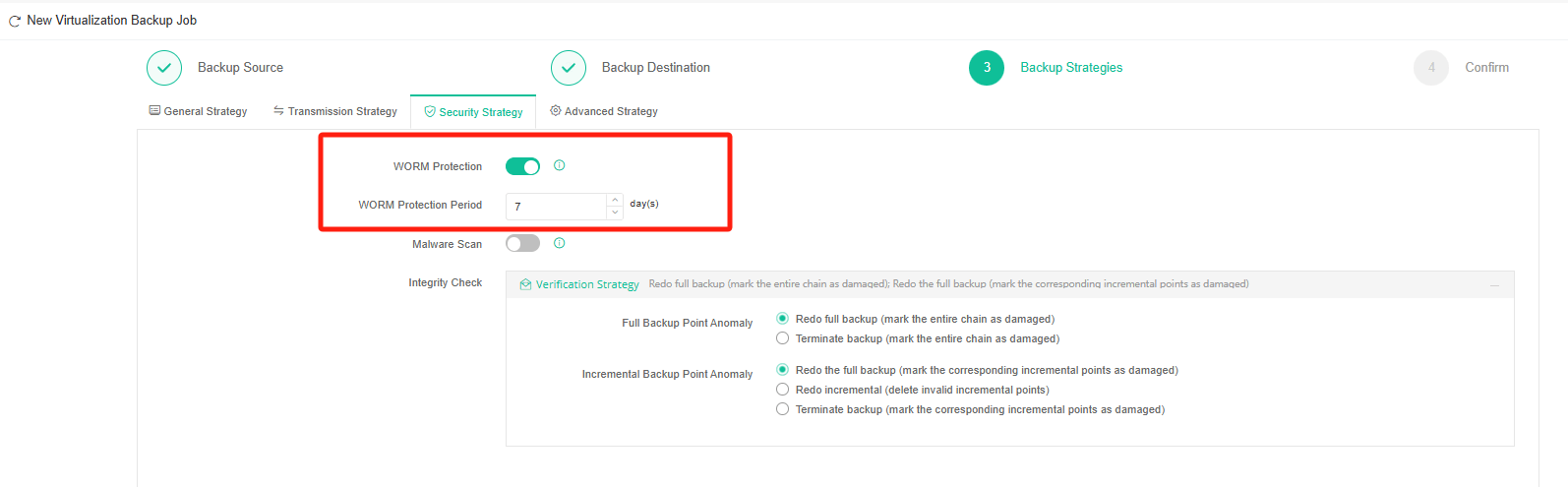
Step 2: After worm storage added, need to configure worm feature for backup job, at Backup Strategies>Security Startegy, enable WORM Protection feature, and set up the WORM Protection Period.
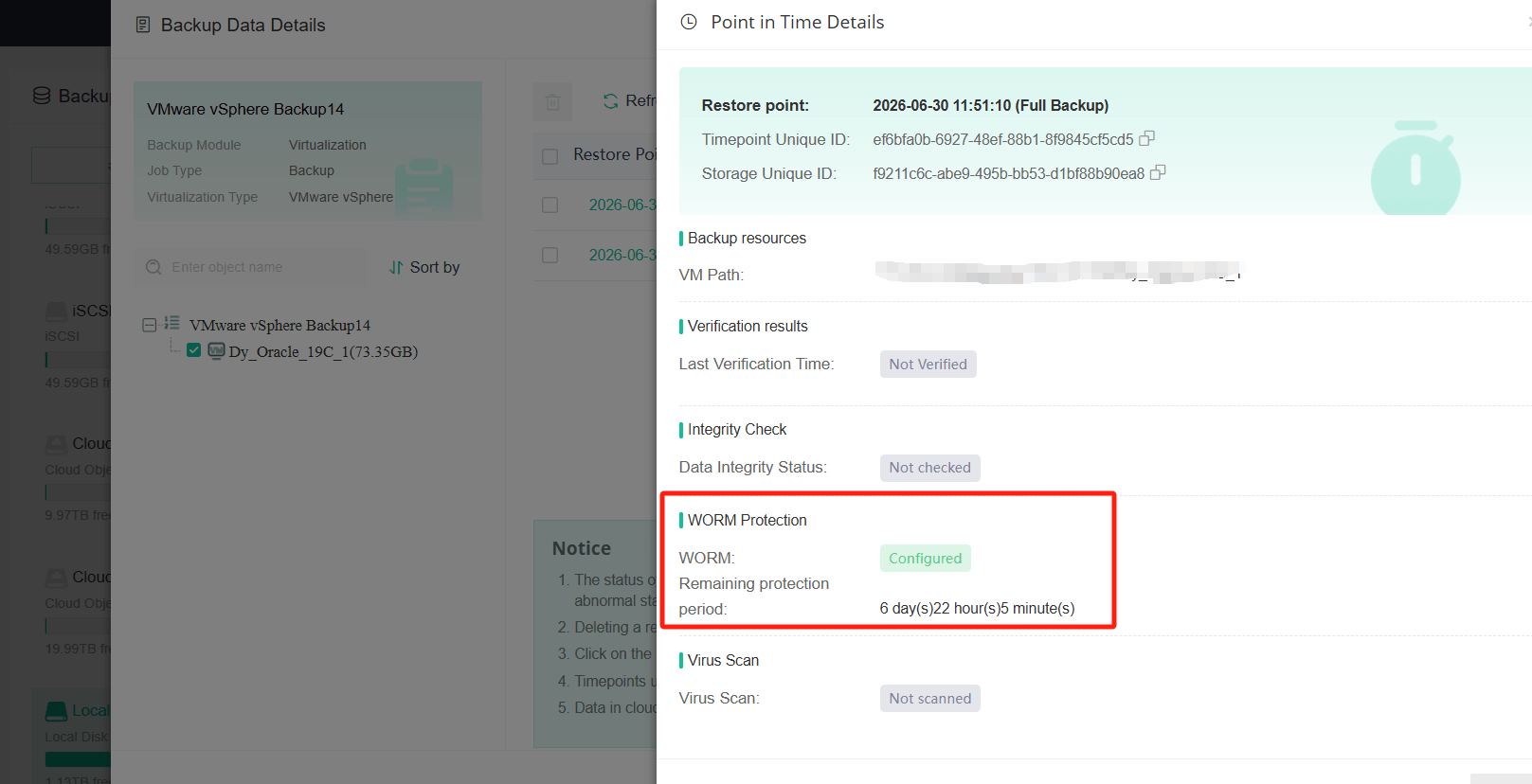
Step 3: After backup job with WORM enabled running successful, can redirect to Data Resilience>Backup Data>Jobs, click details to check if the backup data have worm tag.
60-DAY FULL-FEATURED FREE TRIAL
- No credit card required
- Get started in 10 minutes