Choosing Red Hat Virtualization backup software that ensures minimal impact on production VM performance is vital for business continuity. Agentless backups use hypervisor APIs like libvirt or oVirt to protect VMs without installing agents inside them. Incremental and application-aware technologies further reduce resource usage during backups. These methods help keep systems responsive while safeguarding data.
Minimizing backup impact is essential for organizations that rely on uninterrupted service delivery. Downtime or slowdowns during backups can disrupt operations and risk compliance.
Why Minimal Impact Backup Matters in Enterprise Environments?
Minimal-impact backup preserves critical application uptime and user experience during data protection tasks. Enterprises run many workloads around the clock—any slowdown from inefficient backups can ripple through business processes.
● Protects Service Availability
Maintaining high availability is crucial for meeting SLAs and customer expectations. Even short interruptions caused by heavy backup jobs can lead to lost productivity or missed deadlines.
● Prevents Performance Bottlenecks
Resource-intensive backups may consume CPU, memory, or network bandwidth needed by production workloads. This can cause latency spikes or degraded performance across multiple VMs.
● Reduces Risk of Downtime
Unplanned downtime costs enterprises an average of $5,600 per minute according to Gartner’s IT Key Metrics Data 2024 report. Poorly optimized backups increase this risk by introducing potential points of failure.
● Supports Regulatory Compliance
Industries with strict regulations require consistent data protection without operational gaps. Failed or incomplete backups due to excessive load may result in compliance violations or legal penalties.
● Improves User Experience
Employees expect fast access to applications at all times. Backups that slow down services frustrate users and erode trust in IT systems.
How To Choose The Best Red Hat Virtualization Backup Solution for Minimal Impact on Production VM Performance?
Selecting effective Red Hat Virtualization backup software requires careful evaluation of several key features designed to minimize disruption while ensuring reliable recovery.
Agentless architecture offers significant advantages by operating at the hypervisor level through native APIs such as libvirt or oVirt. This eliminates the need for guest agents inside each VM—reducing resource overhead and simplifying deployment across large clusters.
Incremental forever backups combined with change block tracking (CBT) are essential for efficiency. Incremental forever means only changed blocks are backed up after an initial full copy; periodic synthetic fulls may be created for chain integrity. CBT leverages hypervisor APIs to identify changed disk sectors quickly so only necessary data moves across your network—saving time and storage space.
Native integration with Red Hat Virtualization APIs enables consistent snapshots at both VM and application levels. This coordination ensures that transactional systems like databases remain recoverable without corruption—a must-have for mission-critical workloads.
Scalability matters as virtual environments grow larger over time. Centralized management consoles allow administrators to automate policies across hundreds of VMs without manual intervention—keeping operations smooth even as demands increase.
Robust scheduling tools let you align backup windows with off-peak hours while throttling controls limit CPU or bandwidth usage during jobs. These settings help avoid contention between protection tasks and live workloads—ensuring business priorities always come first.
Vinchin Backup & Recovery: Enterprise-Grade Protection for Red Hat Virtualization
For organizations seeking robust protection for Red Hat Virtualization environments, Vinchin Backup & Recovery stands out as a professional enterprise-level virtual machine backup solution supporting over 15 mainstream virtualization platforms—including RHV/oVirt, VMware, Hyper-V, Proxmox, XCP-ng, XenServer, OpenStack, ZStack, OLVM, among others. With agentless technology tailored specifically for RHV/oVirt clusters, Vinchin Backup & Recovery delivers advanced features such as CBT-based incremental backup, LAN-free transfer options, instant recovery capabilities (excluding Hyper-V), granular restore functions, and comprehensive scheduling tools—all engineered to minimize production workload impact while maximizing data safety and operational efficiency.
Key features include agentless operation via native APIs; CBT-powered incremental forever strategies; instant recovery; granular file-level restore; and LAN-free backup support—together enabling rapid protection cycles with minimal system overhead so enterprises maintain high availability even during frequent backups.
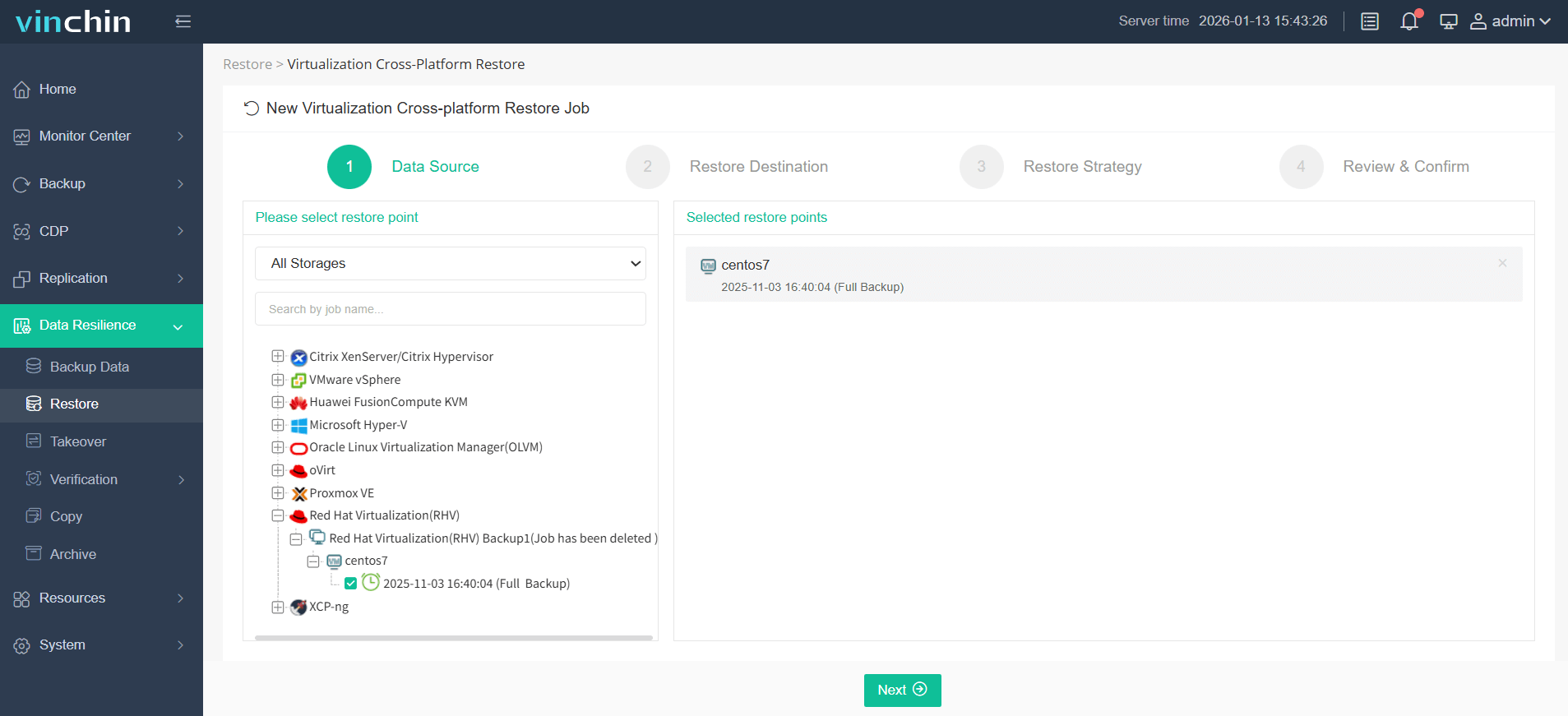
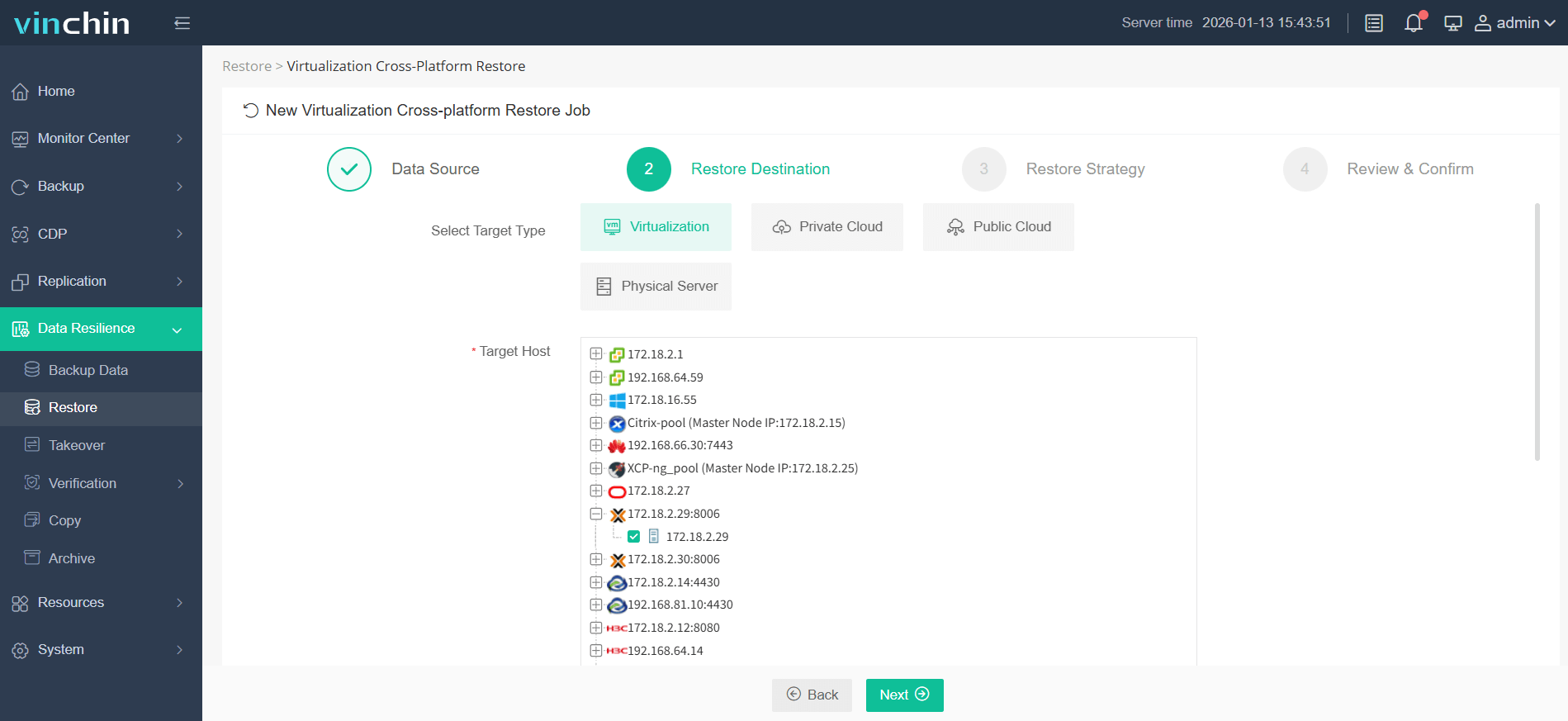
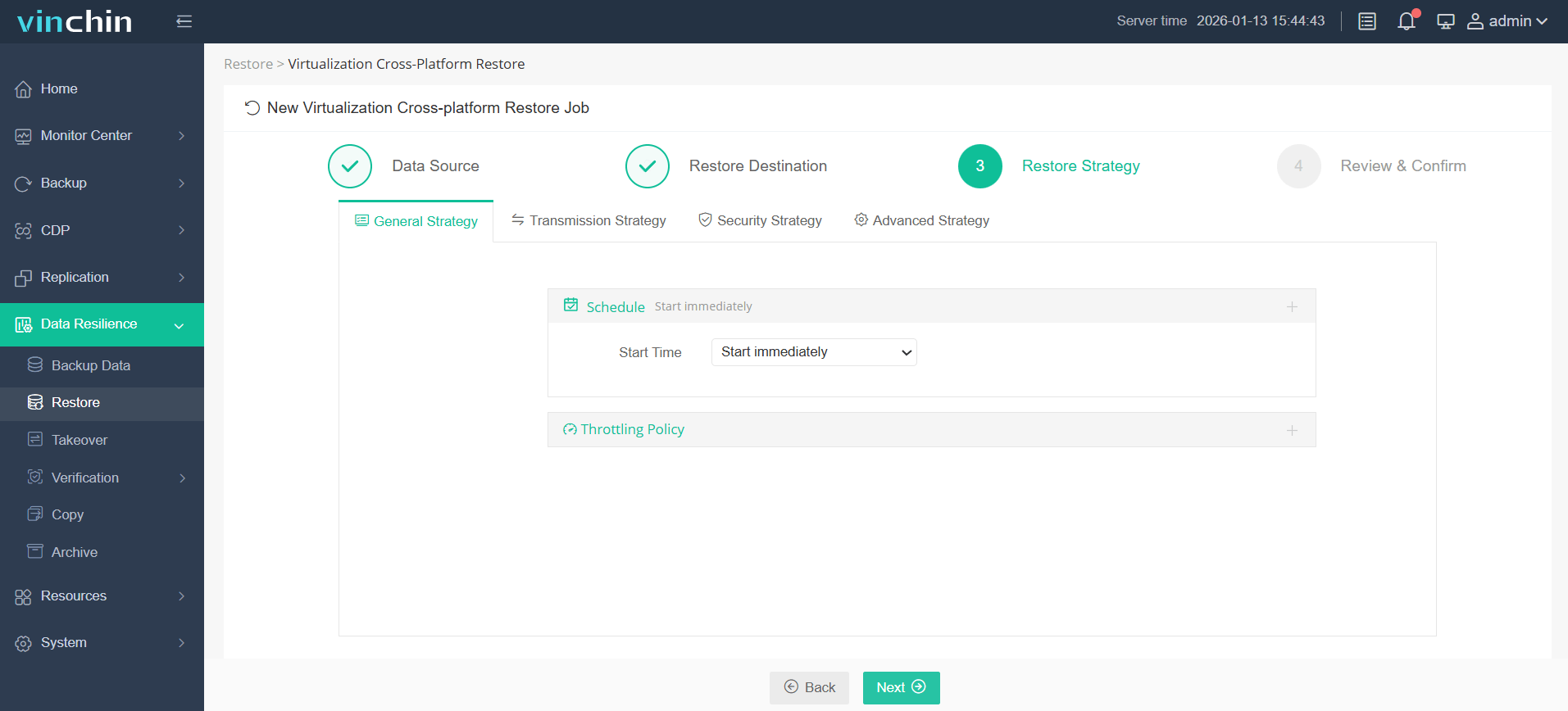
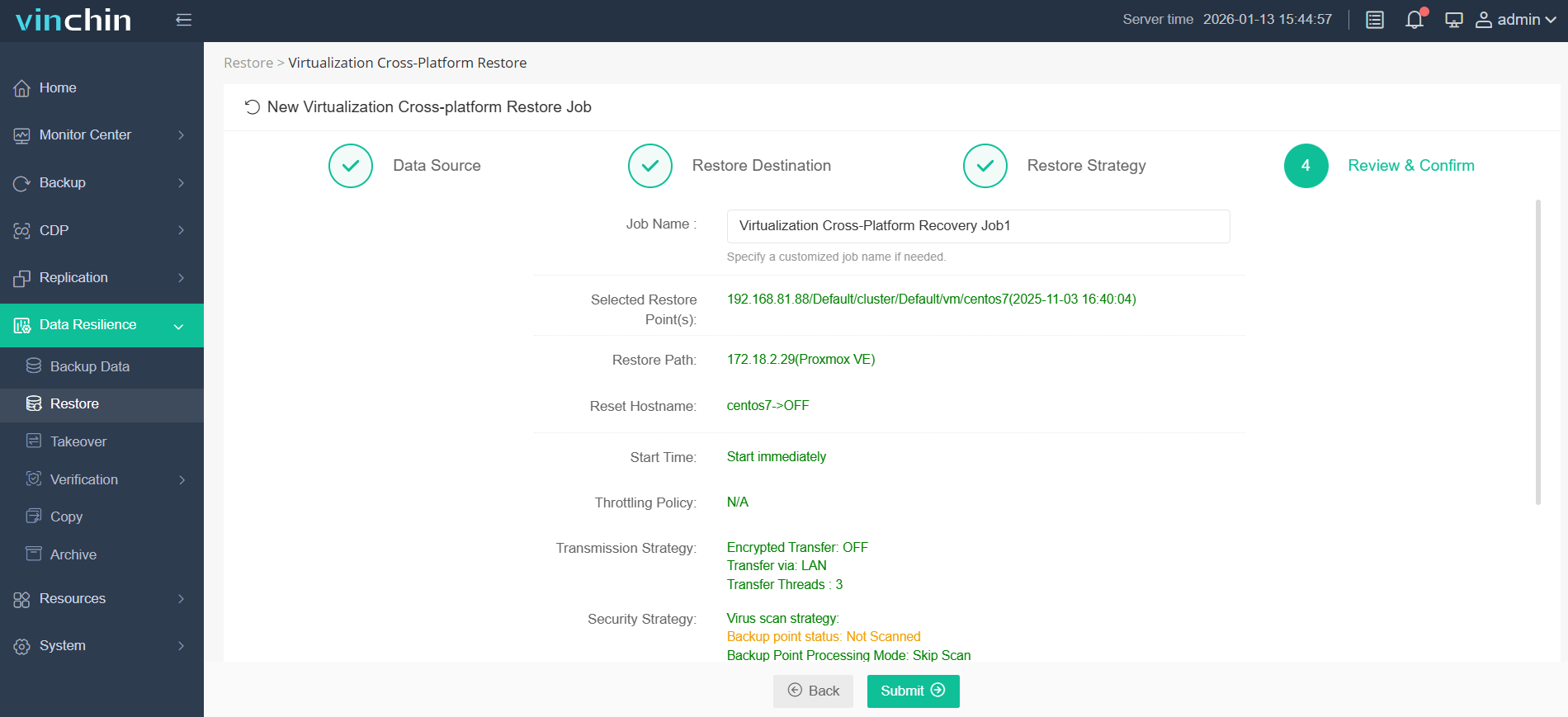
Using the intuitive web console of Vinchin Backup & Recovery makes protecting your environment straightforward:
1. Choose the VM you want to restore.
2. Select the Proxmox host to run the restored VM.
3. Select the restore strategy.
4. Review and submit the job.
Trusted globally by thousands of businesses—with top ratings from industry analysts—Vinchin Backup & Recovery offers a 60-day full-featured free trial so you can evaluate its capabilities risk-free.
Best Red Hat Virtualization Backup Software FAQs
Q1: How does agentless backup reduce production impact?
Agentless backup works outside guest OSes using hypervisor APIs like libvirt/oVirt—eliminating intra-VM resource overhead and management complexity while keeping applications responsive throughout protection tasks.
Q2: Why are incremental backups important for performance?
Incremental jobs transfer only changed blocks since the last job using CBT—minimizing network traffic and storage needs so frequent protection runs smoothly alongside normal operations.
Q3: Can minimal-impact solutions still provide fast restores?
Yes—they offer instant restore functions that boot VMs directly from protected copies so services resume quickly even if primary storage fails mid-day without affecting ongoing work elsewhere in your environment.
Q4: Is API integration necessary for low-impact backups?
API integration enables coordinated snapshot creation at both VM/hypervisor layers which prevents disruption during active database transactions; it also supports app-consistent images needed by regulated industries.
Q5: How do scheduling/throttling controls help minimize impact?
Scheduling lets admins run jobs outside peak hours while throttling limits CPU/bandwidth used per task so core business apps stay unaffected no matter how often you back up.
Conclusion
Choose solutions built around native RHV API integration with granular control over schedules/throttling—they deliver resilience without slowing down your business operations.