Strong encryption is essential for protecting VMware environments. It shields backup data from threats at every stage—during transfer and while stored. The most secure VMware backup solutions use end-to-end AES-256 encryption. This standard is trusted worldwide for its proven strength against attacks. Enterprises need advanced key management and compliance-grade security to meet strict regulations. Robust encryption forms the backbone of operational integrity and regulatory compliance.
Why Data Encryption Matters in Enterprise Environments
Encryption protects sensitive business data from cybercriminals, insider threats, and accidental leaks. Regulations like GDPR Article 32 require organizations to implement strong technical measures—including encryption—to safeguard personal data. The HIPAA Security Rule also mandates encryption of health information.
● Protection Against Cyber Threats
Encryption acts as a barrier against ransomware attacks or unauthorized access attempts. Even if attackers breach your network or storage systems, encrypted backups remain unreadable without decryption keys.
● Mitigation of Insider Risks
Insider threats can be just as damaging as external ones. With strong encryption in place, employees cannot access backup contents unless they have proper authorization.
● Prevention of Accidental Exposure
Backup data often moves across networks or gets stored offsite. Encryption ensures that even if files are intercepted during transfer or mishandled at remote locations, sensitive information stays protected.
● Regulatory Compliance
Non-compliance with data protection laws can result in heavy fines and reputational damage. Encryption helps demonstrate due diligence during audits by showing that you take privacy requirements seriously.
When organizations fail to encrypt their backups properly, they risk exposing confidential business records during routine operations—a scenario that can lead to severe consequences.
How To Choose The Best VMware Backup Solution for Data Encryption
Selecting a VMware backup solution with robust encryption requires careful evaluation of several factors. Each element plays a role in ensuring both security and operational efficiency within enterprise IT environments.
● Encryption Strength
The strongest solutions use enterprise-grade AES-256 encryption for both data at rest and in transit. Many modern platforms now implement AES-256-GCM (Galois/Counter Mode), which provides authenticated encryption—protecting both confidentiality and integrity of your backups.
● Key Management
Effective key management is vital for maintaining control over encrypted data. Look for flexible options such as hardware security modules (HSMs), centralized key vaults, or integration with enterprise identity systems. Secure key rotation policies help reduce risks if credentials are ever compromised.
● Compliance Certifications
Solutions should comply with industry standards like GDPR, HIPAA, PCI DSS, or ISO/IEC 27001. Independent audits validate that vendors follow best practices for cryptographic implementation—giving you confidence in their approach to security.
● Scalability and Performance
As your environment grows, backup software must handle larger workloads without slowing down operations. Efficient algorithms ensure that strong encryption does not create bottlenecks during backup or restore jobs—even when managing petabytes of virtual machine snapshots across multiple sites.
● Auditability
Comprehensive logging supports ongoing risk management efforts by tracking events such as backup job status changes, user access attempts on encrypted files, policy modifications, and key usage activities. Detailed reports help satisfy auditors’ requests during compliance reviews while enabling rapid detection of suspicious behavior within your infrastructure.
A solution meeting these criteria delivers peace of mind—knowing your organization’s critical assets remain safe from evolving threats while supporting long-term growth strategies.
Vinchin Backup & Recovery: Enterprise-Level VM Protection Across Platforms
To address the complex needs of modern enterprises running VMware and other virtualization platforms—including Hyper-V, Proxmox, oVirt, OLVM, RHV, XCP-ng, XenServer, OpenStack, ZStack (15+ total)—Vinchin Backup & Recovery offers a comprehensive virtual machine backup solution tailored for diverse IT infrastructures. As an enterprise-level product supporting all mainstream hypervisors mentioned above—with special focus on VMware—it delivers robust features such as quiesced snapshot support, HotAdd transport mode, CBT-based incremental backups, LAN-free backup, instant recovery, plus universal capabilities like full/incremental/differential backups; deduplication; V2V migration; granular restore; cloud/tape archive; GFS retention policy; throttling policy; multi-thread transmission; VM backup verification; scheduled/repetitive tasks; compression; strong data encryption; and more.
Using the intuitive Vinchin Backup & Recovery web console makes safeguarding VMs straightforward:
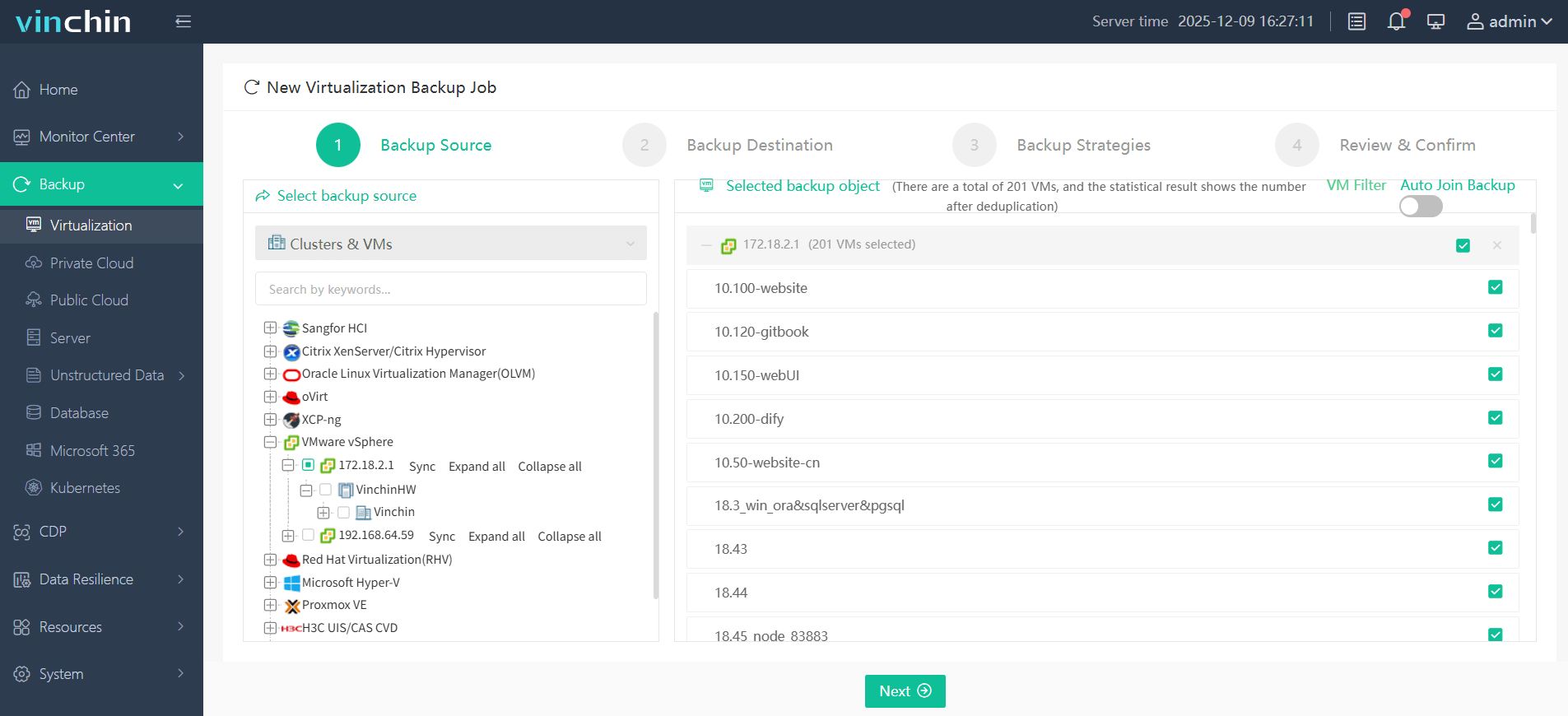
Step 1: Select the VMware VM to back up.
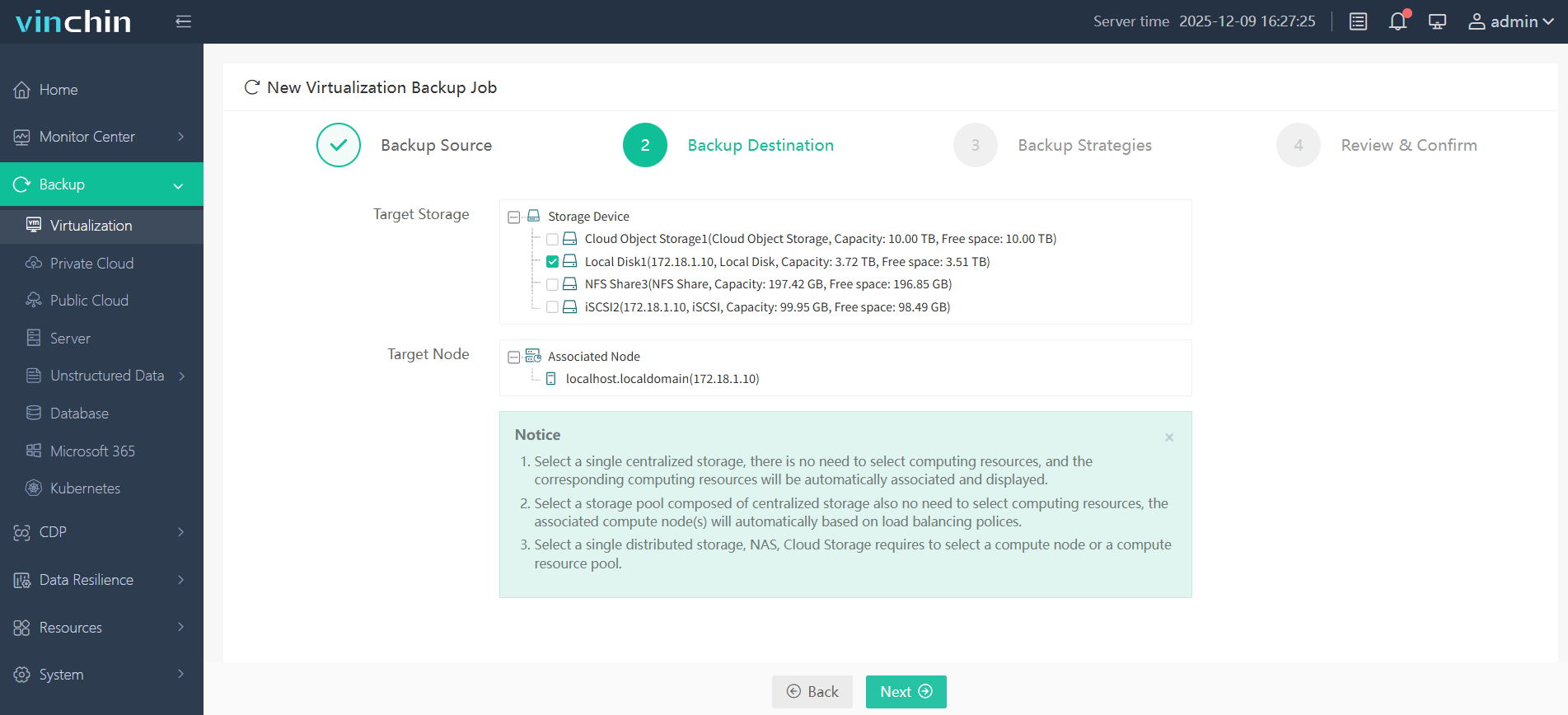
Step 2: Choose the target storage location for backups.
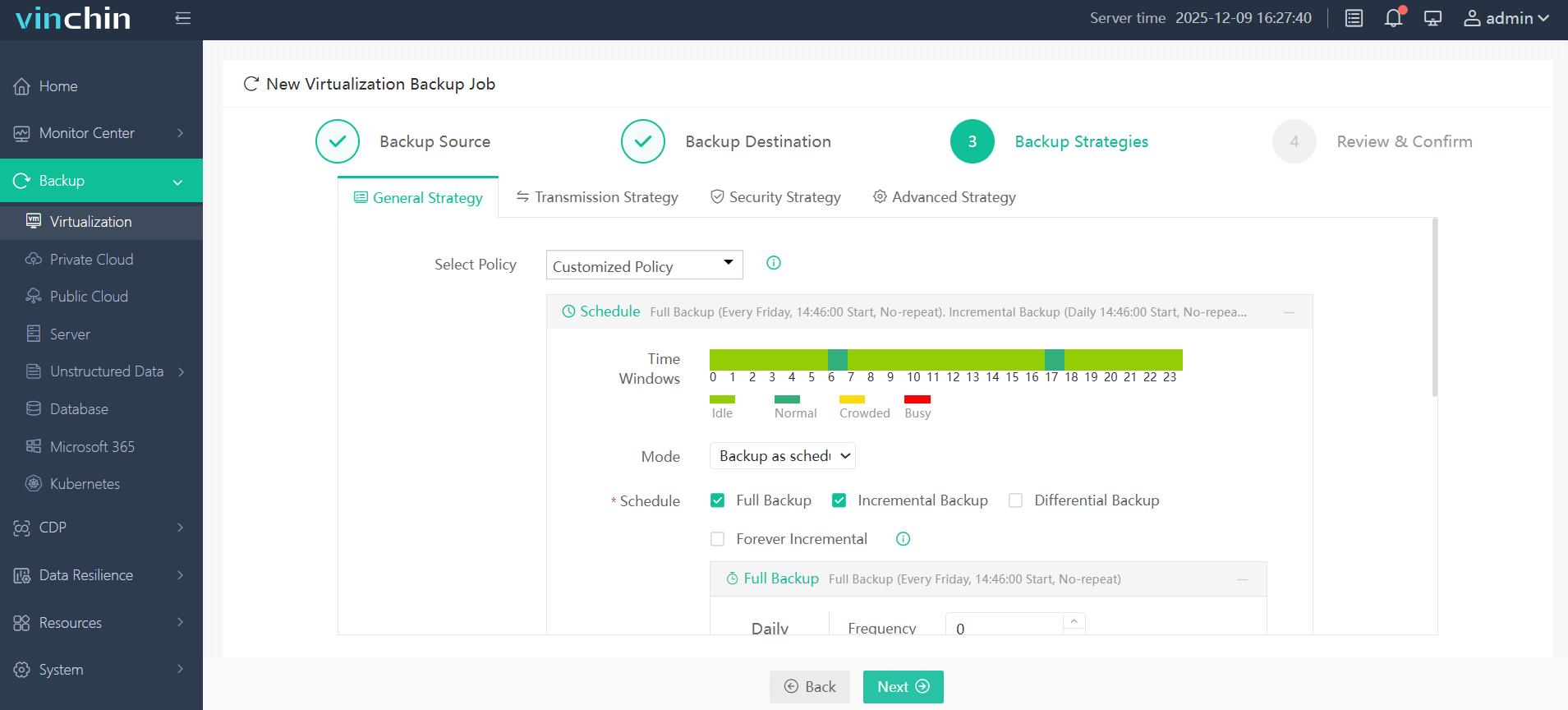
Step 3: Configure strategy settings including schedules/encryption/policies as needed.
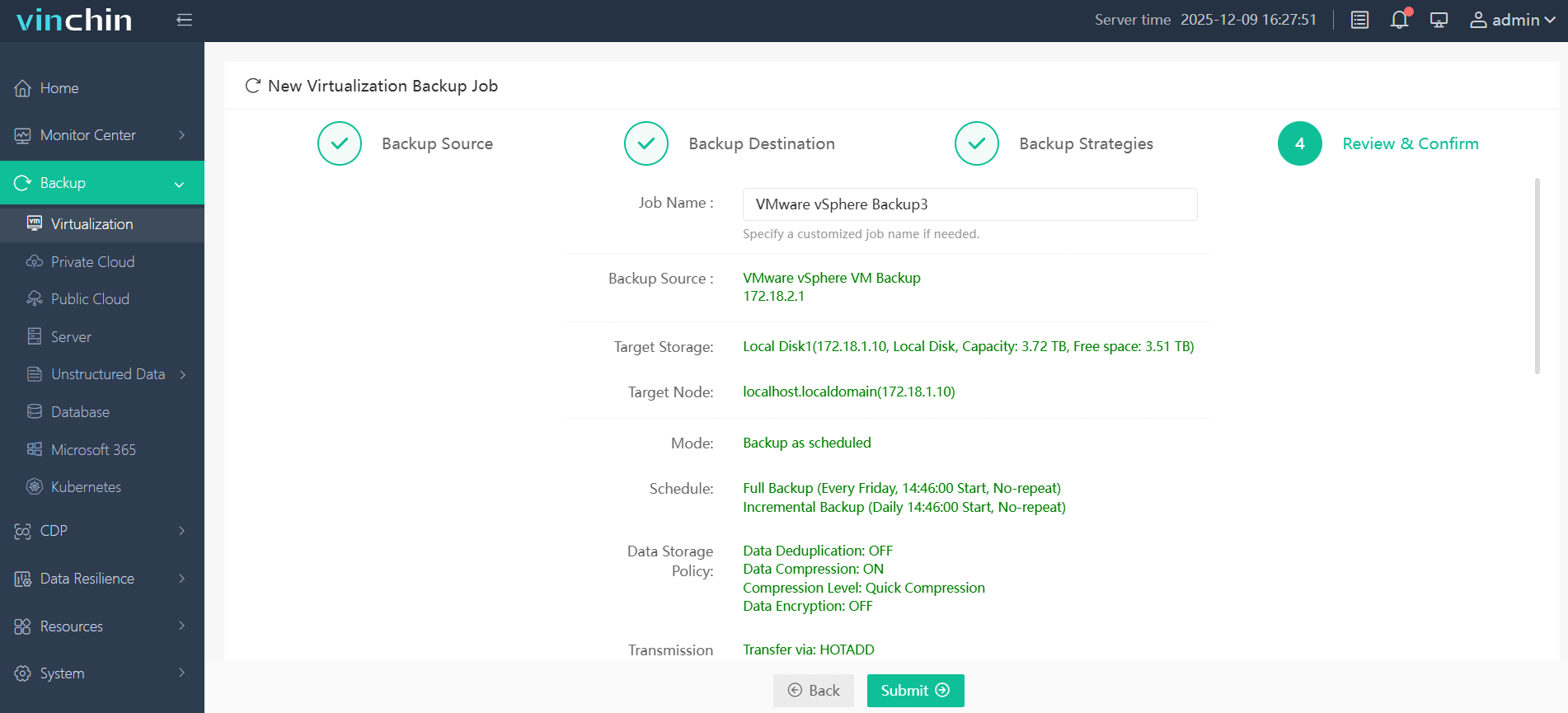
Step 4: Submit the job—automation handles the rest.
Recognized globally by thousands of customers with top ratings for reliability and innovation, Vinchin Backup & Recovery offers a fully featured 60-day free trial—click below to experience leading enterprise VM protection firsthand.
Best VMware Backup Software FAQs
Q1: Does strong backup encryption affect restore speed?
No—enterprise solutions like Vinchin optimize decryption processes so there is minimal impact on restore performance; users benefit from both high security levels and fast recovery times.
Q2: How important is key management in encrypted backups?
Critical—secure key management ensures that even if encrypted files are stolen they cannot be accessed without proper keys; weak key handling undermines even robust cryptography standards.
Q3: Are all backup vendors’ AES-256 implementations equal?
No—the quality varies widely; always verify certifications such as FIPS validation or ISO audit results before trusting claims about algorithm strength alone.
Q4: What happens if the encryption key is lost?
If an organization loses its only copy of an active decryption key—and no recovery mechanism exists—the corresponding encrypted backups become permanently inaccessible; this highlights why secure multi-factor storage methods are essential when managing keys.
Q5: Can encrypted backups help with regulatory compliance?
Yes—robust end-to-end cryptography helps fulfill legal obligations under frameworks like GDPR Article 32 or HIPAA Security Rule by demonstrating proactive steps taken toward protecting sensitive information.
Conclusion
Choosing proven strong-encryption VMware backup software shapes resilience and compliance outcomes directly. Vinchin Backup & Recovery delivers top-tier protection while maintaining efficiency—a reliable choice for safeguarding critical business assets.










