OpenStack powers many enterprise clouds by combining compute (Nova), storage (Cinder), and object storage (Swift) into one flexible platform. This distributed design brings agility but also complicates backup strategies. Traditional backup methods often miss critical metadata or fail to capture consistent snapshots across services. Specialized OpenStack backup tools address these gaps by providing deep integration, ensuring all workloads—VMs, volumes, configurations—are protected against modern threats like ransomware.
The best OpenStack backup solutions offer immutable backups, rapid recovery options, and advanced threat detection. These features are essential for maintaining data integrity and minimizing business disruption during an attack.
Ransomware resilience is now central to enterprise operations. It impacts business continuity, regulatory compliance, and operational efficiency by reducing downtime risk and ensuring recoverability under attack conditions. With so many choices available, selecting the right tool for your OpenStack environment requires careful consideration of real-world threats.
Why Ransomware Protection Matters in Enterprise Environments
Ransomware attacks have grown more sophisticated in recent years. Attackers now use double-extortion tactics—encrypting data while threatening public leaks—to pressure organizations into paying ransoms.
● Critical Data Loss Prevention
Given this landscape, ransomware protection is a baseline requirement because attacks can encrypt or destroy critical data. Without robust safeguards in place within backup solutions, enterprises face prolonged outages that disrupt operations and erode customer trust.
● Regulatory Compliance Assurance
Strong protection also helps meet legal obligations. Many regulations require timely restoration of sensitive data after incidents. Failing to comply can result in fines or legal action.
● Business Continuity Maintenance
When ransomware strikes, restoring clean data quickly is vital for limiting damage. Reliable backups make the difference between a minor incident and a major crisis by enabling fast recovery of essential systems.
● Operational Efficiency Preservation
Robust backup solutions reduce uncertainty around recovery timelines. They help IT teams respond confidently under pressure instead of scrambling during emergencies.
How To Choose The Best OpenStack Backup Solution for Ransomware Protection?
Selecting an effective OpenStack backup tool means looking beyond basic feature lists—it’s about building layered defenses suited to today’s threats.
● Immutable Storage Coverage
Prioritize solutions offering immutable storage for both backup metadata and actual data blocks. Immutability ensures neither malware nor attackers can alter or delete restore points or corrupt catalogs—a crucial safeguard against sophisticated ransomware strains using targeted deletion techniques.
● Integrated Anomaly Detection
Look for integrated anomaly detection that goes beyond simple job failure alerts; some tools use machine learning to spot unusual patterns like sudden spikes in changed data or unexpected deletions. Early warning systems help you catch attacks before they spread widely—but always verify how advanced each solution’s detection really is.
● Rapid Recovery Capabilities
Assess how quickly the solution restores full workloads, individual files, or even entire network topologies from clean backups. Fast recovery minimizes downtime—a key factor when every minute counts during an incident.
● Scalability Across Complex Environments
Your chosen solution should scale smoothly as your cloud grows across hundreds of VMs or multiple tenants without sacrificing security controls or performance consistency.
● Compliance Support Features
Check for detailed audit logs, role-based access controls (RBAC), encryption at rest/in transit, and support for regulatory requirements such as GDPR or HIPAA if applicable to your industry sector.
Vinchin Backup & Recovery: Enterprise-Grade Protection for OpenStack
For organizations seeking robust ransomware defense tailored specifically to OpenStack environments, Vinchin Backup & Recovery stands out as a professional enterprise-level VM backup solution supporting 15+ mainstream virtualization platforms—including seamless integration with OpenStack itself alongside VMware, Hyper-V, Proxmox, oVirt, OLVM, RHV, XCP-ng, XenServer, ZStack and others.
Vinchin Backup & Recovery offers agentless operation on OpenStack VMs plus features such as instant recovery, Changed Block Tracking (CBT), LAN-free backup modes where supported—including on OpenStack—and SpeedKit acceleration on select platforms. Core strengths include forever-incremental/differential/full/scheduled backups; deduplication/compression; granular restore; V2V migration; GFS retention policies; throttling policy; multi-thread transmission; VM data verification; cloud/tape archive options; comprehensive encryption—all managed via a unified web console interface familiar to most administrators.
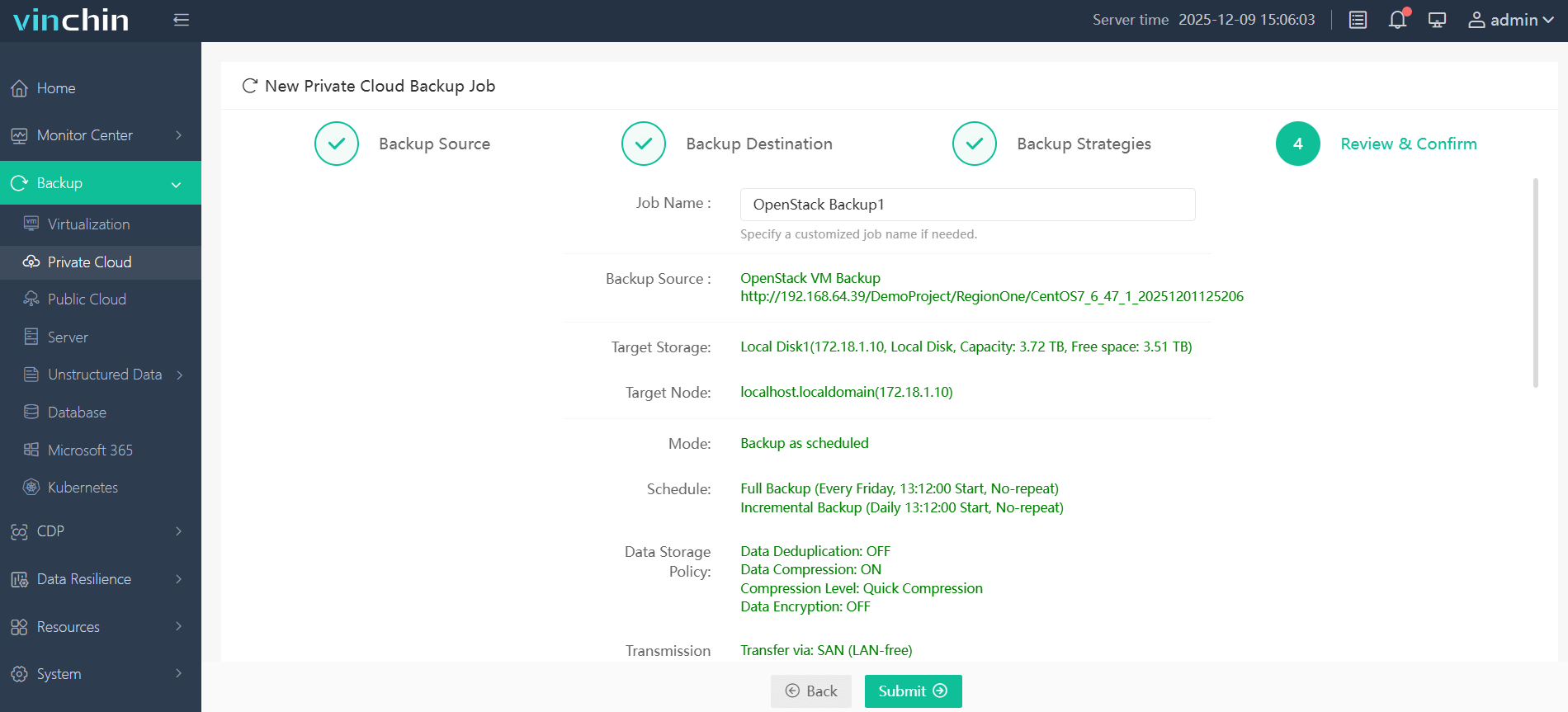
Backing up an OpenStack VM with Vinchin Backup & Recovery is straightforward thanks to its intuitive web console:
Step 1: Select the OpenStack VM(s) you wish to back up.

Step 2: Choose the target backup storage location.
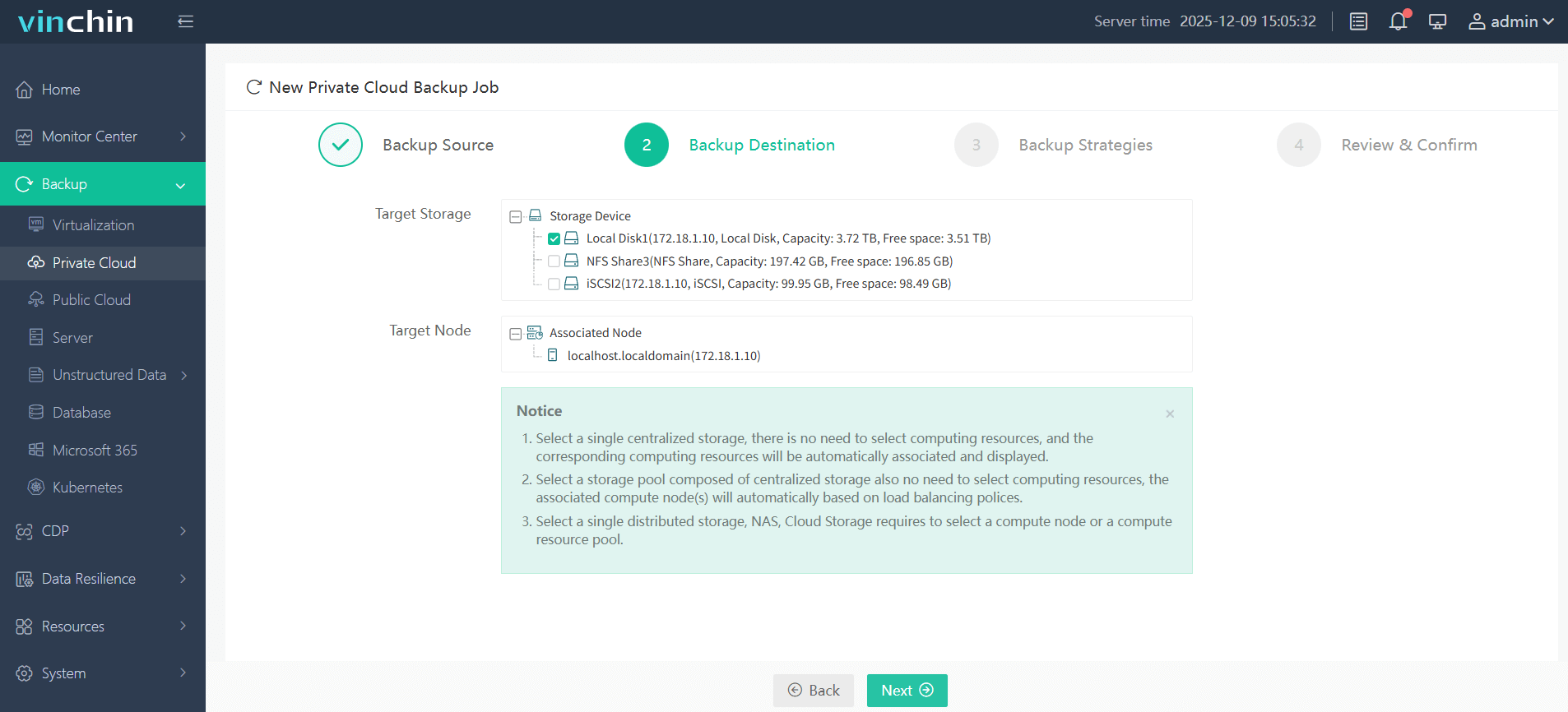
Step 3: Configure your preferred backup strategy—including scheduling/frequency/policies.

Step 4: Submit the job—monitor progress directly from the dashboard.
Trusted worldwide by thousands of enterprises—with top ratings from global users—Vinchin Backup & Recovery offers a fully featured 60-day free trial so you can experience its powerful capabilities firsthand before committing.
Best OpenStack Backup Software FAQs
Q1: What makes a backup solution effective against ransomware?
A: Immutable storage prevents tampering or deletion of backups by malware or attackers at both metadata/catalog level and actual data blocks level—ensuring you always have clean restore points even if production systems are compromised.
Q2: How does rapid recovery reduce ransomware impact?
A: Fast restores limit downtime after an incident so operations resume quickly—the less time spent offline recovering systems from clean backups means less opportunity lost due to disrupted business processes.
Q3: Is anomaly detection necessary in backup software?
A: Yes—it provides early alerts about suspicious activity like sudden spikes in changed files/folders which could indicate active malware infection before it spreads further into protected datasets.
Q4: Does scalability affect ransomware protection?
A: Scalable solutions ensure security policies like immutability/access controls apply uniformly without performance degradation—even as your environment expands across hundreds of VMs/multi-cloud deployments.
Conclusion
Choosing resilient OpenStack backup software shapes your ability to withstand evolving cyberattacks without major losses now—and keeps your strategy adaptable long-term amid new threat vectors ahead.










