



Table of contents
-
How to restore Exchange Server with Vinchin Backup & Recovery?

Microsoft Exchange Server downtime can hurt your business. This guide shows you how to use Vinchin Backup & Recovery to bring back your mail fast and easy. Learn the steps and keep your data safe.
Microsoft Exchange Server downtime will cause great impact on the business. Users could lose mail access, scheduled process could fail, and compliance windows could be missed. This guide will tell you the steps to restore Exchange Server with Vinchin Backup & Recovery.
To restore exchange with Vinchin Backup & Recovery, you need to have a backup created by it. Then, you can restore your mails in 4 steps in its intuitive web console.
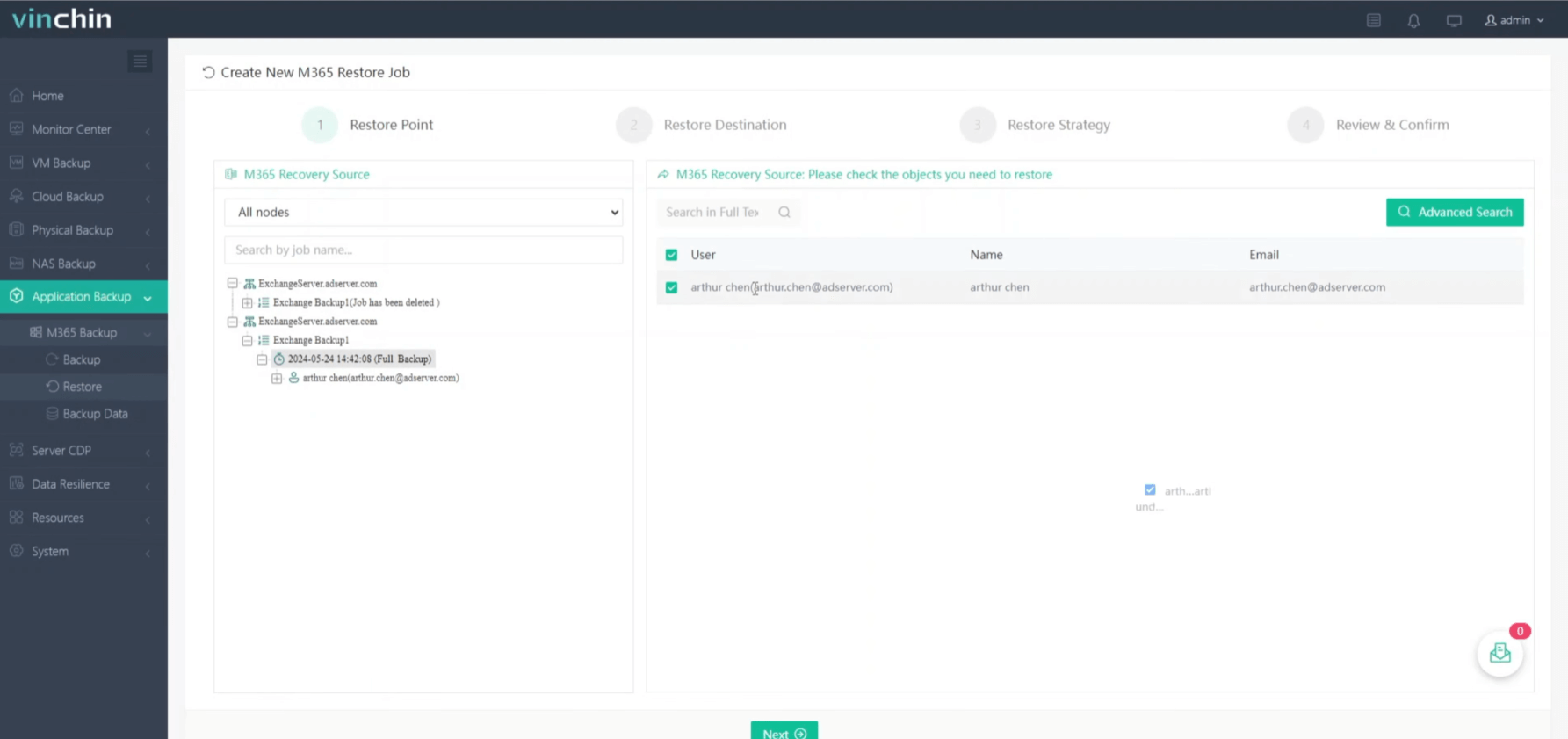
Step 1. Select the backup of Exchange Server and add the objects to “shopping cart”
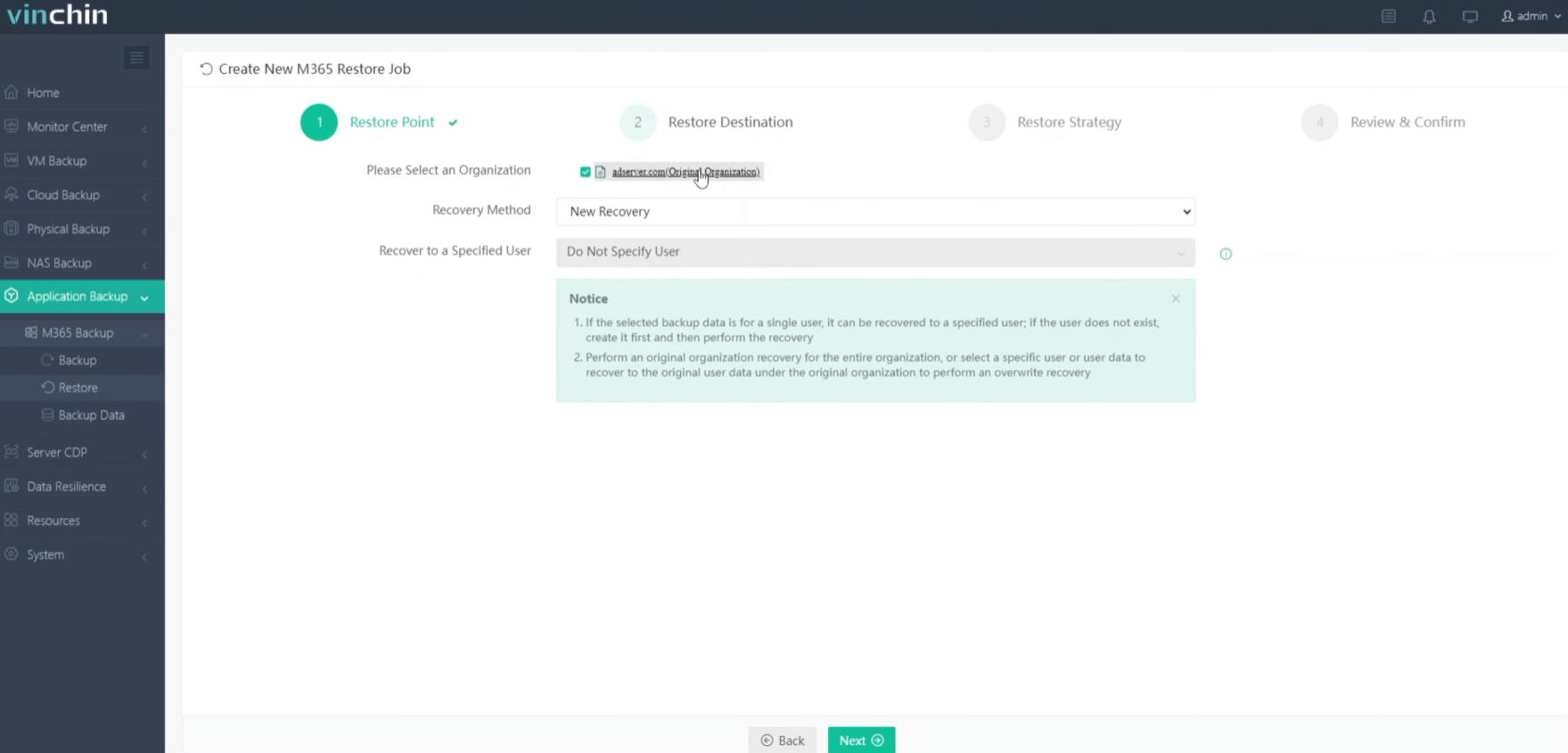
Step 2. Select the restore destination
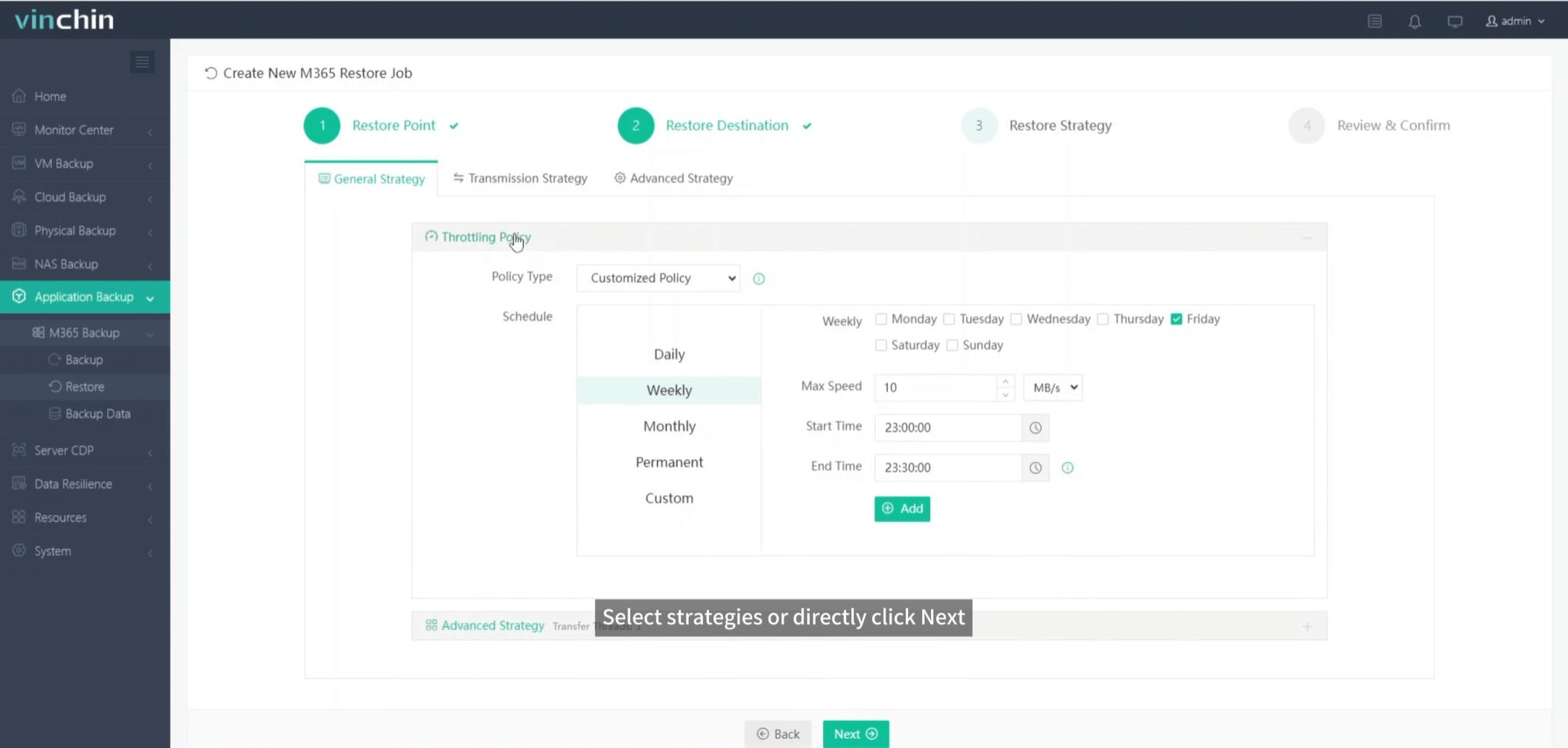
Step 3. Select the restore strategies
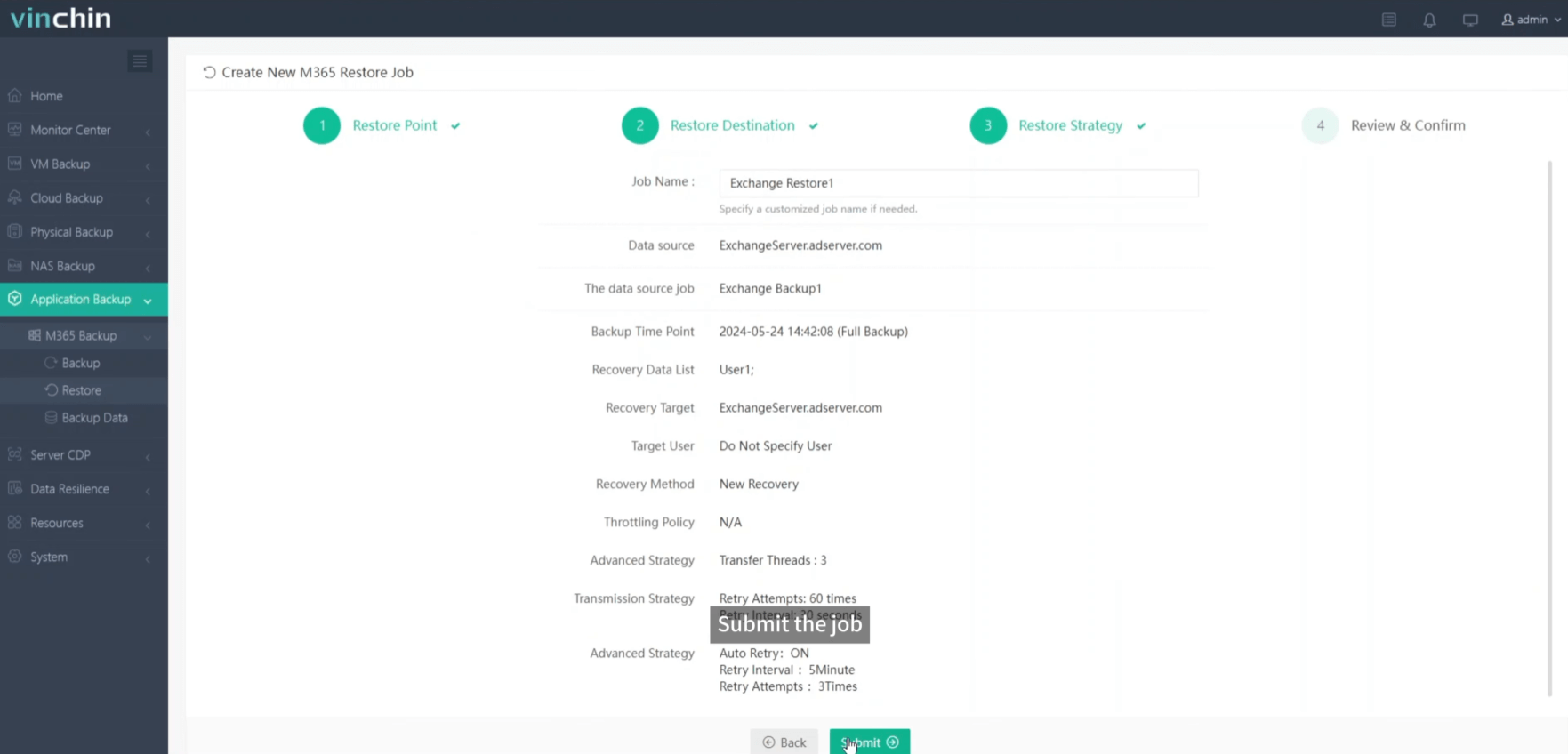
Step 4. Submit the job
Vinchin has earned reputation from thousands of customers and you can also trust Vinchin by starting a 60-day full-featured free trial now. Just click the button below to get the installation package.
Share on:


