








Product: Vinchin Backup & Recovery
Version: V9.0, V8.1
KB Number: 200233
Last Modified: 2026-09-28 11:46:11
Discovered Version:v9.0
Question
How to improve backup speed by modifying configuration.
Answer
Issue Description
Without adjusting the hardware facilities of the current environment, the backup speed can be improved by adjusting the job configuration.
There are mainly four aspects:
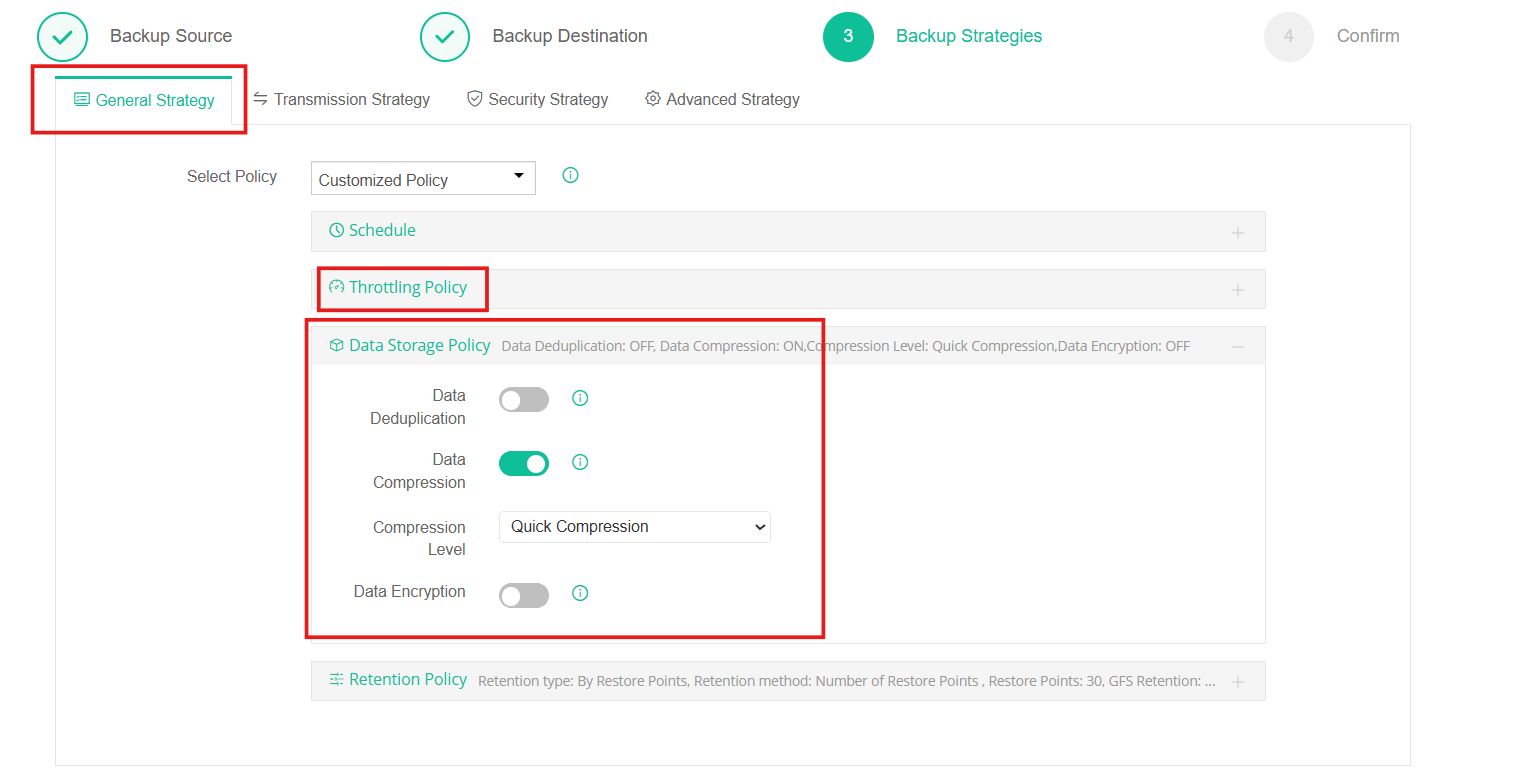
- Throttling Policy
- Data Storage Policy
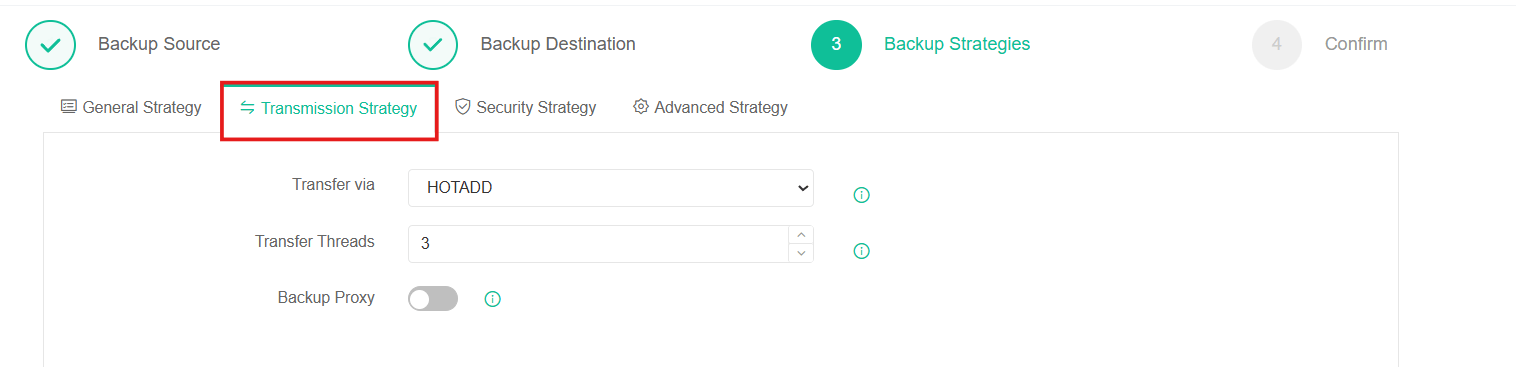
- Transmission Strategy
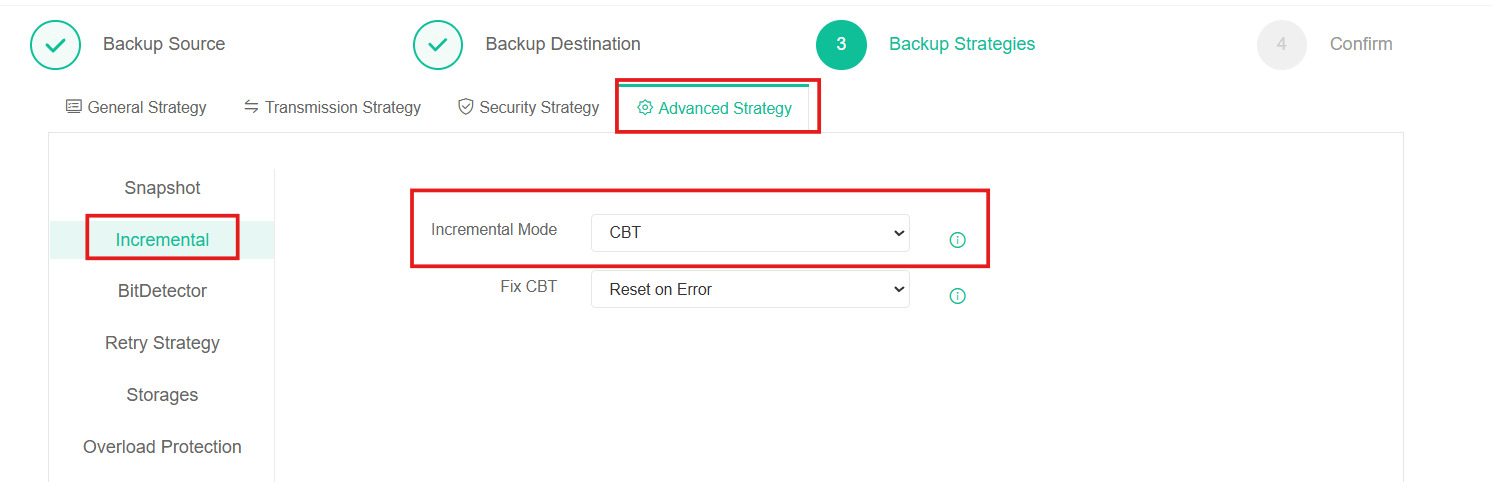
- Advanced Strategy
Resolution
Throttling Policy
- The throttling policy settings are optional, only if the backup jobs will bring network or I/O overload to your production environment, you can configure the throttling policy accordingly otherwise leave it unconfigured.
- If you enable the throttling policy, it will reduce the load on the network by restricting network traffic, thus limiting the optimal performance of backup speed.
Data Storage Policy
- Data Deduplication: This can save the bandwidth and storage resources for transmitting and storing the backup data.
- We recommend disable it as default.
- Data Compression: This can save the bandwidth and storage resources for transmitting and storing the backup data.
- Compression can greatly affect backup speed, so we strongly recommend setting the compression level to Quick Compression or turning off the compression function.
- If the current storage requires the use of this feature, in order to ensure backup windows, we recommend not exceeding the Standard Compression level.
Transmission Strategy
- Increasing the number of transmission threads can also significantly improve backup speed.
Advanced Strategy
- On Incremental Configuration, you can set the mode as CBT/Speedkit instead of Ordinary.
- NOTE: CBT/Speedkit will leave a snapshot in PROD storage, please make sure the corresponding storage has the enough space.
60-DAY FULL-FEATURED FREE TRIAL
No credit card required
Get started in 10 minutes