








Product: Vinchin Backup & Recovery
Version: V9.0
KB Number: 200231
Last Modified: 2026-09-24 17:51:38
Discovered Version:v9.0.0
Question
For unified monitoring, security auditing, and centralized management, administrators require Vinchin Backup & Recovery to forward system events, alerts, and logs to a third-party centralized log monitoring platform or Syslog server.
Answer
Log forwarding can be natively configured through the Vinchin Web Management Console.
Resolution
Step 1:Access System Settings
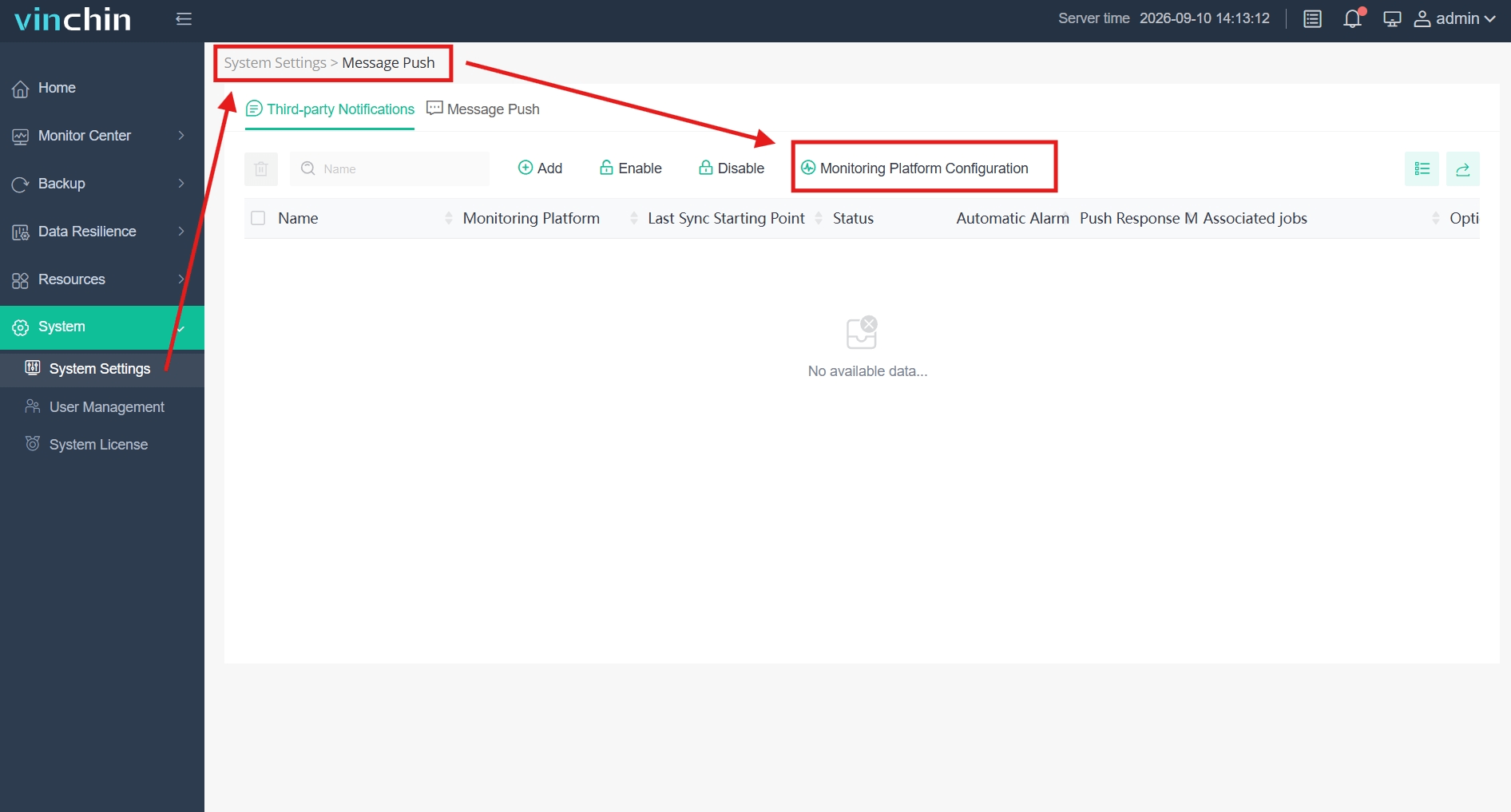
- Log in to the Vinchin Web Management Console and navigate to System > System Settings via the left-side navigation menu.
Step 2:Locate Message Push Configuration
- Go to the Message Push tab and click Monitoring Platform Configuration.
Step 3:Configure Third-party Monitoring Platform
- Click Add and enter the required connection parameters for the target monitoring server.
60-DAY FULL-FEATURED FREE TRIAL
No credit card required
Get started in 10 minutes