Large enterprises rely on virtualization to run critical workloads, and XCP-ng has become a popular choice for its flexibility and cost savings. But what happens when disaster strikes? Hardware failures, ransomware, or even human error can bring business to a halt. That’s why large organizations need a robust XCP-ng disaster recovery solution—one that ensures data is safe, downtime is minimal, and operations can resume quickly. So, what is the best XCP-ng disaster recovery solution for large enterprises? Let’s explore the answer.
Why Large Enterprises Choose XCP-ng?
For large enterprises, the choice of virtualization platform is strategic. Scalability is a top reason: XCP-ng can handle everything from a handful to hundreds of hosts, making it ideal for growing environments. Another key factor is cost-effectiveness. XCP-ng is open-source, so there are no expensive licensing fees, which helps large organizations control IT budgets.
Open-source flexibility is also crucial. Enterprises can customize XCP-ng to fit unique business needs, integrate with existing tools, and avoid vendor lock-in. Robust community support means there’s a global network of users and developers ready to help, share best practices, and contribute improvements. Finally, advanced security features—like role-based access control and regular security updates—help large organizations meet strict compliance and data protection requirements.
Importance of XCP-ng Disaster Recovery for Large Enterprises
Disaster recovery is not just a checkbox for large enterprises—it’s a business necessity. Business continuity during hardware failure is vital; a single server crash can impact thousands of users or customers. Compliance needs are another driver. Many industries require strict data retention and recovery policies, and failing to meet them can result in heavy fines.
Ransomware defense is now a top concern. Attackers target large organizations, and a solid disaster recovery plan is the best defense against data loss or extortion. Minimizing downtime costs is also critical. Every minute of outage can mean lost revenue, damaged reputation, and unhappy customers. Finally, protecting against human error—like accidental deletion or misconfiguration—ensures that mistakes don’t become disasters.
The Best XCP-ng Disaster Recovery Solution for Large Enterprises: Vinchin Backup & Recovery
To address enterprise-scale backup demands across diverse virtual environments—including leading platforms like XCP-ng—Vinchin Backup & Recovery delivers professional-grade protection tailored for complex infrastructures (supporting 15+ mainstream hypervisors such as VMware vSphere/ESXi/vCenter, Hyper-V, Proxmox VE, oVirt/OLVM/RHV, XenServer/XCP-ng, OpenStack, ZStack). For organizations running extensive XCP-ng deployments at scale, five standout features include LAN-free backup capability; advanced data deduplication and compression; GFS retention policy; granular restore; and multi-thread transmission—all working together to maximize backup efficiency while minimizing storage usage and ensuring rapid file-level recoveries with high throughput.
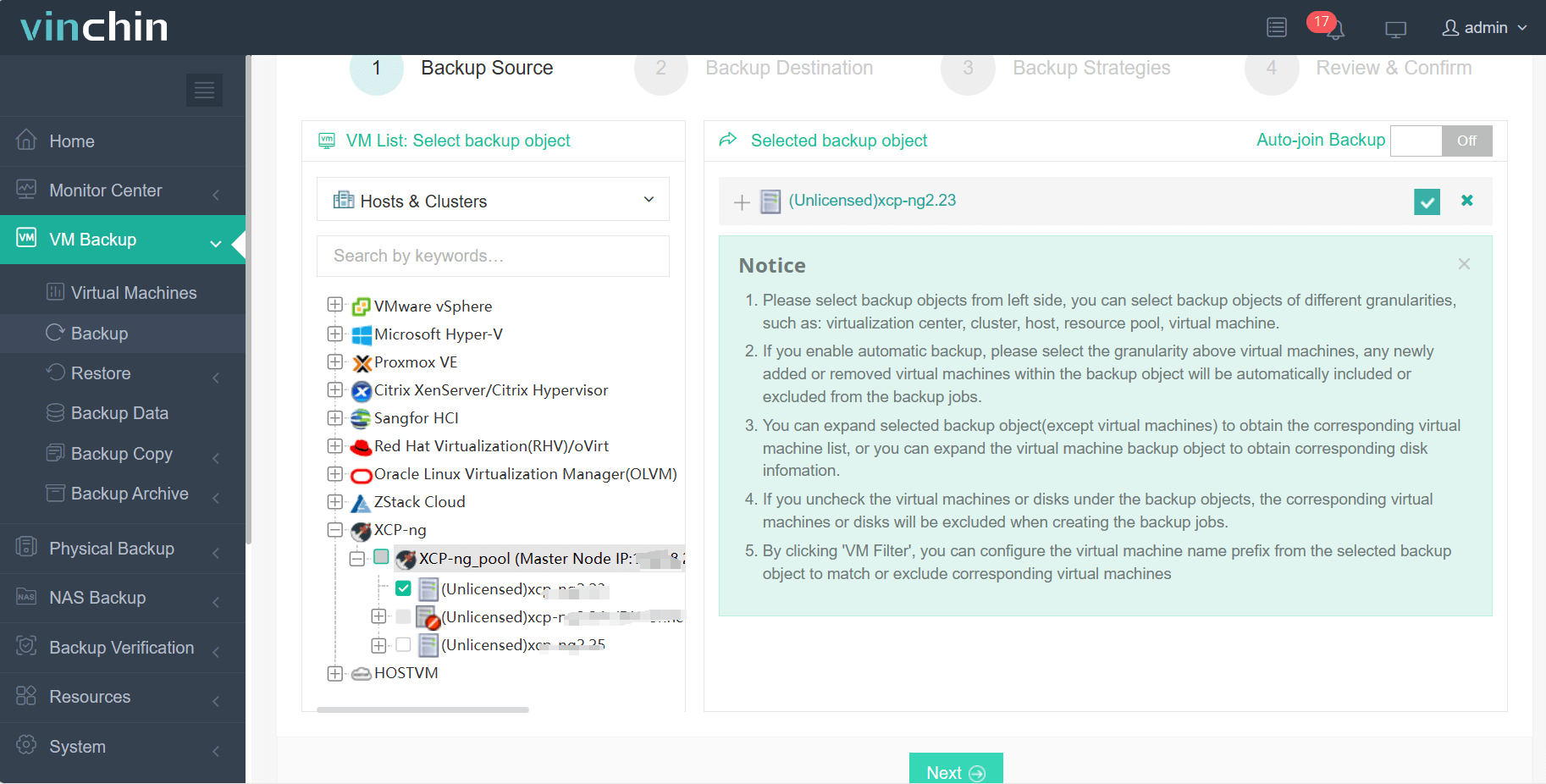
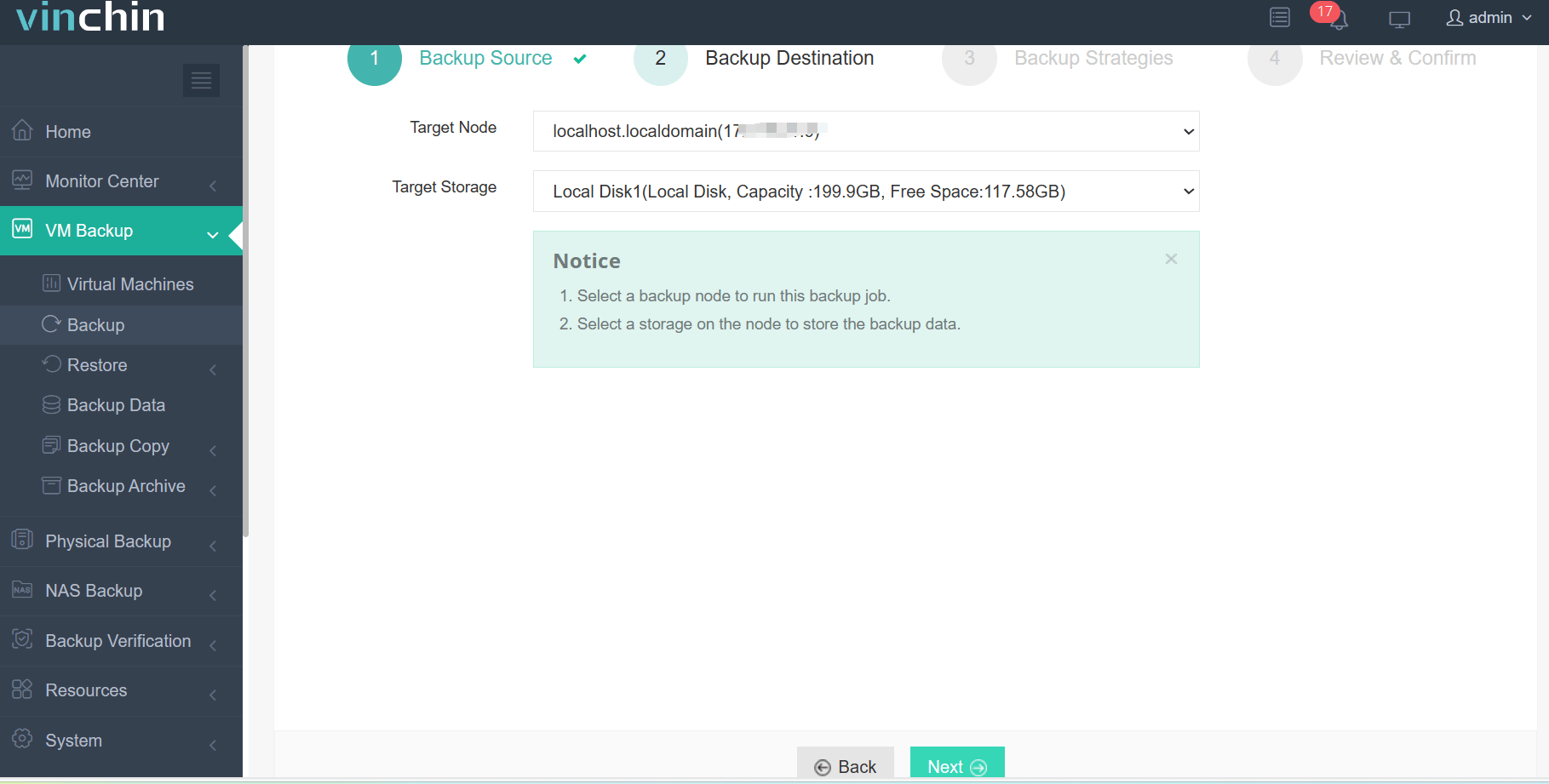
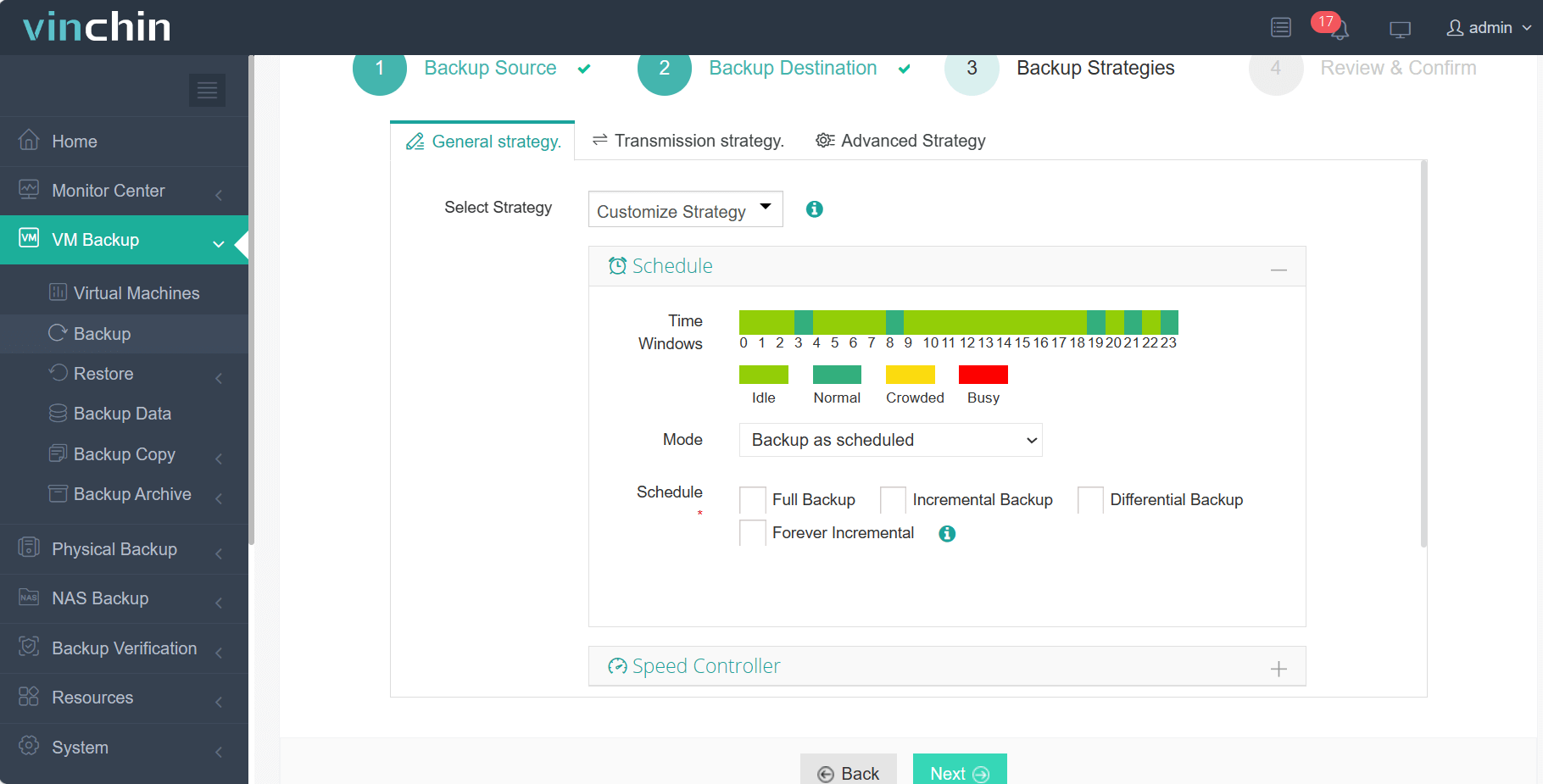
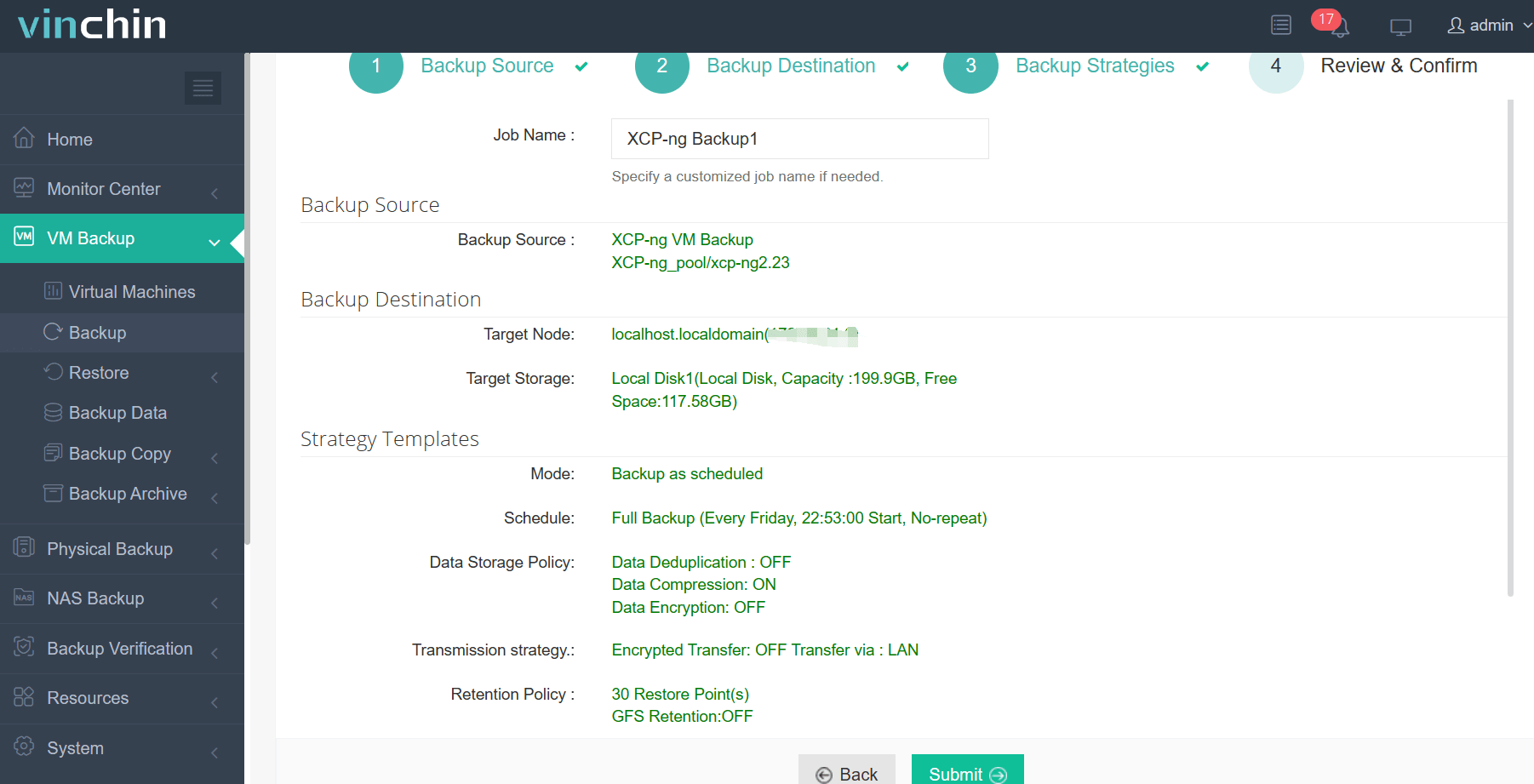
The intuitive Vinchin Backup & Recovery web console streamlines VM protection into four steps:
Step 1. Select Backup Source
Step 2. Select Backup Destination
Step 3. Select Backup Strategies
Step 4. Give a name to the job, review the details of the job, and submit it.
Recognized globally by enterprise customers for reliability and innovation—and consistently rated among top solutions—Vinchin Backup & Recovery offers a 60-day full-featured free trial so you can experience industry-leading protection firsthand; click below to get started.
XCP-ng Disaster Recovery FAQs for Large Enterprises
Q: How can I ensure my XCP-ng backups are ransomware-proof?
A: Use backup solutions that offer backup data encryption and ransomware-proof storage to block unauthorized access and modification.
Q: What’s the best way to meet long-term data retention policies on XCP-ng?
A: Choose a solution with GFS (Grandfather-Father-Son) retention policy and cloud/tape archive support for flexible, compliant retention.
Q: How do I minimize backup windows for hundreds of XCP-ng VMs?
A: Use LAN-free backup and multi-thread transmission to speed up data transfer without impacting production networks.
Q: Can I restore just a single file from a large XCP-ng VM backup?
A: Yes, with granular restore, you can recover individual files or folders without restoring the entire VM.
Q: How do I scale backup infrastructure as my XCP-ng environment grows?
A: Look for solutions that support flexible node expansion and centralized management for easy scaling.
Q: What’s the best way to test disaster recovery readiness in a large XCP-ng deployment?
A: Regularly perform backup verification and recovery tests to ensure backups are valid and recovery processes work as expected.
Conclusion
For large enterprises running XCP-ng, disaster recovery is mission-critical. The right solution must deliver speed, efficiency, compliance, and reliability at scale. Vinchin Backup & Recovery meets these needs with advanced features and proven performance—making it a top choice for enterprise XCP-ng disaster recovery.